Computer Motherboard Repair: Ultimate Guide 2025
Why Understanding Computer Motherboard Repair Matters
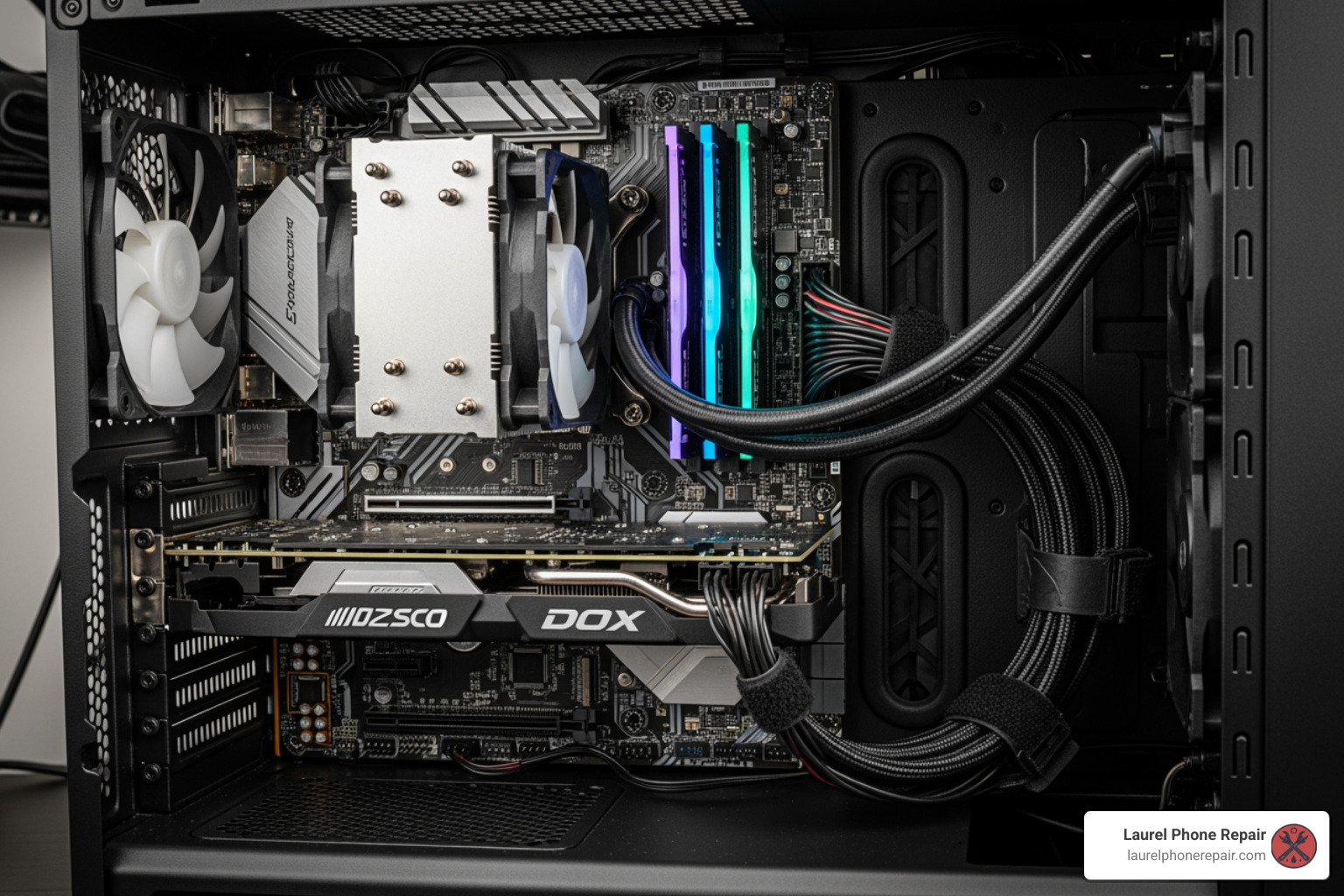
Computer motherboard repair addresses the core component that connects and controls every part of your PC. When your motherboard fails, your entire system becomes unusable, making it crucial to understand what can be fixed.
Quick Answer: Can Motherboards Be Repaired?
Yes, many motherboard issues can be repaired. Common problems include:
- Faulty capacitors – Often swollen or leaking, these can be replaced through soldering.
- Failed ports – USB, audio, or charging ports can be repaired using microsoldering.
- BIOS corruption – Can be fixed by reprogramming or replacing the BIOS chip.
- Power issues – Voltage regulator modules (VRM) can often be repaired.
- Liquid damage – Professional ultrasonic cleaning can save water-damaged boards.
Repair costs typically range from $80-$140 for labor, plus parts, while replacement boards can cost $50-$200+ depending on your system.
Think of your motherboard as your computer’s nervous system. It’s the main circuit board connecting your processor, memory, storage, and every other component. When it fails, everything stops. You might see a black screen, experience random shutdowns, hear strange beeps, or find that your USB devices no longer work. These symptoms often point to motherboard problems, but they don’t always mean you need a new computer.
Over time, components like capacitors can fail, ports can stop working, or circuits can be damaged by heat, power surges, or liquid spills. The good news is that many of these issues are repairable. With professional expertise, you can often fix the problem for less than the cost of a replacement board. Understanding what can be fixed can save you hundreds of dollars.
I’m Ralph Harris, and with over 20 years of experience in electronics repair, including more than 500 Apple repair certifications, I’ve completed countless computer motherboard repair projects. Let me walk you through identifying and resolving motherboard problems.
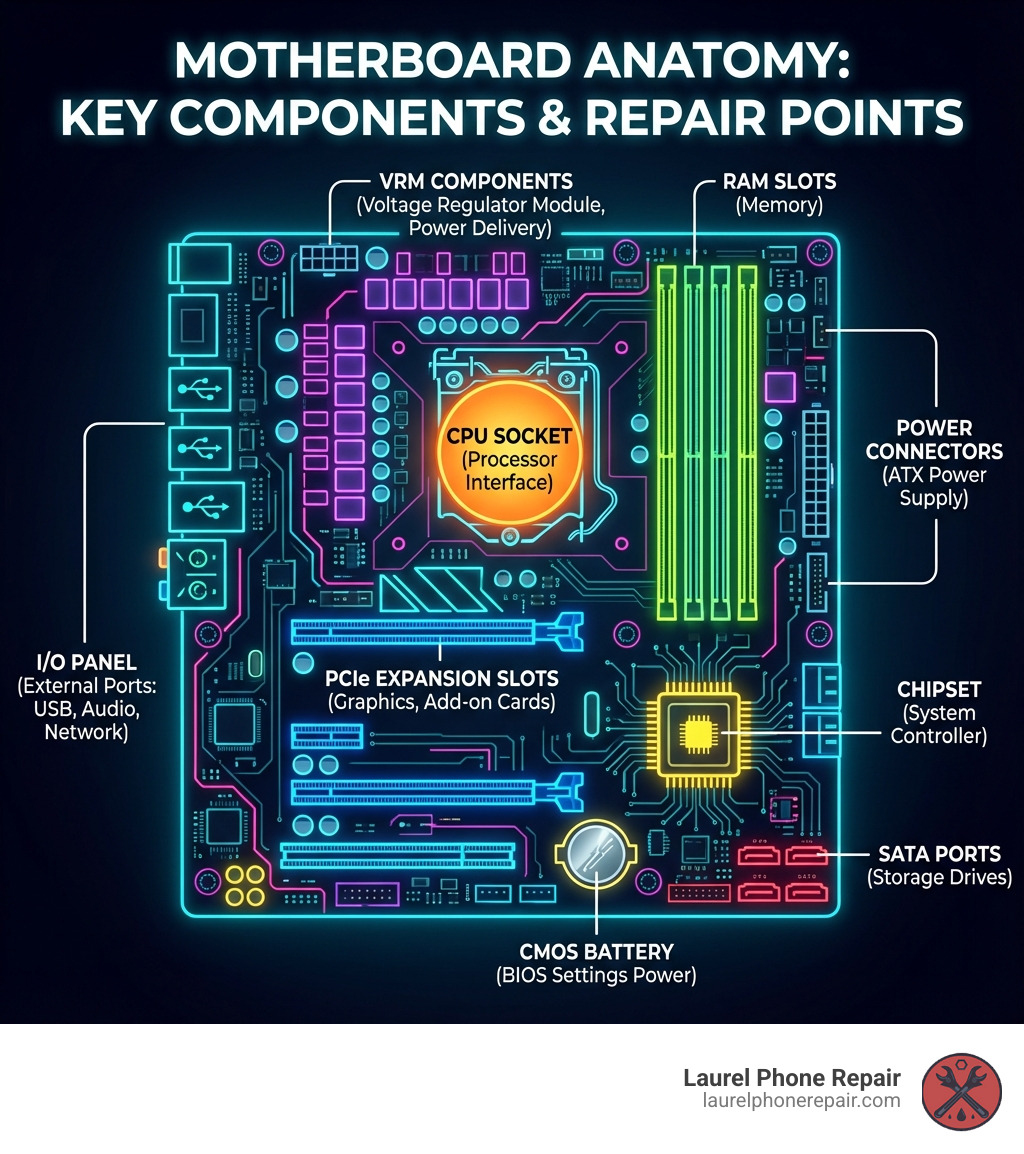
Spotting the Signs: Is Your Motherboard Failing?
When your computer starts acting strangely, it’s easy to jump to conclusions. But often, the core issue lies with the motherboard. Recognizing the signs of a failing motherboard early can save you a lot of headaches (and potentially data!).
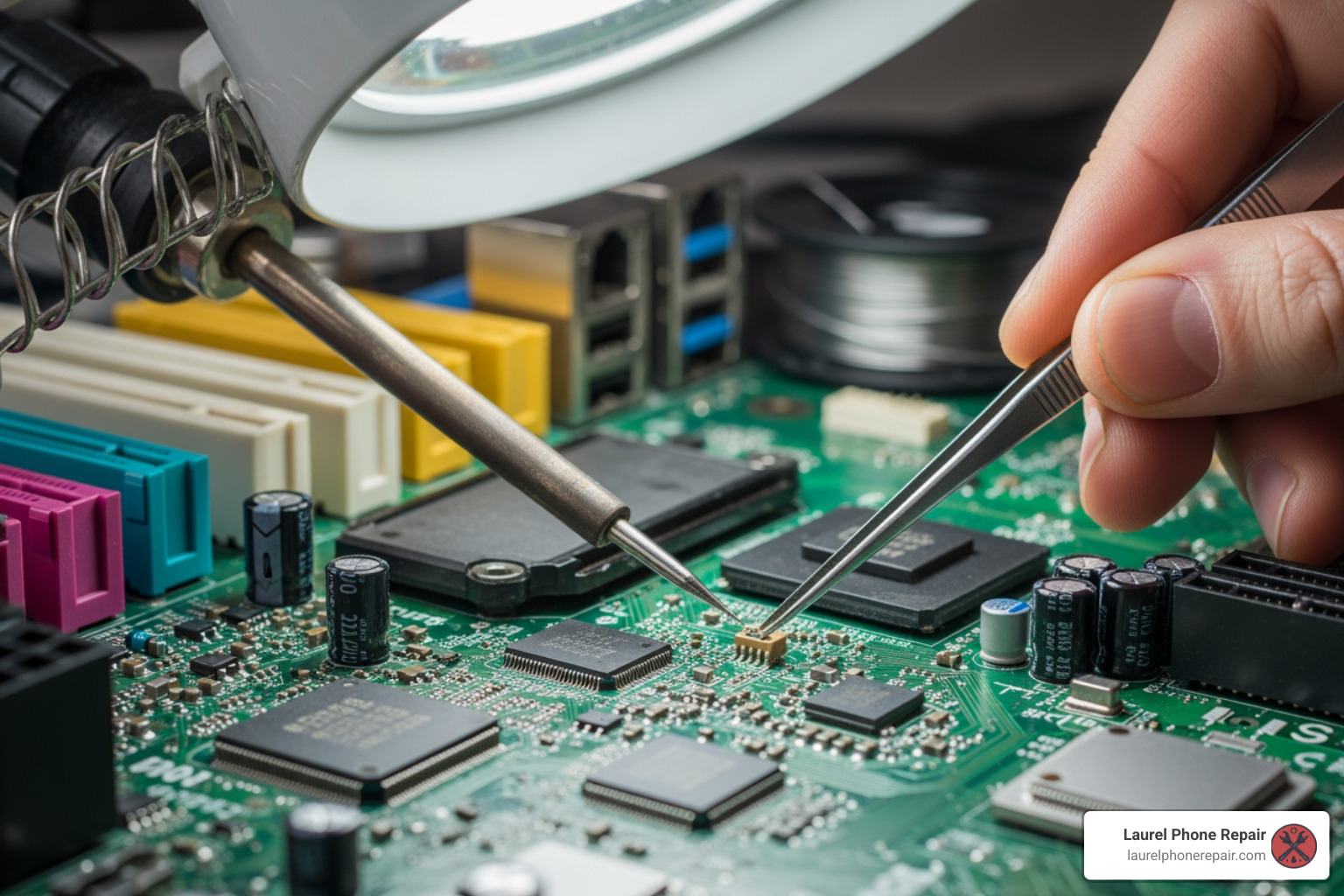
Common Symptoms of a Dying Motherboard
Here are the tell-tale signs that your PC’s central hub might be on the fritz:
- No Power or Black Screen on Startup: You press the power button, but nothing happens, or fans spin for a second then stop. For laptops, this is a very common sign of motherboard failure.
- Startup Fails After a Few Minutes: The PC shows signs of life (lights, fan spin) but then shuts down, leaving a black screen.
- Beeping or High-Pitched Sounds: The computer emits a series of beeps (POST codes) on startup with no display, which can indicate the specific problem.
- Distorted or Scrambled Video: The screen shows strange colors, lines, or scrambled graphics, pointing to an issue with the motherboard’s video processing.
- Random Freezing or Crashing: Frequent, unexplained system instability, including the Blue Screen of Death (BSOD), can be a motherboard symptom.
- Peripherals Not Working: USB ports, audio jacks, or the Ethernet port suddenly stop working, and driver updates don’t help.
- Visual Damage or Burning Smell: Look for swollen or leaking capacitors on the board. A burning smell is a clear sign of an electrical component shorting out.
Pinpointing the Problem: Basic Diagnostic Steps
Before assuming the worst, try these basic steps to confirm if the motherboard is the culprit:
- Power Supply Check: Ensure the main 20/24-pin and 4/8-pin CPU power connectors are securely seated.
- Reseat Components: Gently reseat your RAM sticks, graphics card, and other expansion cards to ensure a solid connection.
- Boot with Minimal Hardware: Remove all non-essential components. If the system boots, add parts back one by one to find the faulty one.
- Check for Loose Cables: Make sure all data and power cables are firmly connected.
- Listen for POST Beep Codes: If there’s no display, listen for beeps during startup and consult your motherboard’s manual to decipher them.
If these steps don’t help, it’s time for professional help. Our Device Diagnostics service offers a free initial check.
The Most Common Motherboard Failures Explained
Some failures are more common than others:
- Capacitor Failure: Swollen or leaky capacitors cause unstable power delivery, leading to crashes or failure to start.
- BIOS/UEFI Corruption: If the startup firmware becomes corrupted from a failed update or power surge, your PC won’t boot.
- Voltage Regulator Module (VRM) Issues: Failed VRMs can’t deliver stable power to the CPU, causing instability or a complete lack of power.
- Physical Damage: Bent pins, damaged slots, or cracks in the board’s traces from improper handling can disrupt critical connections.
- Short Circuits: A loose screw or contact with the PC case can cause a short circuit, often resulting in an immediate shutdown.
- Failed I/O Ports: USB, audio, or network ports can fail due to physical stress or electrical issues.
Causes and Prevention: Protecting Your PC’s Core
Understanding why motherboards fail is the first step in preventing it. Many common culprits are entirely avoidable with a little care and attention.
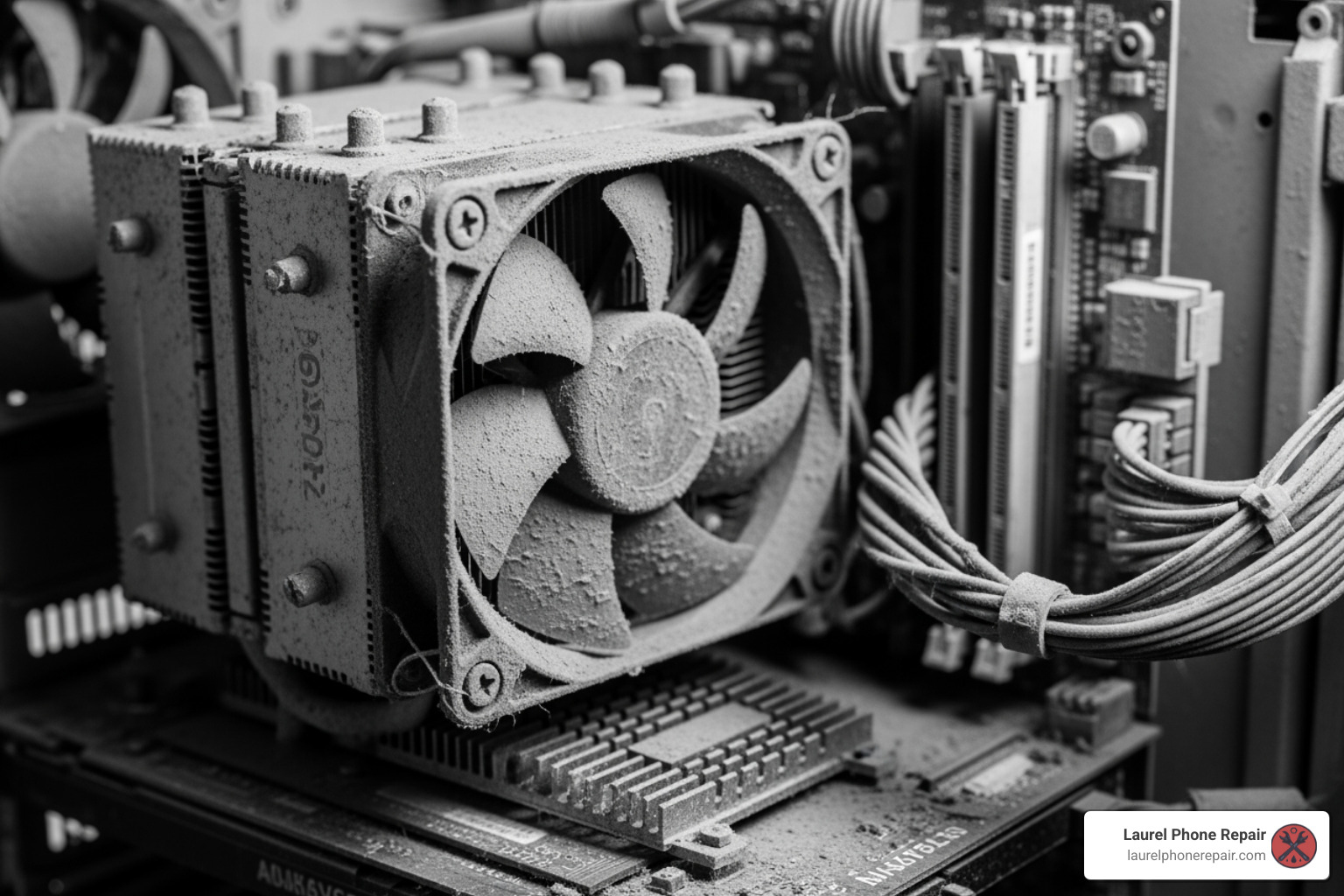
Top Causes of Motherboard Damage
Our experience shows these are the most frequent reasons for computer motherboard repair:
- Heat and Dust Accumulation: Overheating is a silent killer for electronics. Dust acts as an insulator, trapping heat and degrading components over time.
- Power Surges and Unstable Voltage: Spikes or drops in electrical current can fry sensitive components. A quality power supply (PSU) and surge protector are your first line of defense.
- Electrostatic Discharge (ESD): A small static shock from your body can permanently damage motherboard components. Always ground yourself before working inside a PC.
- Incorrect Component Installation: Forcing a RAM stick or misaligning a CPU can cause physical damage to slots, pins, and traces.
- Physical Drops or Impacts: Accidental drops are a leading cause of laptop motherboard failure, and even a knock to a desktop can dislodge parts.
- Age and Wear and Tear: Components degrade over time, and solder joints can weaken, especially on older or heavily used machines.
For a deeper dive into one of the motherboard’s most critical partners, the CPU, check out More about CPUs.
The Special Case of Water Damage
Liquid spills can cause short circuits and corrosion. If a spill occurs:
- POWER OFF IMMEDIATELY: Hold the power button until the PC shuts down.
- DISCONNECT POWER: Unplug the AC adapter and remove the battery, if possible.
- DO NOT POWER IT ON AGAIN: Powering it on with liquid inside will cause more damage.
- BRING IT TO US: The sooner we can professionally clean it, the higher the chance of a successful repair.
We use ultrasonic cleaning to remove corrosion and residue from liquid-damaged boards, a process far superior to basic cleaning methods. This technique often saves boards that would otherwise be a total loss.
Proactive Care: How to Prolong Your Motherboard’s Lifespan
A little prevention goes a long way:
- Regular Internal Cleaning: Every six months, use compressed air to clear dust from fans, heatsinks, and the motherboard to maintain airflow.
- Ensure Proper Airflow: Keep your PC in a well-ventilated area, not on soft surfaces or in enclosed cabinets.
- Use a Quality Surge Protector: This is a non-negotiable accessory to protect against power spikes.
- Careful Handling During Upgrades: Always use an anti-static wrist strap and handle components gently. Never force anything into place.
- Update BIOS/UEFI Carefully: Only update your BIOS if there’s a specific reason, and follow the manufacturer’s instructions precisely to avoid bricking your board.
The World of Professional Computer Motherboard Repair
When DIY diagnostics hit a wall, or the issue requires more than just reseating a component, professional computer motherboard repair comes into play. This is where specialized knowledge and tools make all the difference. We offer comprehensive Services for all your electronic repair needs.
From Desktops to Laptops: Understanding the Differences
While serving the same purpose, desktop and laptop motherboard repairs differ significantly:
- Accessibility: Laptop motherboards are compact, integrated, and difficult to access, requiring specialized disassembly.
- Integrated Components: Laptops often have the CPU and RAM soldered to the board, making replacement impossible without advanced microsoldering. Desktops are modular.
- Proprietary Designs: Laptops use proprietary board designs, making parts harder to source than standard desktop boards (ATX, Micro-ATX).
- Repair Complexity: Due to their compact and integrated nature, laptop motherboard repairs are often more complex and reliant on microsoldering.
What is Microsoldering? A Look at Advanced Component-Level Computer Motherboard Repair
Microsoldering is a highly specialized skill involving precision soldering under a microscope to repair or replace tiny, surface-mounted components. Our technicians, with over 20 years of experience, are experts in these advanced techniques.
- Precision Work: Microsoldering allows us to repair damaged traces (the “wires” on the board) and replace individual capacitors, resistors, or complex integrated circuits (ICs).
- Replacing IC Chips: When a specific chip fails (e.g., a power or video chip), we can replace it, fixing “no power” or “no video” issues.
- Fixing Damaged Traces: We can rebuild microscopic copper pathways on the board that have been broken by liquid damage or physical stress.
- When It’s Necessary: Microsoldering is essential for complex issues like liquid damage or power failures, especially when replacing the board is too expensive or impossible.
Specialized Tools of the Trade
Professional computer motherboard repair requires specialized equipment:
- Microscopes: Essential for magnifying tiny components for accurate microsoldering.
- Hot Air Rework Stations: Deliver controlled hot air to safely desolder and solder surface-mounted components.
- BGA Machines: Used for precise heating and placement of complex components like GPUs and chipsets.
- BIOS Programmers: To reprogram BIOS chips and fix firmware corruption.
- Multimeters and Oscilloscopes: Diagnostic tools to measure electrical signals and pinpoint faults.
Repair or Replace? Making the Right Choice
This is the million-dollar question for many PC owners. Deciding whether to repair your motherboard or replace it (or even replace the entire computer) depends on several factors.
| Feature | Motherboard Repair | Motherboard Replacement |
|---|---|---|
| Cost | Typically $80-$140 labor + parts (often cheaper) | $50-$200+ for board + labor (can be expensive) |
| Time | Potentially same-day to a few days for complex issues | Can be same-day to a few days, depending on part availability |
| Data Retention | Data usually intact, no OS reinstallation needed | OS reinstallation often required, data backup crucial |
| Sustainability | More environmentally friendly, extends device life | More e-waste, though can revitalize an old system |
| Performance | Restores original performance | Can offer performance upgrade (if newer board) |
DIY vs. Professional Help: A Cost-Benefit Analysis
While DIY is tempting, the risks of repairing a motherboard often outweigh the benefits for an average user.
Risks of DIY:
- Electrostatic Discharge (ESD): You can easily fry components with static electricity without proper grounding.
- Further Damage: A simple mistake can cause irreparable damage to the board.
- Required Tools and Skills: Component-level repair requires specialized tools and expertise most users don’t have.
- Time and Frustration: Diagnosing and repairing a motherboard is often a time-consuming and frustrating process.
When to Call a Professional:
- If basic troubleshooting fails.
- For any issue requiring component-level repair (e.g., failed capacitors, liquid damage).
- When you want the peace of mind that comes with a professional repair and a warranty.
For professional assistance, visit our Computer Repair page. If you’re curious about the process, you can read How to Remove a Computer Motherboard – but remember, installation is even more complex!
Understanding the Cost and Timeline for a Professional Computer Motherboard Repair
At Laurel Phone Repair, we offer transparent pricing and efficient service.
- Diagnostic Fees: We offer free diagnostics to identify the problem accurately before any work begins.
- Typical Labor Costs: Labor for motherboard repair typically ranges from $80 to $140, often much less than a new board or computer.
- Cost of Replacement Parts: Part costs vary, and we always discuss options with you, including OEM and aftermarket choices.
- Turnaround Time: Simple repairs can often be done same-day. More complex jobs might take a few days, but all work is done in-house for faster service.
You can find more details on our service costs on our Pricing page.
When is a Full Motherboard Replacement the Better Option?
Sometimes, replacement is the more practical choice for computer motherboard repair:
- Extensive Damage: If the board has widespread physical or liquid damage, repair may be impossible or too costly.
- Obsolete Technology: If your motherboard is very old, a replacement can serve as an upgrade to a newer, better-performing platform.
- Major Performance Upgrade: Replacing the motherboard allows you to install a newer CPU and faster RAM, effectively creating a new system.
- Cost-Effectiveness: If the repair cost approaches the price of a new board, replacement is the more sensible long-term solution.
Frequently Asked Questions about Motherboard Issues
We get a lot of questions about motherboards. Here are some of the most common ones:
What is the role of the CPU and how does it interact with the motherboard?
The CPU is the computer’s “brain,” and the motherboard is its “nervous system.” The CPU performs calculations, while the motherboard acts as the central hub connecting the CPU to everything else—memory (RAM), storage, and peripherals. The motherboard’s chipset manages this data flow and defines which components are compatible. Without the motherboard, the CPU cannot communicate with any other part of the computer. Learn more about this component on Wikipedia – Central Processing Unit.
Can a bad or swollen capacitor be fixed?
Yes, absolutely. A bad or swollen capacitor is one of the most common and repairable motherboard failures. These components regulate power, and when they fail (bulging or leaking), they can cause system instability or prevent the computer from booting. The repair involves carefully desoldering the faulty capacitor and soldering a new one in its place. This requires precision skills and specialized tools to avoid damaging the board, which is why this repair is “often best left to experts.” We have the expertise and tools to perform this common repair safely and effectively.
Do I need to reinstall my operating system after a motherboard replacement?
In most cases, yes. A motherboard replacement is a fundamental hardware change. Your operating system (like Windows) installs specific drivers for the original motherboard’s chipset. A new board will have a different chipset, and the old drivers will cause conflicts and instability. A fresh OS installation ensures all the correct drivers are used, providing optimal performance. You may also face OS activation issues, especially with OEM licenses tied to the original hardware. Remember to back up your data before any major hardware change. For specific guidance on Windows, consult resources like http://support.microsoft.com.
Conclusion: Getting Your Computer Back in Action
When your PC starts acting up, especially with symptoms pointing to the motherboard, it can feel like your digital world is grinding to a halt. But as we’ve explored, a failing motherboard doesn’t always spell the end for your beloved computer.
The key takeaway? Diagnosis is paramount. Understanding the signs of failure, from strange beeps to a black screen, is the first step. Many issues, like faulty capacitors, power problems, or even liquid damage, are often repairable thanks to advanced techniques like microsoldering and the right specialized tools.
Repair is often not only possible but also a cost-effective and environmentally friendly alternative to replacing your entire system. With labor costs typically ranging from $80-$140 for a computer motherboard repair, it’s a smart investment to get your PC back to peak performance.
Whether you’re in Laurel, Hattiesburg, Jackson, or Jones County, Mississippi, our experienced technicians are here to help. We’ve got over 20 years of expertise in diagnosing and fixing even the most complex motherboard issues. Don’t let a failing motherboard frustrate you. Bring your device to us for a free diagnostic and let us get your computer back in action.
Ready to get your computer running smoothly again? Schedule your computer repair today!