Is Replacing Your Samsung A70 Screen Easy? Find Out Here!

Samsung Galaxy A70 screen replacement: Easy 2025 Guide

Why a Broken Screen Doesn’t Mean a Broken Phone

Samsung Galaxy A70 screen replacement is a common repair that can restore your device to full functionality, whether you choose to do it yourself or hire a professional. Here’s what you need to know:

  • DIY Cost: $12-$115 for parts, 1-3 hours of your time
  • Professional Cost: Competitive pricing with same-day service available
  • Tools Required: Heat gun, opening picks, Phillips screwdriver, spudger, suction cup
  • Difficulty Level: Moderate – requires careful disassembly of 24+ steps
  • Screen Types: OLED or LCD, with or without frame
  • Key Challenge: Strong adhesive and delicate components require patience

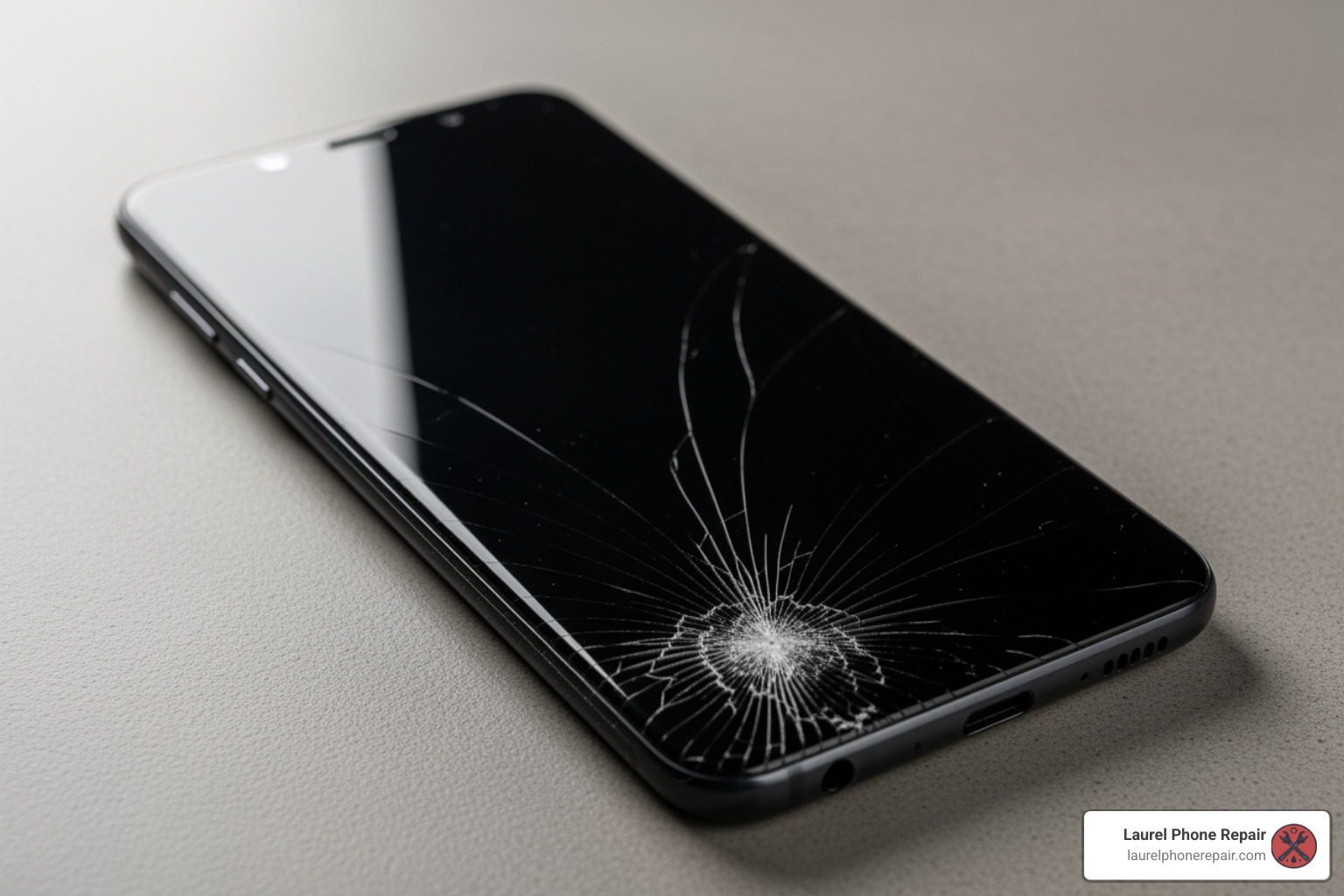
A cracked screen is frustrating. Shattered glass can cut your finger, or the display might show lines, black spots, or be completely unresponsive. The good news is that the Galaxy A70’s screen can be replaced, and you have options.

The Galaxy A70’s plastic back cover makes it easier to open than many glass-backed phones. However, the screen is attached with strong adhesive, and the repair involves disconnecting the battery, removing the midframe, and transferring components. It requires the right tools, patience, and attention to detail.

I’m Ralph Harris, and with over 20 years in electronics repair and more than 500 Apple repair certifications, I’ve guided countless customers through Samsung Galaxy A70 screen replacement decisions and repairs. Whether you tackle this yourself or choose professional help depends on your comfort level with delicate electronics work.
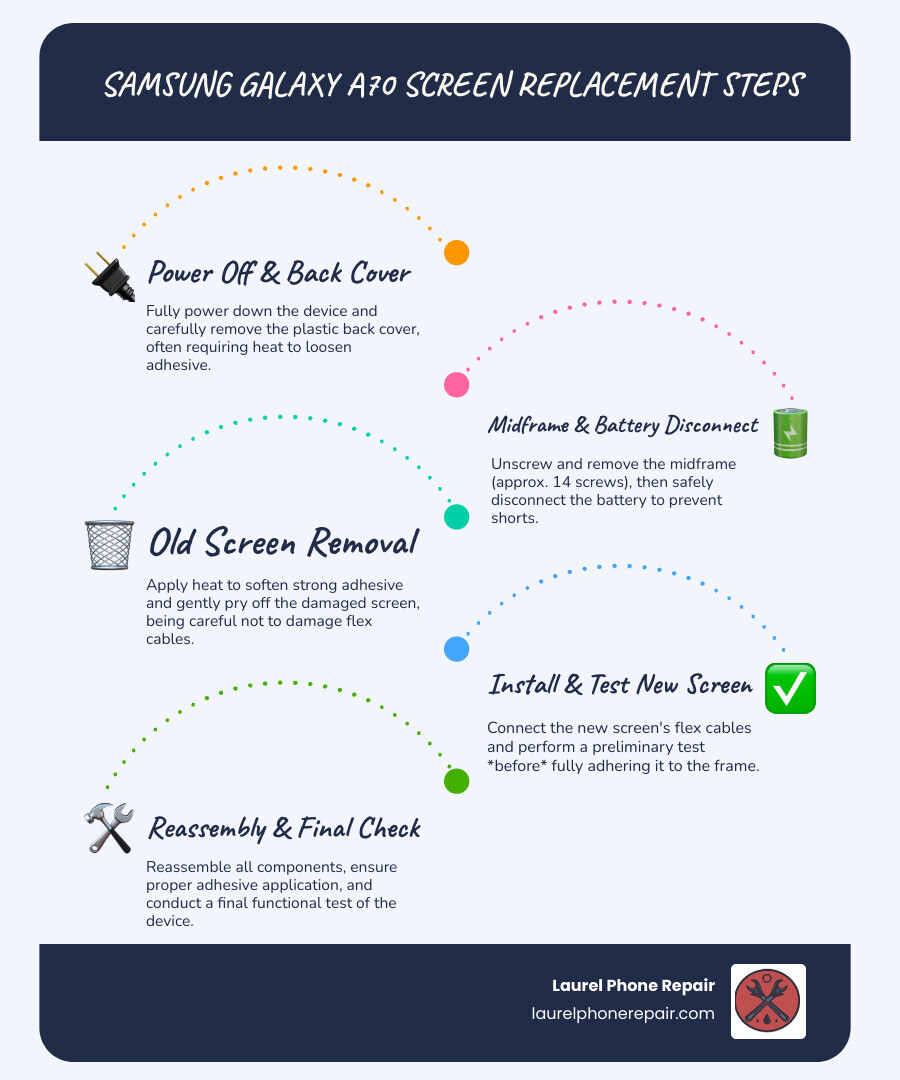
Infographic showing the complete Samsung Galaxy A70 screen replacement process, including tools needed (heat gun, opening picks, Phillips screwdriver, spudger, suction cup, tweezers), key steps (discharge battery below 25%, remove back cover, remove midframe with 14 screws, disconnect battery, remove old screen, install new screen, reassemble), time required (1-3 hours DIY vs under 2 hours professional), cost comparison ($12-115 parts only vs professional service pricing), and safety warnings (battery puncture risk, heat damage to AMOLED, maintain proper adhesive for water resistance) - samsung galaxy a70 screen replacement infographic infographic-line-5-steps-blues-accent_colors

How to Know If Your A70 Screen Needs Replacement

Before diving into the “how-to,” let’s determine if a Samsung Galaxy A70 screen replacement is what your phone needs. Sometimes, a display issue is a minor glitch, but often, it’s a clear sign that a new screen is in order.

Here are the common issues that typically require a screen replacement:

  • Physical Damage: This is the most obvious one. If your phone took a tumble and now has:

    • Cracks or Shattered Glass: Even minor cracks can spread, compromising the screen’s integrity and making it unsafe to use.
    • Deep Scratches: While not always requiring replacement, deep scratches can impair visibility and user experience.
  • Visual Malfunctions: Sometimes the glass is fine, but the display itself is failing. These can include:

    • Black Spots: Dark blotches on the screen, often a sign of damage to the AMOLED panel.
    • Colored Lines: Vertical or horizontal lines (green, pink, white) that don’t go away, indicating internal display damage.
    • Dead Pixels: Tiny black or colored dots that remain static.
    • Flickering Screen: The display constantly flashes or dims, making it difficult to use.
  • Touchscreen Issues: The visual might be perfect, but your phone won’t respond to your commands:

    • Unresponsive Touch: Parts of or the entire screen no longer register your touches.
    • Ghost Touches: The screen acts on its own, opening apps or swiping without your input.
    • Black Screen with Sound/Vibration: Your phone seems on (you hear sounds or feel vibrations), but the screen is black. This usually means the display has failed, even if the phone’s internals are working.
    • Backlight Failure: The screen is extremely dim, but you can faintly see images when shining a bright light on it. This means the display’s backlight has failed.

If your Samsung Galaxy A70 is exhibiting any of these symptoms, especially after a drop, it’s highly likely that a full screen replacement is needed to bring it back to life.

DIY vs. Professional Repair: Making the Right Choice

When faced with a broken Samsung Galaxy A70 screen, you have two main paths: a DIY Samsung Galaxy A70 screen replacement or a professional repair from our skilled technicians. Both have their merits, and the best choice depends on your comfort level, budget, and desired outcome.

Let’s weigh the options:

Feature DIY Screen Replacement Professional Screen Replacement
Cost Savings Potentially lower, as you only pay for parts (typically $12.00 to $114.95 for the part itself). Higher upfront cost, but includes labor and often a warranty.
Technical Skill Requires moderate to advanced technical skills, patience, and attention to detail. No technical skill required from you; performed by experienced technicians.
Time Commitment Can take 1-3 hours, plus time for part sourcing and troubleshooting. Often completed same-day, sometimes in a few short hours.
Risk of Damage High risk of damaging other components (battery, flex cables, frame) if inexperienced. Minimal risk to you; technicians are trained to handle delicate components.
Part Quality Varies greatly depending on your source; can range from low-quality aftermarket to OEM-grade. Reputable services use quality parts, often OEM-equivalent or approved.
Warranty Typically none on your labor; part warranty depends on the seller. Most professional repairs come with a limited warranty (e.g., 1-year).
Tools Required Purchase or acquire specialized tools (heat gun, prying tools, screwdrivers, etc.). Technicians have all necessary professional-grade tools.
Expertise You are the expert; relies on following guides precisely. Benefit from certified technicians with extensive experience.
Convenience Flexible schedule, but can be frustrating if issues arise. Drop off your device and pick it up when ready.

The DIY route means taking on all responsibility and risk. While parts for a Samsung Galaxy A70 screen replacement cost between $12.00 and $114.95 online, you must also factor in the cost of specialized tools and the several hours a complex repair can take.

On the other hand, professional repair services offer peace of mind. Our experienced technicians in Laurel, Hattiesburg, Jackson, and Jones County, Mississippi, are well-versed in these repairs. We use high-quality parts, and our work includes a warranty. Most Samsung Galaxy A70 screen replacement jobs are completed the same day, often in a few hours. We also provide free diagnostics, so you know the cost before any work begins.

Your Guide to a DIY Samsung Galaxy A70 Screen Replacement

If you’re feeling adventurous and decide to tackle the Samsung Galaxy A70 screen replacement yourself, we’re here to guide you. While we recommend professional service for this complex repair, we understand the desire to learn and save money. Patience and precision are key!
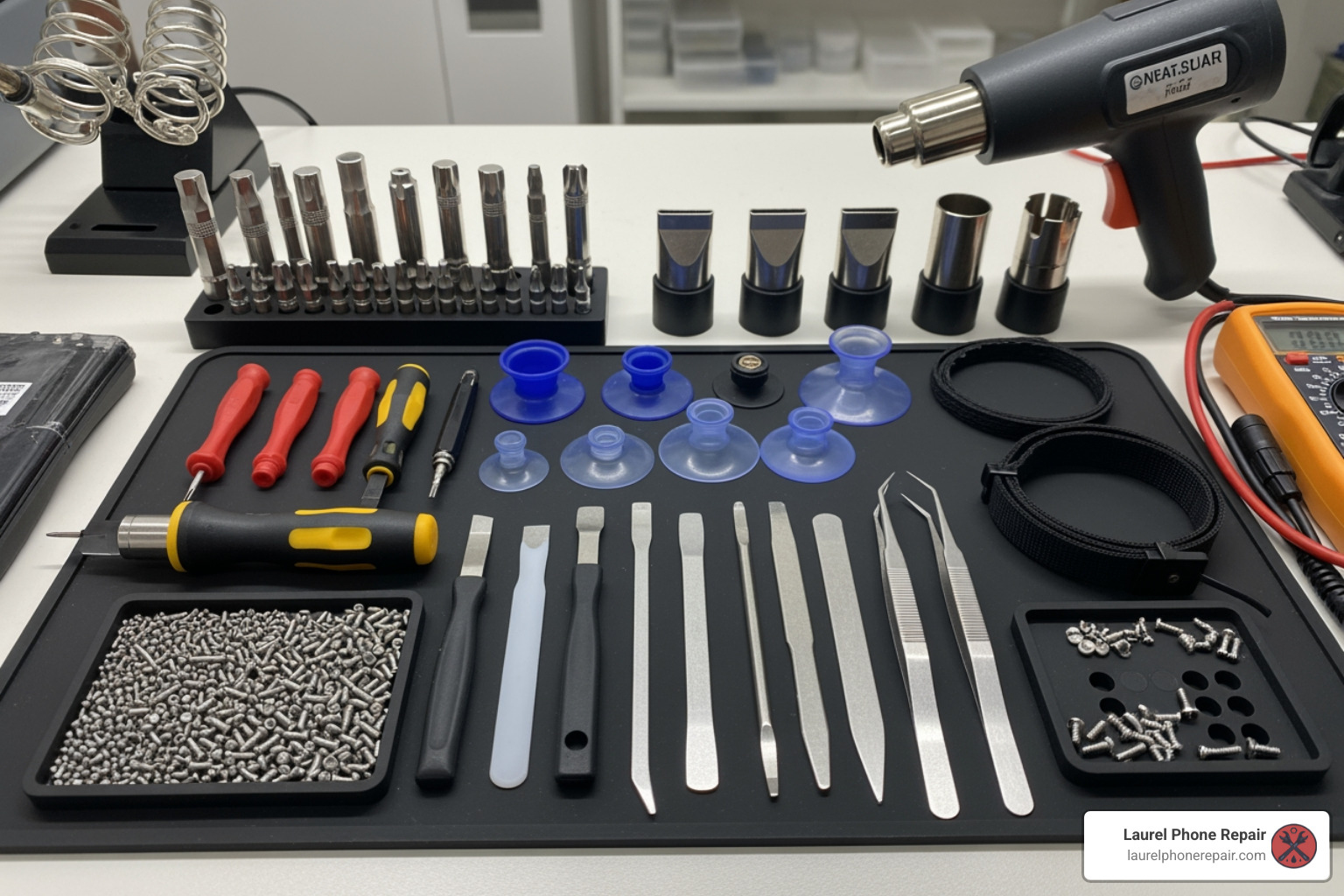
complete phone repair tool kit - samsung galaxy a70 screen replacement

The DIY process involves careful disassembly, component transfer, and reassembly. It’s not a simple swap, but with the right tools and a detailed guide, it’s achievable.

Tools and Parts Needed for the Repair

To perform a successful Samsung Galaxy A70 screen replacement, you’ll need specific tools. Using improper tools can cause more damage.

Here’s a list of essential tools and parts you’ll typically need:

  • Phillips PH00 Screwdriver: For the fourteen 4.0 mm-long screws securing the midframe.
  • Opening Picks (Plastic or Thin Metal): To separate glued components and slice through adhesive.
  • Spudger (Plastic Prying Tool): Essential for disconnecting delicate flex cables without causing damage.
  • Suction Cup: To create a gap between the screen or back cover and the frame.
  • Heat Gun or iOpener: Heat is vital for softening the strong adhesive. A hair dryer on low can also work. Be careful not to overheat the device.
  • Tweezers: Useful for handling tiny screws and cables.
  • Replacement Adhesive: New pre-cut adhesive strips or strong double-sided tape to re-seal the phone.
  • Isopropyl Alcohol (>90%): For cleaning old adhesive residue to ensure a strong bond.
  • Replacement Screen: Ensure it’s compatible with your Samsung Galaxy A70 (model A705FN/DS).

Choosing the Right Screen: With Frame vs. Without

One of the most important decisions is whether to get a screen “with frame” or “without frame.” This significantly impacts the repair’s difficulty.

  • Screen Without Frame (Screen Only): This cheaper option is just the glass and display panel. It’s more challenging as you must separate the old, broken screen from its frame and adhere the new one, increasing the risk of damage during installation.
  • Screen With Frame (Screen Assembly): This option includes the display and a new midframe. Though more expensive, it greatly simplifies the repair by avoiding the difficult screen separation step. You simply transfer your phone’s internal components into the new assembly. This is the recommended choice for most DIYers.

OLED vs. LCD: The original A70 has a vibrant AMOLED display. When buying a replacement, you’ll find both types.

  • OLED (AMOLED): These match the original screen’s quality with vibrant colors and deep blacks but are more expensive.
  • LCD: These cheaper alternatives will function but may lack the visual quality of the original.

OEM Parts vs. Aftermarket Parts:

  • OEM (Original Equipment Manufacturer) Parts: Made by or for Samsung, they offer the best quality and compatibility but are the most expensive and hardest to find.
  • Aftermarket Parts: Made by third-party companies. Quality varies widely, from high-grade parts that perform close to OEM to lower-quality ones that may affect color, brightness, or touch response. Always check seller reviews.
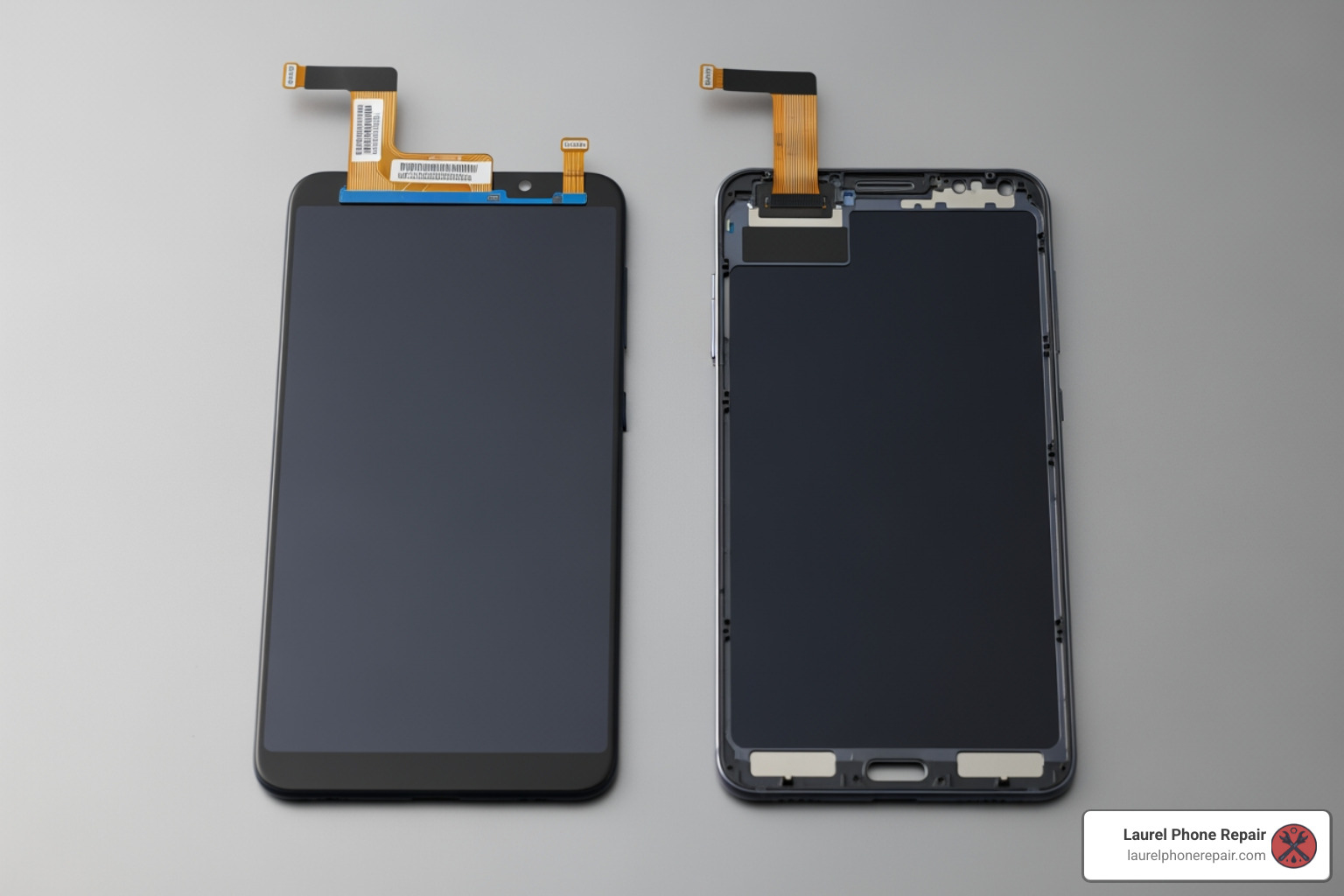
difference between a screen with a frame and one without a frame - samsung galaxy a70 screen replacement

Key Steps for a DIY Samsung Galaxy A70 Screen Replacement

Performing a Samsung Galaxy A70 screen replacement is a multi-step process. This is a simplified overview. We strongly recommend following a detailed visual guide, like the Samsung Galaxy A70 Screen Replacement guide on iFixit, before you begin.

  1. Safety First: Power Off and Discharge Battery: Switch off your device. It’s recommended to discharge the battery below 25% before starting to reduce the risk of fire if the battery is accidentally punctured.
  2. Remove the SIM Tray: Use a SIM eject tool to remove the SIM card tray.
  3. Remove the Back Cover: The A70 has a plastic back. Apply heat to soften the adhesive, use a suction cup to create a gap, then insert opening picks to slice through the adhesive around the perimeter.
  4. Remove the Midframe: Unscrew the fourteen 4.0 mm-long Phillips screws securing the midframe. Then, use an opening pick to carefully unclip it from the phone assembly.
  5. Disconnect the Battery: Use a plastic spudger to gently pry the battery connector straight up from the motherboard.
  6. Remove the Old Screen: This is a delicate step. Apply heat to the front of the screen to soften the adhesive. Use a suction cup and opening picks to carefully slice the adhesive around the edges. Be extremely careful near the front camera and flex cables. Once free, thread the display cable through the frame to remove the old screen.
  7. Prepare the New Screen: If using a screen without a frame, you may need to transfer small components (like the earpiece speaker) from your old screen. Clean old adhesive from the frame with isopropyl alcohol.
  8. Install the New Screen: Connect the new screen’s flex cable. Apply new adhesive to the frame and gently set the new screen into place, ensuring it’s aligned.
  9. Reassembly: Reconnect the battery. Reinstall the midframe and all its screws. Reattach the back cover with new adhesive.
  10. Test Before Final Seal: Before sealing the back cover, power on the phone and test the new screen’s functionality (touch, display, colors). Use the diagnostic menu by dialing *#0*# in the phone app.

Important Warnings Before You Start Your Repair

A DIY Samsung Galaxy A70 screen replacement can be rewarding, but it comes with significant risks. Be fully aware of the potential pitfalls before you begin.

  1. Battery Safety is Critical:

    • Discharge Below 25%: Always discharge your phone’s battery below 25% before starting. Lithium-ion batteries are volatile.
    • Puncturing Risk: Puncturing the battery can cause it to swell, overheat, or even catch fire. Never use sharp metal tools to pry at it. If you see a swollen battery, stop the repair and seek professional help immediately; they are extremely dangerous.
    • Heat Damage: While heat is needed to loosen adhesive, never apply it directly to the battery.
  2. Heat Damage to AMOLED Displays: Your Galaxy A70’s AMOLED display is sensitive to excessive heat. Too much heat can permanently damage it. Apply heat evenly and in short bursts.

  3. Damaging Flex Cables: Your phone contains numerous delicate flex cables that are easily torn. Always use plastic spudgers when working near connectors and pry gently.

  4. Loss of Water Resistance: Opening the phone breaks the factory water-resistant seals. Without new, high-quality adhesive, your phone will lose its water resistance and become vulnerable to liquid damage.

  5. Deformed Frame Issues: Installing a new screen into a bent frame can cause the new display to crack or malfunction. If your frame is deformed, it’s best to use a replacement screen that includes a new frame or seek professional help.

  6. Test Before Sealing: After installing the new screen but before re-adhering the back cover, power on your phone and thoroughly test all functions. It’s much easier to fix an issue before the phone is completely sealed up.

Frequently Asked Questions about the Samsung Galaxy A70 Screen Replacement

We often hear similar questions from customers considering a Samsung Galaxy A70 screen replacement. Let’s address some of the most common ones.

How much does a Samsung Galaxy A70 screen replacement cost?

The cost varies significantly depending on the repair path and parts used.

  • DIY Parts Cost: The replacement part itself can cost anywhere from $19.00 to $115.00, depending on quality and whether it includes a frame. This price doesn’t include specialized tools you may need to buy.
  • Professional Repair Cost: This includes the part and labor. We offer competitive pricing and provide a free diagnostic with a transparent quote before any work begins, so you know the exact cost upfront.

Factors impacting the cost include:

  • Type of Screen: OLED (AMOLED) screens are more expensive than LCDs.
  • With or Without Frame: Screens with a new midframe cost more but simplify the repair.
  • Part Quality: OEM-grade parts are at the higher end; aftermarket quality varies.
  • Labor Charges: This covers the technician’s expertise and time.

Can I replace just the glass on my A70?

While it seems appealing, we advise against replacing just the glass for DIYers.

Here’s why:

  • Digitizer Fusion: The A70’s outer glass, touch digitizer, and AMOLED display are a single fused unit.
  • High Difficulty and Special Equipment: Separating the glass requires specialized equipment and expert skill to avoid damaging the delicate AMOLED panel. It’s a difficult, high-risk process that is not recommended for DIY repair.
  • Risk of Damage: Attempting this separation carries a very high risk of permanently damaging the display, which would then require a full assembly replacement anyway.

For these reasons, a full screen assembly replacement (glass, digitizer, and display) is almost always the recommended method for a reliable Samsung Galaxy A70 screen replacement.

How long does a screen replacement take?

The time required depends on who is doing the repair.

  • DIY Time: For a first-timer, expect the repair to take 1 to 3 hours. This can vary based on your experience and any challenges you encounter. This doesn’t include time for sourcing parts.
  • Professional Repair Time: Our skilled technicians can often complete the replacement the same day, sometimes in just a few hours. With the right tools and parts on hand, we provide a quick and reliable turnaround, often under 2 hours. We understand you need your phone back quickly and strive to provide fast service in Laurel, Hattiesburg, Jackson, and Jones County, Mississippi.

Get Your A70 Screen Replaced by the Pros

While a DIY Samsung Galaxy A70 screen replacement is possible, it’s a challenging project with many risks. Delicate components, strong adhesives, and the need for specialized tools can lead to frustration and further damage.

If you’re not comfortable with the risks, don’t have the specialized tools, or simply value your time and peace of mind, choosing a professional repair is the smartest decision.

Here at Laurel Phone Repair, we specialize in quick, affordable, and reliable phone repairs. Our experienced technicians are experts in Samsung devices, including the Galaxy A70. When you choose us for your Samsung Galaxy A70 screen replacement, you benefit from:

  • Expert Technicians: Our team is highly trained and experienced in handling delicate electronics. We know the ins and outs of the A70, ensuring your repair is done right the first time.
  • Quality Parts Guarantee: We use transparent part options, offering high-quality OEM-grade or approved aftermarket parts to restore your phone’s display to its original brilliance and functionality.
  • Fast Turnaround: We understand you can’t be without your phone for long. Many of our screen repairs are completed as soon as the same day, getting you back to your life with minimal disruption.
  • Warranty on Repairs: We stand behind our work. All our repairs come with a warranty, giving you peace of mind that your investment is protected.
  • Convenient Locations: With locations in Laurel, Hattiesburg, Jackson, and Jones County, Mississippi, a trusted repair is always within reach.

Don’t let a broken screen keep you disconnected. Let our professionals handle your Samsung Galaxy A70 screen replacement with expertise and care.

Get a fast, professional screen repair today

Get More Playtime: Easy RC Car Battery Replacement and Upgrade Tips

RC Car Battery Replacement: 5 Easy Upgrades

Why RC Car Battery Replacement Can Transform Your Ride

RC car battery replacement is one of the fastest ways to get more speed, longer run times, and better performance from your vehicle. Here’s a quick look at how to do it:

Quick Steps for RC Car Battery Replacement:

  1. Identify your current battery type (NiMH or LiPo) and voltage
  2. Choose a replacement with matching voltage and compatible connector
  3. Check that the new pack fits your battery tray
  4. Connect using the correct polarity (red = positive, black = negative)
  5. Charge with the right charger before use

Whether you’ve got a budget toy-grade car running on AA batteries or a hobby-grade machine with a dedicated pack, the right battery swap makes a real difference. RC cars chew through weak batteries fast – and when performance starts to drop, it’s usually the power source to blame.

LiPo (Lithium Polymer) and NiMH (Nickel-Metal Hydride) are the two most common options. Each has trade-offs in safety, weight, and cost that we’ll break down in detail below.

I’m Ralph Harris, an electronics repair specialist with over 20 years of experience and more than 500 device repair certifications – and RC car battery replacement is just one of the many areas where understanding battery chemistry and proper wiring technique makes all the difference. Let’s dig into everything you need to know to upgrade your ride safely.

Infographic comparing toy-grade vs hobby-grade RC car power systems: toy-grade uses AA alkaline batteries at 1.5V per cell with no recharging, hobby-grade uses NiMH packs at 1.2V per cell or LiPo packs at 3.7V per cell with balance charging; key differences shown include runtime, voltage output, connector types, and performance ratings - RC car battery replacement infographic

Quick RC car battery replacement terms:

Understanding Your Power Source: NiMH vs. LiPo

When you dive into RC car battery replacement, you’ll quickly realize that not all batteries are created equal. The two heavy hitters in the hobby are Nickel-Metal Hydride (NiMH) and Lithium Polymer (LiPo). Choosing between them is the first step in any upgrade.

Think of NiMH as the reliable “old school” technology. These packs are rugged, heavy, and very safe. They are great for beginners because they don’t require a lot of special care. On the other hand, LiPo batteries are the high-performance “supercars” of the battery world. They are much lighter and can store significantly more power for the same size, giving your RC car a massive boost in “punch” and speed.
Feature NiMH (Nickel-Metal Hydride) LiPo (Lithium Polymer)
Safety Very Safe / Rugged Requires Care / Fire Risk if Mistreated
Weight Heavy Light
Energy Density Moderate High
Memory Effect None None
Voltage Drop Gradual (slowing down) Consistent until empty
Cost Budget-friendly Mid-to-High

According to Battery Basics, LiPo batteries sustain higher voltage for a longer period during your run. While a NiMH battery will make your car feel slower and slower as the battery dies, a LiPo keeps you at full speed until the very end. If you are looking for a more permanent solution for other devices, you might also be interested in more info about battery repair services we offer for everyday electronics.

Performance and Weight Differences

The difference in “punch” is real. NiMH cells are rated at 1.2V per cell, while LiPo cells are 3.7V nominal. Because LiPo batteries have a much better weight-to-power ratio, your car doesn’t just have more power—it’s also carrying less “dead weight.” This means better jumps, faster cornering, and higher top speeds. If you’re racing in Laurel or Hattiesburg, that weight difference can be the gap between first and second place.

Safety and Durability Considerations

NiMH batteries are incredibly beginner-friendly. You can drop them, bump them, and charge them with a standard charger without much worry. LiPo batteries, however, are sensitive. If they are punctured or overcharged, they can enter “thermal runaway,” which is a fancy way of saying they might catch fire. This is why we always recommend using fire-retardant bags during charging and storage. Always check Battery Basics for the latest safety protocols to keep your home in Jackson or Jones County safe.

Choosing the Right Specs for an RC Car Battery Replacement

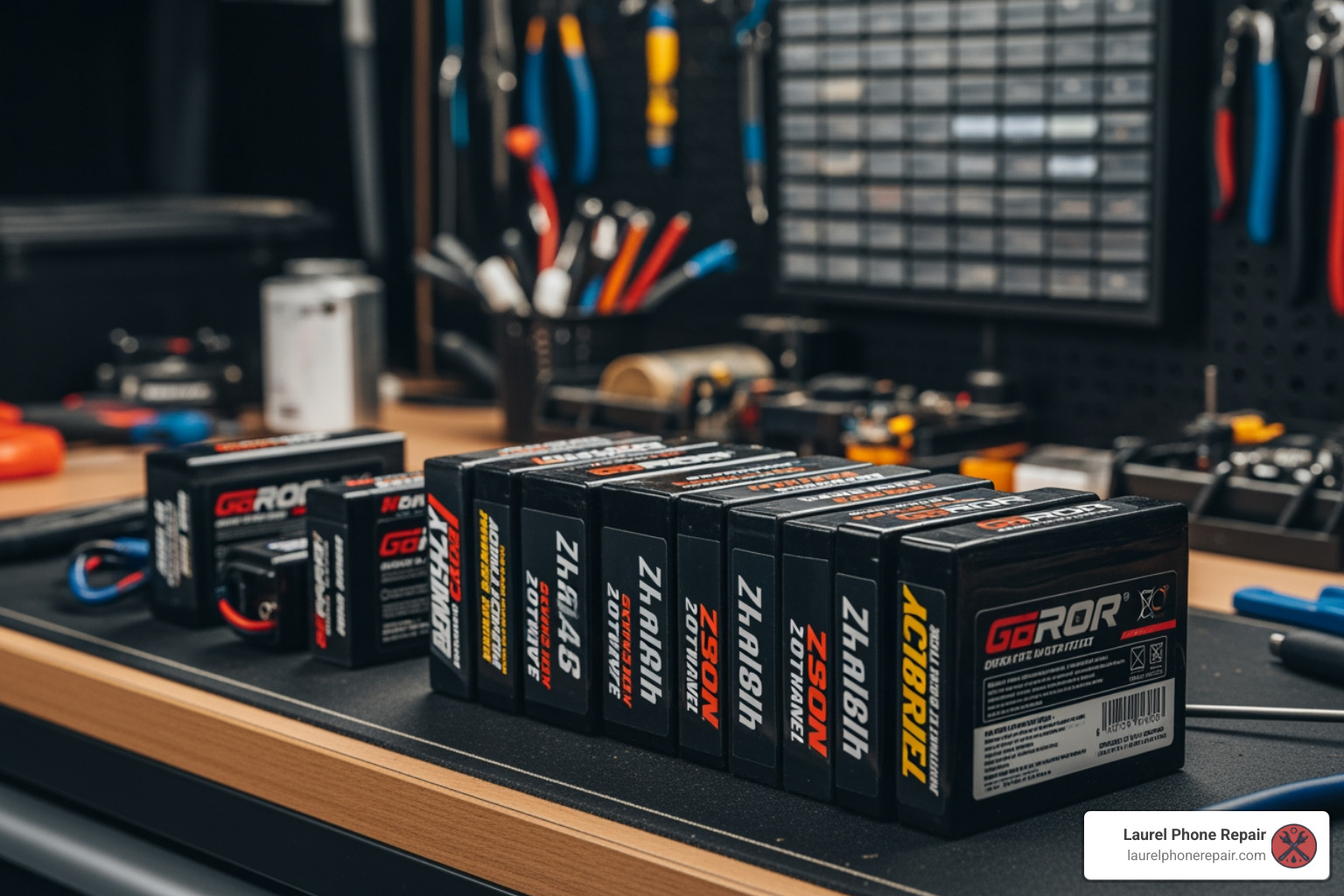
Various RC battery packs with labels highlighted showing mAh, Voltage, and C-ratings - RC car battery replacement

Before you buy a new pack, you need to read the label. Getting the wrong specs for an RC car battery replacement can do more than just make your car slow—it can actually fry your electronics. If you’re worried about the cost of making a mistake, you can learn about battery replacement costs for various devices to see why doing it right the first time is so important.

Determining Voltage and Capacity for RC Car Battery Replacement

Voltage (V) equals speed. Capacity (mAh) equals runtime.

  • Voltage: Most 1/10 scale cars use a 2S (7.4V) or 3S (11.1V) LiPo configuration. If your car was designed for a 7.2V NiMH, a 2S LiPo is a perfect match. Jumping to a 3S might give you insane speed, but check your ESC (Electronic Speed Controller) compatibility first. Over-volting can lead to permanent motor damage.
  • Capacity: Measured in milliamp-hours (mAh). A 5000mAh battery will technically last twice as long as a 2500mAh battery. However, larger capacity usually means a physically larger and heavier battery. Make sure the dimensions fit your car’s battery tray!

Matching Connectors for Your RC Car Battery Replacement

The connector is the “plug” that connects the battery to the car. Common types include:

  • Tamiya: The classic white plug. Good for low power, but they can melt under high heat.
  • XT60/XT90: Very popular, high-efficiency gold-plated connectors.
  • Deans (T-Plug): A compact favorite for many hobbyists.
  • Traxxas iD / IC3: Specialized connectors that often include “Smart” technology to help the charger recognize the battery.

Avoid using too many adapters. Every adapter adds resistance, which creates heat and slows you down. It’s always better to solder the correct connector directly onto your ESC.

Understanding Discharge Ratings (C-Rating)

The “C-Rating” tells you how fast the battery can safely discharge its energy. A 30C battery is fine for a slow-moving rock crawler, but a high-speed “basher” or racing truck might need 50C or even 100C to handle the burst current required for big jumps and fast starts.

Step-by-Step Guide to RC Car Battery Replacement and Upgrades

Ready to get your hands dirty? For this RC car battery replacement or upgrade, you’ll need a few tools: a soldering iron, a Dremel tool (if you need to modify the chassis), a multimeter, wire strippers, and some heat shrink tubing. For more complex vehicle battery setups, you can always refer to a Car and Truck Battery Replacement Guide, though RC cars are much smaller and simpler!

Modifying the Chassis and Mounting

If you’ve bought a high-capacity battery that’s a bit too big for your tray, don’t panic. Many hobbyists use a Dremel to trim plastic tabs or expand the battery tray. If you’re working on a cheap toy-grade car, you can even mount a new battery in the spare tire space or on top of the chassis. Just remember: weight distribution matters. Try to keep the battery centered and low to prevent the car from flipping in corners. Use velcro straps or foam padding to make sure the battery doesn’t jiggle around—a loose battery is a damaged battery.

Wiring and Soldering Safety

This is where things get serious.

  1. Identify Polarity: Red is Positive (+), Black is Negative (-).
  2. Tinning: Apply a small amount of solder to both the wire and the connector terminal before joining them. This makes a much stronger bond.
  3. One at a Time: If you are changing a connector on a battery (which we don’t recommend for beginners), NEVER cut both wires at the same time. This will cause a short circuit, sparks, and potentially a fire.
  4. Insulate: Always slide your heat shrink tubing onto the wire before you solder. Once the joint is cool, slide it over the metal and shrink it with a heat gun or lighter to prevent shorts.

Identifying Terminals and Testing

Before you plug everything in, use a multimeter to check the voltage and ensure your polarity is correct. If you see a “minus” sign on your multimeter, your leads are backward! Once confirmed, do a “bench test.” Prop the car up so the wheels are off the ground, turn on the transmitter, and then plug in the battery. Give it a small amount of throttle to ensure everything is spinning the right way.

Safety First: Charging and Maintenance Best Practices

Charging is when most battery accidents happen. Whether you are in Laurel or Jackson, safety should be your top priority.

  • Use a LiPo-Compatible Charger: Never, ever use a NiMH charger on a LiPo battery. It will cause the battery to swell and catch fire.
  • Balance Charging: Always use the “Balance” function. This ensures that every cell in the battery (e.g., both cells in a 2S pack) is at the exact same voltage.
  • The 1C Rule: Generally, charge your battery at “1C.” If you have a 5000mAh battery, charge it at 5.0 Amps. Charging faster can shorten the battery’s life.
  • Never Leave Unattended: Always stay in the same room while charging.

Proper Storage and Longevity

If you aren’t going to use your RC car for more than a few days, you must put your batteries into “Storage Mode.” A LiPo battery should be stored at roughly 3.8V per cell (about 50% charge). Storing a LiPo fully charged or fully depleted will cause it to “puff” or lose capacity. Keep them in a cool, dry place. A quick monthly check on their voltage will help them last for years.

Handling Damaged or Swollen Packs

If your battery looks like a bag of potato chips—swollen or “puffed”—it’s time to say goodbye. Swelling is a sign that the internal chemistry has broken down and gas has built up.

  • Stop using it immediately.
  • Do not attempt to “pop” the swelling.
  • Place it in a fire-safe container.
  • To dispose of it, many hobbyists submerge the battery in a bucket of salt water for several days to fully discharge it before taking it to a local recycling center in Mississippi.

Troubleshooting Common Battery Issues

Is your car acting up? Here are some common power-related problems:

  • Voltage Drop: If your car cuts out during hard acceleration, your battery might not have a high enough C-rating, or the battery is reaching the end of its life.
  • Charger Errors: “Connection Break” usually means a wire is loose in your connector. “Cell Voltage Error” means one cell is much lower than the others—often a sign of a failing pack.
  • Overheating: If the battery is hot to the touch after a run, you are pushing it too hard. Consider a higher C-rating or check for mechanical binding in your car’s drivetrain.

For those interested in how larger vehicle batteries compare, checking out a Car and Truck Battery Replacement Guide can provide perspective on how different scales of power systems are managed.

Frequently Asked Questions about RC Car Batteries

Can I put a LiPo battery in a car that came with NiMH?

Yes, usually! However, you must ensure your ESC has a “Low Voltage Cutoff” (LVC). LiPo batteries can be damaged if their voltage drops too low. If your ESC doesn’t have this feature, you can buy a cheap “LiPo Alarm” that plugs into the battery’s balance lead.

Why is my RC car battery getting hot during use?

A little warmth is normal, but “hot” is bad. This usually means the motor is drawing more current than the battery can safely provide. Upgrading to a battery with a higher mAh or C-rating often solves this.

How long does a typical RC car battery last?

With proper care (storage charging and balance charging), a LiPo battery can last 200–300 cycles. A NiMH battery can last even longer but will eventually lose its “punch.”

Conclusion

Mastering RC car battery replacement is the “secret sauce” to taking your hobby to the next level. Whether you’re looking for a simple speed boost in Jones County or trying to win a local race in Hattiesburg, the right power setup makes all the difference. Remember to prioritize safety, match your connectors carefully, and always use a balance charger for LiPo packs.

At Laurel Phone Repair, we love all things tech. While we specialize in phones, tablets, and computers, we understand the thrill of a DIY upgrade. If you’ve got other gadgets that need a power boost—from phones to specialized electronics—our experienced technicians are here to help with transparent options and high-quality parts. Schedule your battery repair today and let’s keep your gear running at peak performance!

Is Your PC Acting Up? A Guide to Computer Motherboard Repair

Computer Motherboard Repair: Ultimate Guide 2025

Why Understanding Computer Motherboard Repair Matters

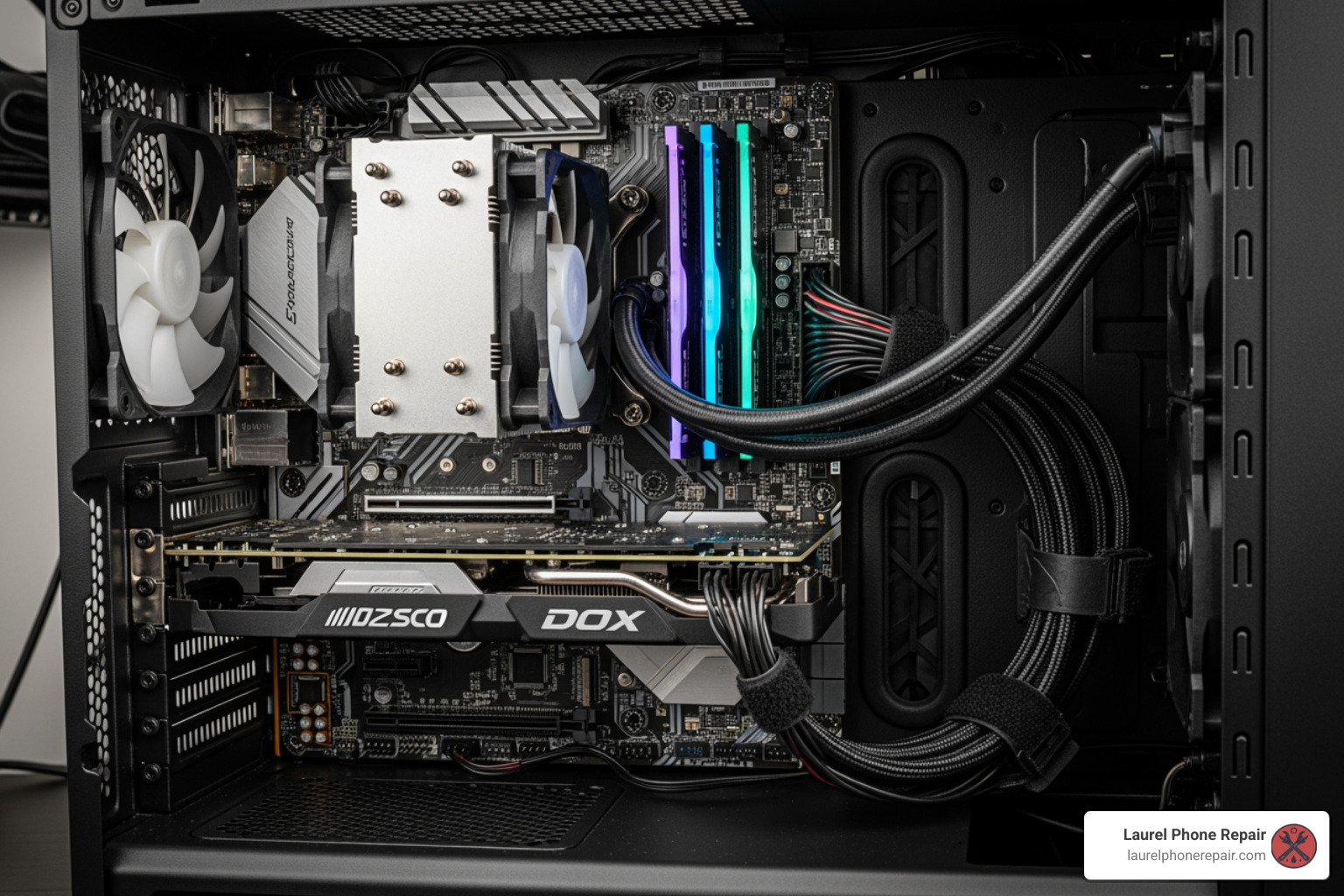
computer motherboard inside open PC case - computer motherboard repair

Computer motherboard repair addresses the core component that connects and controls every part of your PC. When your motherboard fails, your entire system becomes unusable, making it crucial to understand what can be fixed.

Quick Answer: Can Motherboards Be Repaired?

Yes, many motherboard issues can be repaired. Common problems include:

  • Faulty capacitors – Often swollen or leaking, these can be replaced through soldering.
  • Failed ports – USB, audio, or charging ports can be repaired using microsoldering.
  • BIOS corruption – Can be fixed by reprogramming or replacing the BIOS chip.
  • Power issues – Voltage regulator modules (VRM) can often be repaired.
  • Liquid damage – Professional ultrasonic cleaning can save water-damaged boards.

Repair costs typically range from $80-$140 for labor, plus parts, while replacement boards can cost $50-$200+ depending on your system.

Think of your motherboard as your computer’s nervous system. It’s the main circuit board connecting your processor, memory, storage, and every other component. When it fails, everything stops. You might see a black screen, experience random shutdowns, hear strange beeps, or find that your USB devices no longer work. These symptoms often point to motherboard problems, but they don’t always mean you need a new computer.

Over time, components like capacitors can fail, ports can stop working, or circuits can be damaged by heat, power surges, or liquid spills. The good news is that many of these issues are repairable. With professional expertise, you can often fix the problem for less than the cost of a replacement board. Understanding what can be fixed can save you hundreds of dollars.

I’m Ralph Harris, and with over 20 years of experience in electronics repair, including more than 500 Apple repair certifications, I’ve completed countless computer motherboard repair projects. Let me walk you through identifying and resolving motherboard problems.

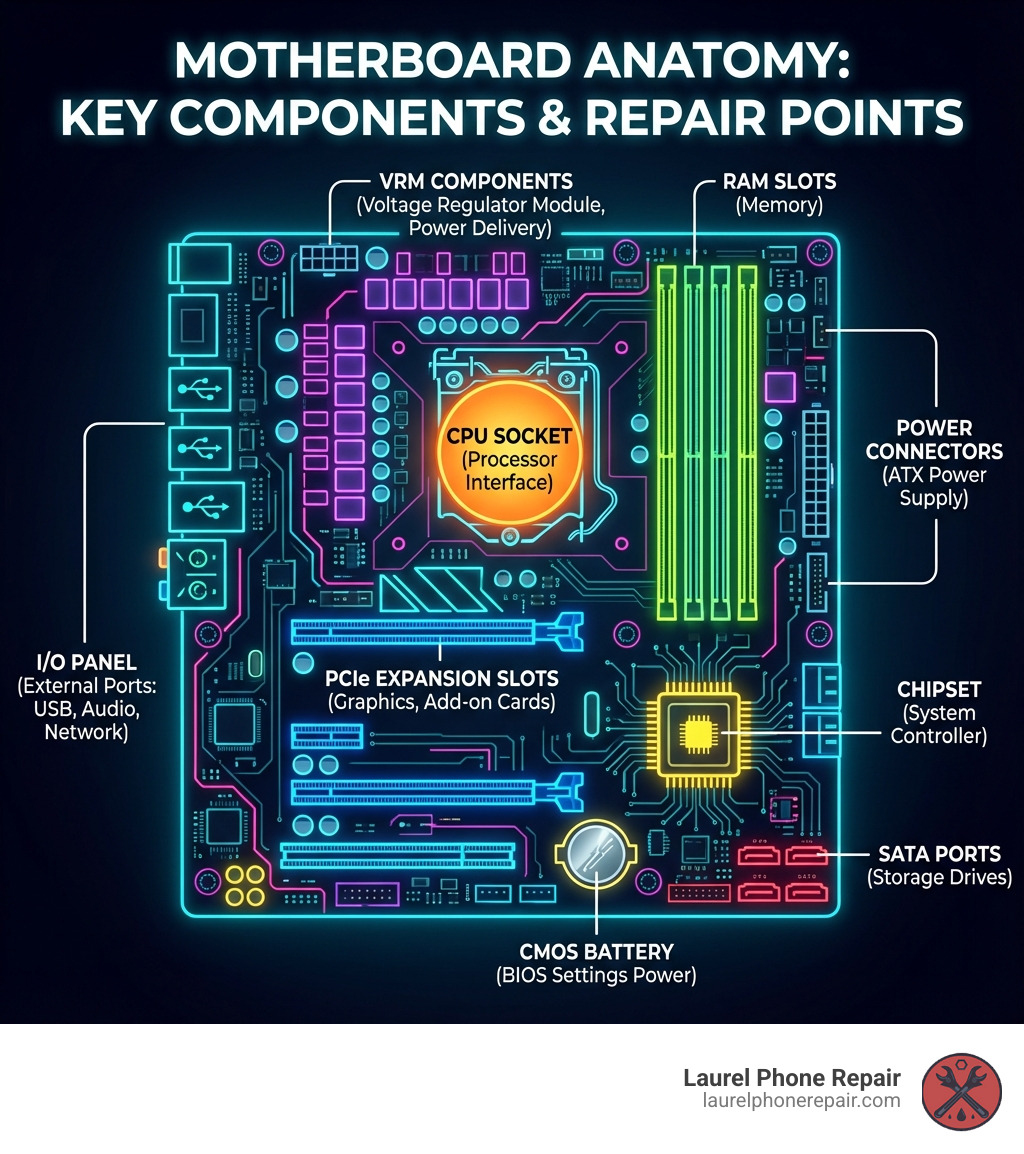
infographic showing motherboard anatomy with labeled components: CPU socket in center, RAM slots to the right, PCIe expansion slots below, SATA ports for storage, power connectors, chipset, I/O panel with USB and audio ports, CMOS battery, and VRM components near CPU - computer motherboard repair infographic

Spotting the Signs: Is Your Motherboard Failing?

When your computer starts acting strangely, it’s easy to jump to conclusions. But often, the core issue lies with the motherboard. Recognizing the signs of a failing motherboard early can save you a lot of headaches (and potentially data!).

computer screen showing a Blue Screen of Death (BSOD) - computer motherboard repair

Common Symptoms of a Dying Motherboard

Here are the tell-tale signs that your PC’s central hub might be on the fritz:

  • No Power or Black Screen on Startup: You press the power button, but nothing happens, or fans spin for a second then stop. For laptops, this is a very common sign of motherboard failure.
  • Startup Fails After a Few Minutes: The PC shows signs of life (lights, fan spin) but then shuts down, leaving a black screen.
  • Beeping or High-Pitched Sounds: The computer emits a series of beeps (POST codes) on startup with no display, which can indicate the specific problem.
  • Distorted or Scrambled Video: The screen shows strange colors, lines, or scrambled graphics, pointing to an issue with the motherboard’s video processing.
  • Random Freezing or Crashing: Frequent, unexplained system instability, including the Blue Screen of Death (BSOD), can be a motherboard symptom.
  • Peripherals Not Working: USB ports, audio jacks, or the Ethernet port suddenly stop working, and driver updates don’t help.
  • Visual Damage or Burning Smell: Look for swollen or leaking capacitors on the board. A burning smell is a clear sign of an electrical component shorting out.

Pinpointing the Problem: Basic Diagnostic Steps

Before assuming the worst, try these basic steps to confirm if the motherboard is the culprit:

  1. Power Supply Check: Ensure the main 20/24-pin and 4/8-pin CPU power connectors are securely seated.
  2. Reseat Components: Gently reseat your RAM sticks, graphics card, and other expansion cards to ensure a solid connection.
  3. Boot with Minimal Hardware: Remove all non-essential components. If the system boots, add parts back one by one to find the faulty one.
  4. Check for Loose Cables: Make sure all data and power cables are firmly connected.
  5. Listen for POST Beep Codes: If there’s no display, listen for beeps during startup and consult your motherboard’s manual to decipher them.

If these steps don’t help, it’s time for professional help. Our Device Diagnostics service offers a free initial check.

The Most Common Motherboard Failures Explained

Some failures are more common than others:

  • Capacitor Failure: Swollen or leaky capacitors cause unstable power delivery, leading to crashes or failure to start.
  • BIOS/UEFI Corruption: If the startup firmware becomes corrupted from a failed update or power surge, your PC won’t boot.
  • Voltage Regulator Module (VRM) Issues: Failed VRMs can’t deliver stable power to the CPU, causing instability or a complete lack of power.
  • Physical Damage: Bent pins, damaged slots, or cracks in the board’s traces from improper handling can disrupt critical connections.
  • Short Circuits: A loose screw or contact with the PC case can cause a short circuit, often resulting in an immediate shutdown.
  • Failed I/O Ports: USB, audio, or network ports can fail due to physical stress or electrical issues.

Causes and Prevention: Protecting Your PC’s Core

Understanding why motherboards fail is the first step in preventing it. Many common culprits are entirely avoidable with a little care and attention.

dusty computer interior before cleaning - computer motherboard repair

Top Causes of Motherboard Damage

Our experience shows these are the most frequent reasons for computer motherboard repair:

  • Heat and Dust Accumulation: Overheating is a silent killer for electronics. Dust acts as an insulator, trapping heat and degrading components over time.
  • Power Surges and Unstable Voltage: Spikes or drops in electrical current can fry sensitive components. A quality power supply (PSU) and surge protector are your first line of defense.
  • Electrostatic Discharge (ESD): A small static shock from your body can permanently damage motherboard components. Always ground yourself before working inside a PC.
  • Incorrect Component Installation: Forcing a RAM stick or misaligning a CPU can cause physical damage to slots, pins, and traces.
  • Physical Drops or Impacts: Accidental drops are a leading cause of laptop motherboard failure, and even a knock to a desktop can dislodge parts.
  • Age and Wear and Tear: Components degrade over time, and solder joints can weaken, especially on older or heavily used machines.

For a deeper dive into one of the motherboard’s most critical partners, the CPU, check out More about CPUs.

The Special Case of Water Damage

Liquid spills can cause short circuits and corrosion. If a spill occurs:

  1. POWER OFF IMMEDIATELY: Hold the power button until the PC shuts down.
  2. DISCONNECT POWER: Unplug the AC adapter and remove the battery, if possible.
  3. DO NOT POWER IT ON AGAIN: Powering it on with liquid inside will cause more damage.
  4. BRING IT TO US: The sooner we can professionally clean it, the higher the chance of a successful repair.

We use ultrasonic cleaning to remove corrosion and residue from liquid-damaged boards, a process far superior to basic cleaning methods. This technique often saves boards that would otherwise be a total loss.

Proactive Care: How to Prolong Your Motherboard’s Lifespan

A little prevention goes a long way:

  • Regular Internal Cleaning: Every six months, use compressed air to clear dust from fans, heatsinks, and the motherboard to maintain airflow.
  • Ensure Proper Airflow: Keep your PC in a well-ventilated area, not on soft surfaces or in enclosed cabinets.
  • Use a Quality Surge Protector: This is a non-negotiable accessory to protect against power spikes.
  • Careful Handling During Upgrades: Always use an anti-static wrist strap and handle components gently. Never force anything into place.
  • Update BIOS/UEFI Carefully: Only update your BIOS if there’s a specific reason, and follow the manufacturer’s instructions precisely to avoid bricking your board.

The World of Professional Computer Motherboard Repair

When DIY diagnostics hit a wall, or the issue requires more than just reseating a component, professional computer motherboard repair comes into play. This is where specialized knowledge and tools make all the difference. We offer comprehensive Services for all your electronic repair needs.

From Desktops to Laptops: Understanding the Differences

While serving the same purpose, desktop and laptop motherboard repairs differ significantly:

  • Accessibility: Laptop motherboards are compact, integrated, and difficult to access, requiring specialized disassembly.
  • Integrated Components: Laptops often have the CPU and RAM soldered to the board, making replacement impossible without advanced microsoldering. Desktops are modular.
  • Proprietary Designs: Laptops use proprietary board designs, making parts harder to source than standard desktop boards (ATX, Micro-ATX).
  • Repair Complexity: Due to their compact and integrated nature, laptop motherboard repairs are often more complex and reliant on microsoldering.

What is Microsoldering? A Look at Advanced Component-Level Computer Motherboard Repair

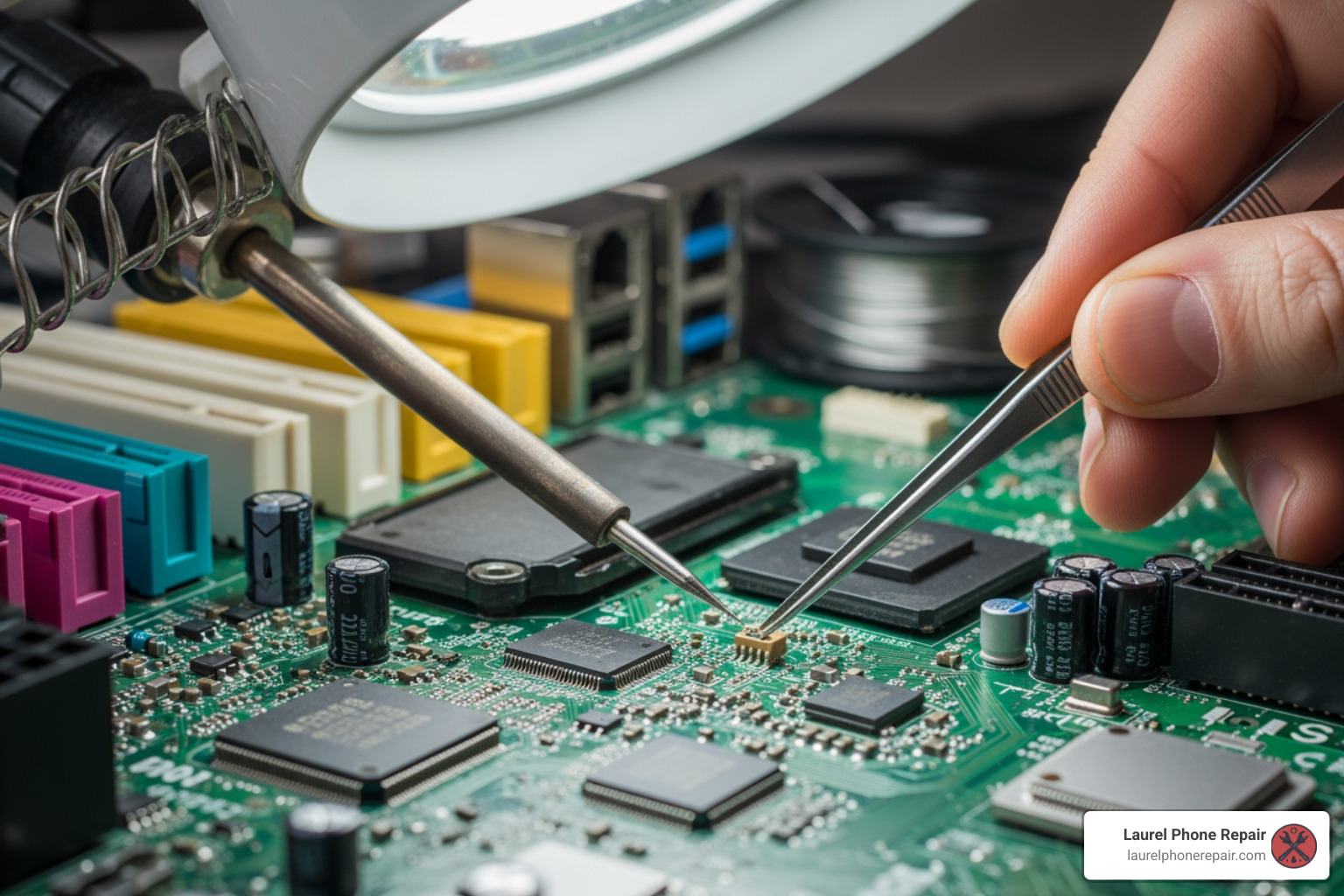
Microsoldering is a highly specialized skill involving precision soldering under a microscope to repair or replace tiny, surface-mounted components. Our technicians, with over 20 years of experience, are experts in these advanced techniques.

  • Precision Work: Microsoldering allows us to repair damaged traces (the “wires” on the board) and replace individual capacitors, resistors, or complex integrated circuits (ICs).
  • Replacing IC Chips: When a specific chip fails (e.g., a power or video chip), we can replace it, fixing “no power” or “no video” issues.
  • Fixing Damaged Traces: We can rebuild microscopic copper pathways on the board that have been broken by liquid damage or physical stress.
  • When It’s Necessary: Microsoldering is essential for complex issues like liquid damage or power failures, especially when replacing the board is too expensive or impossible.

Specialized Tools of the Trade

Professional computer motherboard repair requires specialized equipment:

  • Microscopes: Essential for magnifying tiny components for accurate microsoldering.
  • Hot Air Rework Stations: Deliver controlled hot air to safely desolder and solder surface-mounted components.
  • BGA Machines: Used for precise heating and placement of complex components like GPUs and chipsets.
  • BIOS Programmers: To reprogram BIOS chips and fix firmware corruption.
  • Multimeters and Oscilloscopes: Diagnostic tools to measure electrical signals and pinpoint faults.

Repair or Replace? Making the Right Choice

This is the million-dollar question for many PC owners. Deciding whether to repair your motherboard or replace it (or even replace the entire computer) depends on several factors.

Feature Motherboard Repair Motherboard Replacement
Cost Typically $80-$140 labor + parts (often cheaper) $50-$200+ for board + labor (can be expensive)
Time Potentially same-day to a few days for complex issues Can be same-day to a few days, depending on part availability
Data Retention Data usually intact, no OS reinstallation needed OS reinstallation often required, data backup crucial
Sustainability More environmentally friendly, extends device life More e-waste, though can revitalize an old system
Performance Restores original performance Can offer performance upgrade (if newer board)

DIY vs. Professional Help: A Cost-Benefit Analysis

While DIY is tempting, the risks of repairing a motherboard often outweigh the benefits for an average user.

Risks of DIY:

  • Electrostatic Discharge (ESD): You can easily fry components with static electricity without proper grounding.
  • Further Damage: A simple mistake can cause irreparable damage to the board.
  • Required Tools and Skills: Component-level repair requires specialized tools and expertise most users don’t have.
  • Time and Frustration: Diagnosing and repairing a motherboard is often a time-consuming and frustrating process.

When to Call a Professional:

  • If basic troubleshooting fails.
  • For any issue requiring component-level repair (e.g., failed capacitors, liquid damage).
  • When you want the peace of mind that comes with a professional repair and a warranty.

For professional assistance, visit our Computer Repair page. If you’re curious about the process, you can read How to Remove a Computer Motherboard – but remember, installation is even more complex!

Understanding the Cost and Timeline for a Professional Computer Motherboard Repair

At Laurel Phone Repair, we offer transparent pricing and efficient service.

  • Diagnostic Fees: We offer free diagnostics to identify the problem accurately before any work begins.
  • Typical Labor Costs: Labor for motherboard repair typically ranges from $80 to $140, often much less than a new board or computer.
  • Cost of Replacement Parts: Part costs vary, and we always discuss options with you, including OEM and aftermarket choices.
  • Turnaround Time: Simple repairs can often be done same-day. More complex jobs might take a few days, but all work is done in-house for faster service.

You can find more details on our service costs on our Pricing page.

When is a Full Motherboard Replacement the Better Option?

Sometimes, replacement is the more practical choice for computer motherboard repair:

  • Extensive Damage: If the board has widespread physical or liquid damage, repair may be impossible or too costly.
  • Obsolete Technology: If your motherboard is very old, a replacement can serve as an upgrade to a newer, better-performing platform.
  • Major Performance Upgrade: Replacing the motherboard allows you to install a newer CPU and faster RAM, effectively creating a new system.
  • Cost-Effectiveness: If the repair cost approaches the price of a new board, replacement is the more sensible long-term solution.

Frequently Asked Questions about Motherboard Issues

We get a lot of questions about motherboards. Here are some of the most common ones:

What is the role of the CPU and how does it interact with the motherboard?

The CPU is the computer’s “brain,” and the motherboard is its “nervous system.” The CPU performs calculations, while the motherboard acts as the central hub connecting the CPU to everything else—memory (RAM), storage, and peripherals. The motherboard’s chipset manages this data flow and defines which components are compatible. Without the motherboard, the CPU cannot communicate with any other part of the computer. Learn more about this component on Wikipedia – Central Processing Unit.

Can a bad or swollen capacitor be fixed?

Yes, absolutely. A bad or swollen capacitor is one of the most common and repairable motherboard failures. These components regulate power, and when they fail (bulging or leaking), they can cause system instability or prevent the computer from booting. The repair involves carefully desoldering the faulty capacitor and soldering a new one in its place. This requires precision skills and specialized tools to avoid damaging the board, which is why this repair is “often best left to experts.” We have the expertise and tools to perform this common repair safely and effectively.

Do I need to reinstall my operating system after a motherboard replacement?

In most cases, yes. A motherboard replacement is a fundamental hardware change. Your operating system (like Windows) installs specific drivers for the original motherboard’s chipset. A new board will have a different chipset, and the old drivers will cause conflicts and instability. A fresh OS installation ensures all the correct drivers are used, providing optimal performance. You may also face OS activation issues, especially with OEM licenses tied to the original hardware. Remember to back up your data before any major hardware change. For specific guidance on Windows, consult resources like http://support.microsoft.com.

Conclusion: Getting Your Computer Back in Action

When your PC starts acting up, especially with symptoms pointing to the motherboard, it can feel like your digital world is grinding to a halt. But as we’ve explored, a failing motherboard doesn’t always spell the end for your beloved computer.

The key takeaway? Diagnosis is paramount. Understanding the signs of failure, from strange beeps to a black screen, is the first step. Many issues, like faulty capacitors, power problems, or even liquid damage, are often repairable thanks to advanced techniques like microsoldering and the right specialized tools.

Repair is often not only possible but also a cost-effective and environmentally friendly alternative to replacing your entire system. With labor costs typically ranging from $80-$140 for a computer motherboard repair, it’s a smart investment to get your PC back to peak performance.

Whether you’re in Laurel, Hattiesburg, Jackson, or Jones County, Mississippi, our experienced technicians are here to help. We’ve got over 20 years of expertise in diagnosing and fixing even the most complex motherboard issues. Don’t let a failing motherboard frustrate you. Bring your device to us for a free diagnostic and let us get your computer back in action.

Ready to get your computer running smoothly again? Schedule your computer repair today!

The Ultimate Guide to Samsung Galaxy A03s Screen Replacement

A03s Screen Replacement: Ultimate 2025 Guide

Why Your Samsung Galaxy A03s Screen Replacement Matters

A03s screen replacement is a common repair that becomes necessary when your device suffers from cracks, unresponsive touch, or display issues. Here’s what you need to know at a glance:

Quick Answer:

  • Professional Repair Cost: Typically $29.75+ for parts, with same-day service available
  • DIY Cost: Around $29.75 for the screen part, plus tools ($20-40 if you don’t own them)
  • Repair Time: 1-3 hours for DIY (beginners may take longer), or same-day at a repair shop
  • Best Option: Professional repair offers warranty protection and eliminates risk of further damage

A cracked or malfunctioning screen on your Samsung Galaxy A03s isn’t just frustrating—it disrupts your daily life. Whether you dropped your phone, sat on it, or woke up to mysterious lines across the display, you’re faced with an important decision: attempt a DIY repair or trust a professional.

The Samsung Galaxy A03s (model numbers SM-A037U, SM-A037F, and SM-A037M) is a popular budget-friendly smartphone, but its screen replacement requires careful handling of multiple internal components. You’ll need to remove the back cover, disconnect the battery, remove the mainboard, and transfer several small parts to the new screen assembly. One wrong move can damage fragile flex cables or even cause a battery fire.

This guide walks you through everything you need to know about replacing your A03s screen—from identifying damage symptoms to understanding your repair options. We’ll break down the costs, time commitment, and risks involved in both DIY and professional repairs, so you can make the best choice for your situation.

I’m Ralph Harris, and with over 20 years of experience in electronics repair and more than 500 Apple repair certifications, I’ve personally handled countless a03s screen replacement repairs and understand exactly what it takes to restore your device safely. Let’s explore your options.

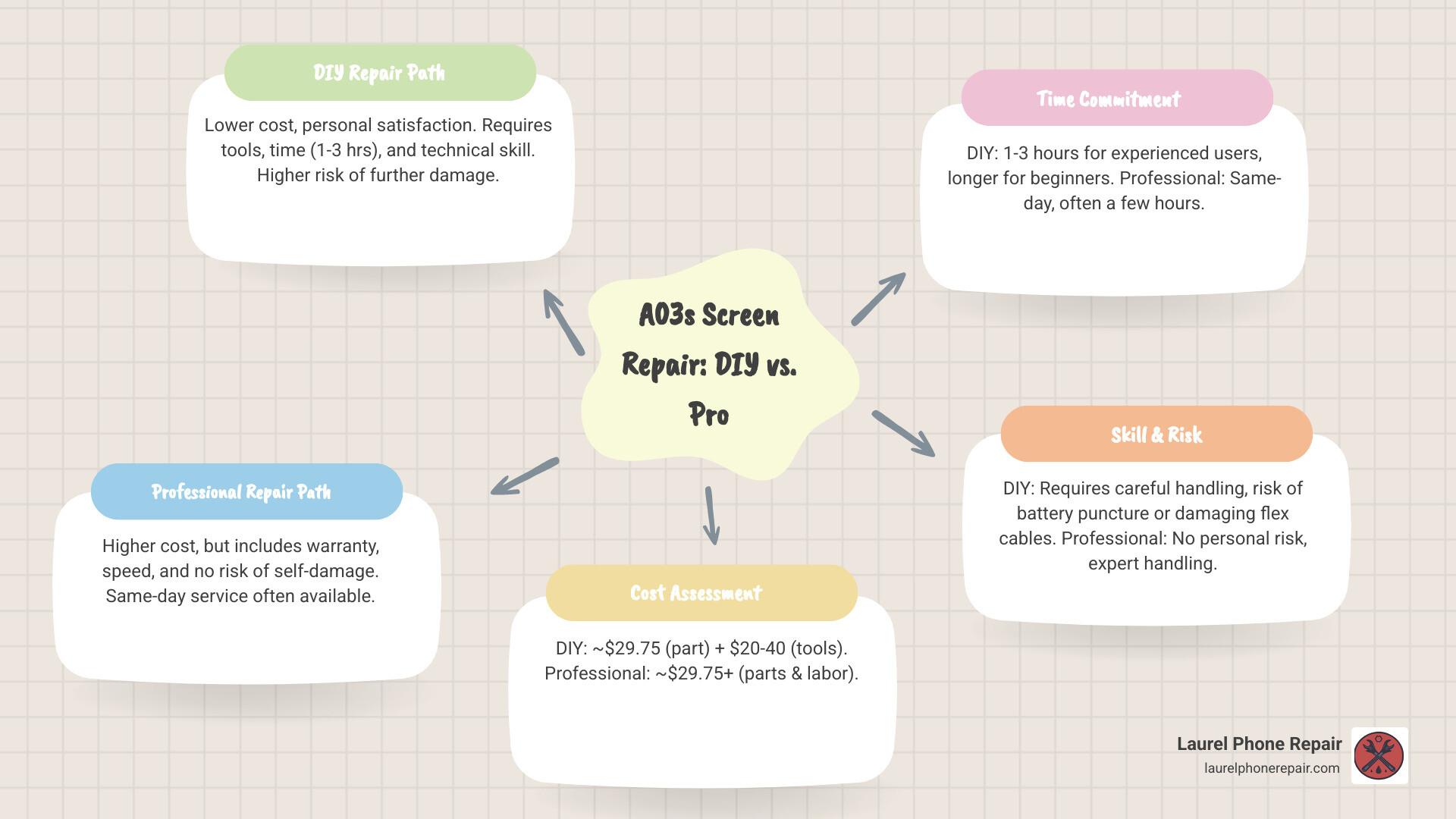
Infographic showing decision tree for A03s screen replacement: Start with budget and skill level assessment, then branch to DIY path showing lower cost but higher risk and time commitment versus Professional path showing higher cost but warranty protection and same-day service, with final decision based on technical confidence and time availability - a03s screen replacement infographic mindmap-5-items

Is Your Samsung A03s Screen Damaged? Key Symptoms and Model Variations

Before you consider an a03s screen replacement, it’s crucial to correctly diagnose the problem. Sometimes, what looks like a minor crack can hide more serious internal display damage. Here are the common symptoms of a damaged Samsung Galaxy A03s screen:

  • Visible Cracks or Shatters: This is the most obvious sign. Even small hairline cracks can compromise the screen’s integrity and lead to further damage.
  • Scratches: While minor scratches might not affect functionality, deep scratches can obscure the display and eventually lead to cracks.
  • Black Spots or “Ink Blots”: These are often a sign of internal liquid crystal damage. They can grow over time, eventually rendering parts of your screen unusable.
  • Colored Lines on the Display: Vertical or horizontal lines in various colors (often green, pink, or white) indicate a damaged display panel or a faulty connection.
  • Unresponsive Touch: If parts of your screen don’t respond to touch, or respond intermittently, the digitizer (the touch-sensitive layer) is likely damaged.
  • “Ghost Touch”: This spooky symptom occurs when your phone registers touches that aren’t happening, leading to apps opening randomly or settings changing on their own. It’s usually a sign of a severely damaged digitizer.
  • Flickering Screen: A rapidly flickering or dimming screen can point to a loose connection, a failing display panel, or even a damaged flex cable.

Image showing different types of screen damage like cracks, black ink spots, and lines - a03s screen replacement

Understanding Model Variations for Part Compatibility

The Samsung Galaxy A03s has a few model variations, and while they are largely similar, it’s important to be aware of them, especially when sourcing replacement parts. The primary model numbers you’ll encounter are:

  • SM-A037U (US Version): This is the version commonly sold in the United States.
  • SM-A037F (International Version): Found in many global markets.
  • SM-A037M: Another international variant.

According to our research, the US version of the Samsung A03s can be slightly different from the international version. This means that components, particularly the screen assembly, might have minor variations that affect compatibility. When you’re looking for an a03s screen replacement part, always ensure it specifies compatibility with your exact model number (e.g., SM-A037U). While many parts are interchangeable, confirming compatibility saves you time and frustration.

For instance, if your new screen comes with a pre-installed frame, the repair procedure might differ slightly from one where you need to transfer components to a new screen. Our experts are well-versed in these nuances and ensure the correct part is used for your specific device.

A03s Screen Replacement Options: Professional Repair vs. DIY

When faced with a broken Samsung Galaxy A03s screen, you essentially have two main paths: attempt to replace it yourself or entrust it to professionals. Both options have their merits and drawbacks, which we’ve summarized in the table below.

Feature DIY Repair Professional Repair
Cost Low (part cost + tools) Moderate (includes part, labor, and warranty)
Time Commitment High (research, execution, troubleshooting) Low (often same-day, few hours)
Risk Level High (potential for further damage, data loss) Low (expert handling, insured service)
Warranty Part-only (from seller), no labor guarantee 1-year limited warranty on parts and labor

Professional Repair Benefits

Choosing a professional a03s screen replacement service offers significant advantages, especially if you value peace of mind and a hassle-free experience.

  • Expert Technicians: Our team consists of rigorously trained and experienced technicians who specialize in phone repairs. We understand the intricate details of Samsung devices and have handled countless screen replacements. This expertise minimizes the risk of further damage to your device.
  • Speed and Convenience: We know you rely on your phone, so speed is a top priority for us. Many of our screen repairs, including for the Samsung Galaxy A03s, are completed as soon as the same day, often within a few short hours. You can walk into one of our locations in Laurel, Hattiesburg, Jackson, or Jones County, Mississippi, or schedule a repair online for ultimate convenience.
  • Warranty on Parts and Labor: This is a major benefit. When you choose us for your a03s screen replacement, your repair comes with a 1-year limited warranty on both the parts used and the labor performed. This means if anything goes wrong related to the repair within that period, we’ve got you covered. This is a level of assurance you simply won’t get with a DIY repair.
  • No Risk of Further Damage: Attempting a DIY repair carries inherent risks. Our professionals have the right tools, knowledge, and experience to perform the repair safely, ensuring your device is returned to you in optimal condition without new issues.
  • Transparent Pricing: We offer free diagnostics and a clear cost assessment before any work begins. We aim to provide the best rates and even offer a low price guarantee: if you find a local competitor’s regularly published price for the same repair, we’ll match it and beat it by $5.
  • More Info About Our Repair Services: Want to learn more about how we can bring your phone back to life? You can find more info about our repair services on our website.

DIY Repair Considerations

The idea of a DIY a03s screen replacement can be tempting, primarily due to perceived cost savings and the satisfaction of fixing something yourself.

  • Cost Savings: On the surface, buying just the replacement screen part (which can be found for around $29.75) seems cheaper than a professional service. However, this doesn’t account for the specialized tools you’ll need, which can add $20-40 to the cost if you don’t already own them.
  • Personal Satisfaction: There’s a certain pride in successfully repairing your own device.
  • Risks Involved: This is where DIY gets tricky. The Samsung Galaxy A03s screen replacement is not a simple task. It involves a multi-step process that requires precision and patience. Our research shows that even experienced repairers find the process complex. One iFixit guide, for example, outlines 15 distinct steps just for the screen replacement.
  • Potential for Further Damage: Without proper tools, technique, and experience, you risk damaging other delicate components like flex cables, the battery, or even the motherboard. A small mistake can turn a screen replacement into a much more expensive repair, or worse, render your phone irreparable.
  • No Warranty on Labor: If you mess up, you’re on your own. While the replacement screen itself might come with a limited warranty from the seller, there’s no guarantee covering your labor or any accidental damage you might inflict during the process.
  • Time-Consuming: For a beginner, a repair that takes an expert a few hours could easily stretch into a full day or more, especially if you encounter unexpected issues or need to reorder parts.

While DIY offers potential savings and satisfaction, it comes with significant risks and a steep learning curve.

DIY Guide: How to Replace the Samsung Galaxy A03s Screen Yourself

If you’re feeling adventurous and confident in your technical skills, a DIY a03s screen replacement is technically possible. However, we must stress that this is a complex repair and we strongly advise caution. Our goal here is to inform you of the process, not necessarily to endorse DIY over professional service, especially given the risks.

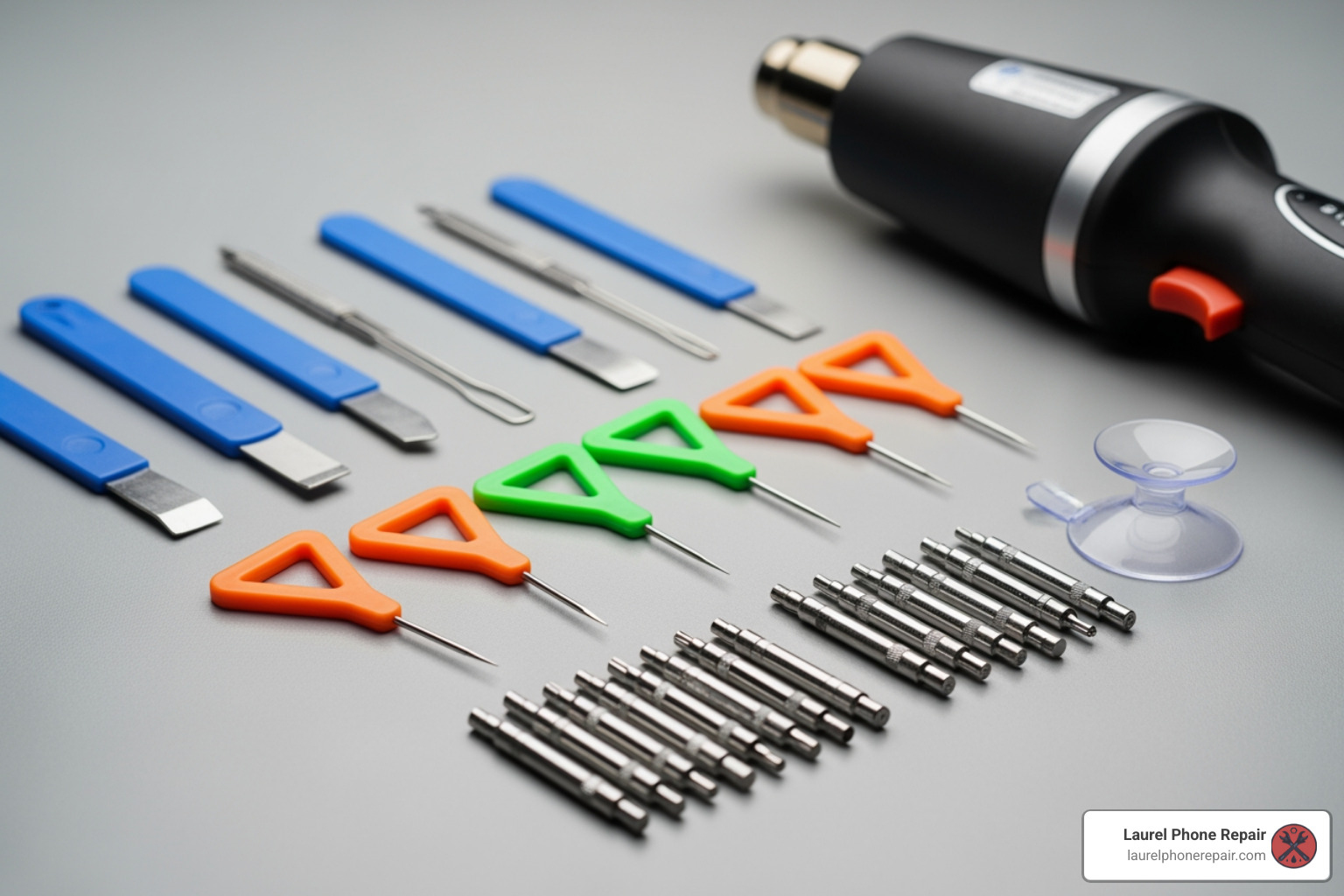
Image of a phone repair toolkit with tools like spudgers, opening picks, and a heat gun - a03s screen replacement

Tools and Parts Needed for an a03s screen replacement

To start on this journey, you’ll need a specific set of tools and, of course, the replacement screen itself.

  • Phillips #00 Screwdriver: Essential for removing tiny internal screws.
  • Spudger: A non-conductive tool used for prying and disconnecting delicate components without causing electrical shorts.
  • Tweezers: For handling small screws, flex cables, and other tiny parts.
  • Opening Picks (Plastic): Used to separate adhesive and pry open seams without scratching the device.
  • iOpener or Heat Gun/Hair Dryer: Heat is crucial for softening the adhesive that secures the back cover and the screen. An iOpener provides controlled, even heat.
  • Isopropyl Alcohol (90%+): For cleaning adhesive residue and helping to loosen stubborn adhesive.
  • Replacement Adhesive: New adhesive strips are necessary to re-seal the back cover and the new screen, helping to restore some dust and splash resistance (though full water resistance is hard to restore).
  • Suction Cup/Handle: To help lift the back cover and screen after heating.
  • Thin Plastic Card (e.g., playing card): Can be useful for slicing adhesive.
  • Replacement Screen Part: This is the most crucial component. A compatible Samsung Galaxy A03s screen assembly (LCD with digitizer) for your specific model (e.g., SM-A037U). The average cost for this part is around $29.75. Ensure it comes with a frame if you want to avoid transferring some components.

Step-by-Step Replacement Process

The following is a generalized overview of the steps involved in an a03s screen replacement. This is a summary and does not replace a detailed repair guide. We advise you to consult comprehensive, visual guides (such as those found on iFixit, for informational purposes only) if you choose the DIY route.

  1. Safety Precautions:

    • Discharge the Battery: Before you start, discharge your phone’s battery to 25% or lower. A fully charged lithium-ion battery can catch fire or explode if accidentally punctured during the repair.
    • Power Off: Always power off your device completely before beginning any disassembly.
    • Protect Your Eyes: Consider wearing safety glasses, especially if the screen is severely cracked, to protect against glass shards.
  2. Eject SIM Card Tray: Use a SIM eject tool or a straightened paperclip to remove the SIM card tray.

  3. Remove Back Cover:

    • Apply heat to the edges of the back cover using an iOpener or heat gun to soften the adhesive.
    • Use a suction cup to create a small gap, then insert an opening pick and carefully slide it around the perimeter to cut through the adhesive. Be extremely careful, as the fingerprint sensor cable is often attached to the back cover and can be easily damaged.
    • Once the adhesive is cut, gently open the back cover, being mindful of any attached flex cables.
  4. Disconnect the Battery: Locate the battery connector on the motherboard and use a spudger to carefully pry it straight up and disconnect it. This is a critical safety step.

  5. Remove Internal Components (Partial Disassembly):

    • Unscrew and remove any brackets or covers protecting the motherboard and other components.
    • Disconnect various flex cables, such as the power button ribbon cable, mainboard flex cable, and antenna cable, using a spudger and tweezers.
    • Carefully remove the mainboard and charging board if necessary to access the screen connections.
  6. Component Transfer (if applicable): If your new screen assembly does not come with a pre-installed frame or certain small components, you’ll need to carefully transfer them from your old screen. This might include the earpiece speaker, vibrate motor, and volume button flex cable. This often involves applying heat and isopropyl alcohol to loosen adhesive.

  7. Remove the Old Screen:

    • Apply heat to the front of the screen to soften the adhesive holding it to the frame.
    • Use a suction cup to gently pull up the screen, creating a small gap.
    • Insert opening picks and carefully slide them around the edges to cut through the screen adhesive. This process can be delicate, especially if the screen is heavily cracked.
    • Once the adhesive is cut, carefully thread the display cable through the frame and remove the old screen.
  8. Reassembly:

    • Clean any old adhesive residue from the frame with isopropyl alcohol.
    • Connect the new screen’s flex cable to the motherboard.
    • Apply new adhesive strips to the frame where the screen will sit.
    • Carefully place the new screen into the frame, ensuring it’s properly aligned.
    • Reconnect all internal components and flex cables that were disconnected.
    • Reinstall any brackets and covers.
    • Reconnect the battery.
    • Apply new adhesive to the back cover and carefully re-seal it.
    • Reinsert the SIM card tray.

Key Risks and Precautions for a DIY a03s screen replacement

As you can see, the DIY process is intricate and fraught with potential pitfalls. Here are the major risks you face:

  • Battery Puncture and Fire Hazard: The battery is adhered firmly, and prying it incorrectly can lead to puncture. This can cause the battery to vent, swell, or even catch fire or explode. We’ve seen this happen, and it’s not a pretty sight.
  • Damaging Fragile Flex Cables: Tiny ribbon cables connect various components. They are extremely delicate and can tear or crease easily, leading to non-functional buttons, cameras, or sensors. The fingerprint sensor cable, in particular, is often attached to the back cover and can be severed if not handled with extreme care during removal.
  • Losing Water Resistance: Samsung Galaxy A03s, like many modern phones, has some level of dust and splash resistance, achieved through adhesive seals. Opening the phone inevitably breaks these seals. Without applying new, high-quality adhesive correctly, your phone will lose its water protection.
  • Incomplete or Faulty Repair: You might successfully replace the screen, only to find the touch isn’t working, the display has dead pixels, or another component stopped functioning. This could be due to a faulty part, an improperly connected cable, or accidental damage during the repair.
  • Troubleshooting Issues: If something goes wrong, diagnosing the problem can be incredibly difficult without specialized tools and knowledge. You could spend hours or days trying to figure out why your phone isn’t working, potentially causing more damage in the process.

Given these challenges, many of our customers in Laurel, Hattiesburg, Jackson, and Jones County, Mississippi, find that the peace of mind and guaranteed results of a professional repair are well worth the investment.

Cost, Time, and Warranty for Your A03s Screen Replacement

Understanding the financial and time commitments, as well as the warranty implications, is crucial when deciding on an a03s screen replacement.

Average Cost Breakdown

The cost of an a03s screen replacement varies significantly between DIY and professional services.

  • DIY Cost:

    • Part Cost: The Samsung Galaxy A03s screen replacement part itself can be found for as low as $29.75. This price typically includes the LCD and digitizer assembly.
    • Tool Investment: If you don’t already own the necessary specialized tools (screwdrivers, spudgers, heat gun, etc.), you could be looking at an additional $20-$40 for a basic repair kit.
    • Hidden Costs: Factor in potential costs for replacement adhesive, isopropyl alcohol, and, crucially, the cost of replacing accidentally damaged components if the repair goes wrong.
  • Professional Repair Cost:

    • Professional repair costs typically include the price of the part, the technician’s labor, and a warranty. While we don’t list a fixed price here (as specific costs can vary based on diagnostics), we can tell you that we aim for affordability.
    • Our pricing is always transparent, and we provide a free diagnostic and cost assessment before any work begins. We even offer a low price guarantee, promising to beat any local competitor’s regularly published price for the same repair by $5. This ensures you get a fair deal without compromising on quality or peace of mind.
    • For an accurate quote custom to your specific Samsung Galaxy A03s and its condition, we encourage you to check our repair pricing or visit one of our stores.

How Long Does the Repair Take?

Time is often a critical factor, especially when your primary communication device is out of commission.

  • DIY Time:

    • For someone experienced in phone repair, an a03s screen replacement might take 1-3 hours.
    • However, for a beginner, the process can be significantly longer. Researching steps, carefully executing each delicate movement, and inevitably troubleshooting unexpected issues can stretch the repair time to several hours, or even a full day.
    • One iFixit guide for the A03s involves 15 detailed steps, each requiring careful attention.
  • Professional Repair Time:

Understanding the Warranty

Warranty protection is a significant differentiator between DIY and professional repairs.

  • DIY Warranty:

    • When you purchase a replacement screen part, it might come with a limited warranty from the seller, covering defects in the part itself.
    • However, this warranty typically does not cover any damage you might cause during the installation process, nor does it guarantee the functionality of the repair as a whole. You are solely responsible for your labor. If the screen stops working due to your installation, you’re out of luck.
  • Professional Repair Warranty:

    • At Laurel Phone Repair, we stand behind our work. All our repairs, including a03s screen replacement, come with a comprehensive 1-year limited warranty.
    • This warranty covers both the replacement parts used and the labor performed by our technicians. This means you get peace of mind knowing that if any issues arise related to the repair within a year, you can bring your device back to us, and we’ll make it right.
    • This level of assurance is invaluable and provides a safety net that DIY repairs simply cannot offer. Learn more about our support and warranty policy on our website.

Conclusion

A damaged screen on your Samsung Galaxy A03s can be a real headache, but thankfully, an a03s screen replacement is a common and solvable problem. We’ve explored the symptoms of screen damage, the critical differences in model variations, and the two main avenues for repair: doing it yourself or trusting the experts.

While the DIY route might offer a lower initial cost for the part and the satisfaction of a personal achievement, it comes with significant challenges. The process is intricate, requiring specialized tools and a steady hand. The risks of damaging other delicate components, losing water resistance, or facing unexpected troubleshooting issues are high. Moreover, a DIY repair typically offers no warranty on your labor, leaving you vulnerable if things go awry.

On the other hand, professional repair services, like those we offer in Laurel, Hattiesburg, Jackson, and Jones County, Mississippi, provide a stress-free and reliable solution. Our experienced technicians use quality parts, perform repairs quickly (often same-day), and back their work with a 1-year limited warranty. This means you get your device back in working order, without the headaches or risks associated with a complex DIY project, and with the assurance that your investment is protected.

For a fast, reliable, and guaranteed Samsung Galaxy A03s screen replacement, trust the experts at Laurel Phone Repair. We’re here to get your device back to perfect condition, so you can get back to what matters most.

Schedule your screen repair today!

Don’t Get Stranded: How to Service and Repair Your Golf Cart Batteries

Golf cart battery service: Ultimate 5-Step Guide

Why Golf Cart Battery Service is Essential for Reliable Performance

Golf cart battery service is the key to keeping your cart running smoothly and avoiding unexpected breakdowns. Whether you use your golf cart for golfing, getting around your community, or working on your property, proper battery maintenance ensures reliable performance and extends the life of your investment.

Quick Answer: What Golf Cart Battery Service Includes

  1. Checking water levels in flooded lead-acid batteries (monthly)
  2. Cleaning terminals and connections to prevent corrosion
  3. Inspecting cables for damage, cracks, or wear
  4. Charging properly after each use with the correct voltage
  5. Testing performance to identify failing batteries early

Let’s face it: golf cart batteries aren’t cheap. A new set of 4-6 batteries can cost hundreds or even thousands of dollars. But here’s the good news – proper maintenance can extend your battery life from 4-5 years to 6-8 years, saving you significant money over time. More importantly, regular service prevents you from getting stranded mid-round or mid-commute.

The average battery life varies dramatically based on care. With heavy use (8+ hours daily) and no maintenance, batteries might only last 2-4 years. However, batteries that receive consistent attention can perform reliably for much longer. That’s a difference of thousands of dollars and countless hours of dependable service.

I’m Ralph Harris, and with over 20 years of experience in electronics repair, I’ve serviced hundreds of battery systems across various applications, including golf cart battery service for both residential and commercial clients. Through this guide, I’ll show you exactly how to maintain your batteries and when professional service makes sense.

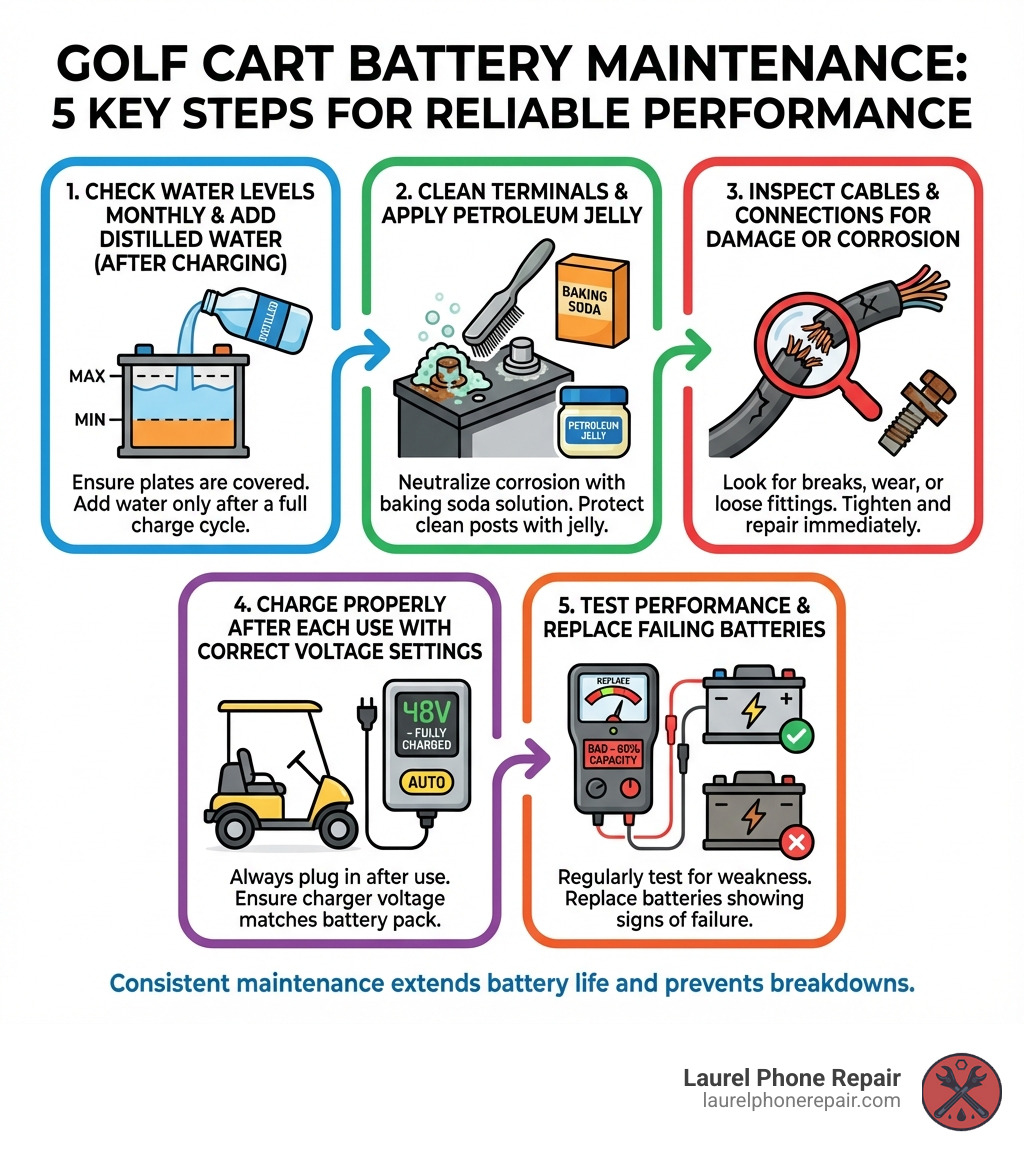
infographic showing five key steps of golf cart battery maintenance: 1. Check water levels monthly and add distilled water after charging, 2. Clean terminals with baking soda solution and apply petroleum jelly, 3. Inspect cables and connections for damage or corrosion, 4. Charge properly after each use with correct voltage settings, 5. Test performance and replace batteries showing signs of failure - Golf cart battery service infographic

Signs Your Battery Needs Service or Replacement

Your golf cart often gives subtle clues when its batteries are struggling. Ignoring these warnings can lead to a complete breakdown, leaving you stranded. Recognizing these signs early means you can address issues before they become major problems, potentially saving you from needing a full battery replacement.

Here are the most common indicators that your golf cart battery needs service or replacement:

  • Reduced Cart Speed: If your cart isn’t zipping along like it used to, or struggles to reach its top speed, weak batteries are often the culprit.
  • Shorter Range Per Charge: Are you finding yourself needing to charge more frequently, or does your cart die sooner than expected? This is a classic sign of declining battery capacity.
  • Slow Acceleration: If your cart feels sluggish when you press the pedal, struggling to get up to speed, the batteries might not be delivering enough power.
  • Dimming Lights or Accessories: Headlights, taillights, or other electrical accessories that appear dim or flicker, especially under load, indicate a lack of consistent power from the battery bank.
  • Swollen or Cracked Battery Cases: This is a serious sign of internal damage, often caused by overcharging or extreme heat. Swollen batteries are dangerous and should be handled with extreme caution and replaced immediately.
  • Leaking Acid: Any visible liquid around the battery terminals or on the battery tops points to a leak. Battery acid is corrosive and dangerous, and a leaking battery is a clear sign it needs immediate attention and replacement.
  • Batteries Older Than 4 Years: While some batteries can last 6-8 years with excellent care, batteries older than 4 years tend to fail faster. If your lead-acid batteries are approaching or past this age and you’re noticing performance issues, it’s a strong indicator that replacement is nearing. For expert diagnosis and solutions, check out our more info about battery repair services.

Visual Inspection Checklist

A quick visual check can reveal a lot about your battery’s health. We recommend making this a part of your routine golf cart battery service:

  • Corrosion on terminals: A white, green, or blue powdery substance on the battery terminals indicates corrosion. This impedes electrical flow and can reduce performance.
  • Frayed or damaged cables: Look for any cuts, cracks, or fraying on the battery cables. Damaged cables can lead to resistance, power loss, and even short circuits.
  • Cracks in the battery casing: Even hairline cracks can allow acid to leak and moisture to enter, severely damaging the battery.
  • Low water levels in lead-acid cells: For flooded lead-acid batteries, visually check that the water level covers the internal plates. If not, they need distilled water immediately.
  • Bulging or swelling sides: As mentioned, this is a critical sign of internal pressure and damage. Do not attempt to charge or use a bulging battery.

Performance-Based Indicators

Beyond visual cues, your cart’s performance is a direct reflection of its battery health. Pay attention to these symptoms:

  • Cart struggles on hills: If your golf cart noticeably slows down or loses power when going uphill, the batteries are likely not delivering sufficient current.
  • Takes longer to charge: While charging times can vary, a significant increase in the time it takes for your batteries to reach a full charge can indicate internal resistance and declining health.
  • Doesn’t hold a charge as long: If you charge your cart overnight but find it loses power quickly during use, its capacity has diminished.
  • Slower than usual top speed: A gradual decrease in your cart’s maximum speed is a common sign of weakening batteries.

Here’s a list of common performance decline symptoms to watch for:

  • Reduced acceleration
  • Lower top speed
  • Shorter driving range
  • Headlights dimming at slow speeds
  • Charger running longer than usual
  • Unusual noises from the battery compartment (hissing, bubbling – indicating overcharging or internal issues)

The Ultimate Guide to Golf Cart Battery Service

Proper golf cart battery service isn’t just about fixing problems; it’s about preventing them. By following a routine maintenance schedule, you can significantly impact your batteries’ lifespan and ensure your golf cart performs optimally for years. Safety first! Before you begin any maintenance, make sure you understand the risks. For a comprehensive guide on battery care, you can also refer to How to Perform Golf Cart Battery Maintenance.

Essential Safety Precautions

Working with golf cart batteries involves handling corrosive chemicals and high electrical currents. Safety should always be your top priority.

person wearing safety glasses and gloves working on a battery - Golf cart battery service

  • Wear Personal Protective Equipment (PPE): Always wear safety glasses or a face shield, chemical-resistant gloves, and old clothing. Battery acid can cause severe burns and damage.
  • Work in a Ventilated Area: Batteries can release hydrogen gas, which is flammable and explosive. Ensure good airflow to prevent gas buildup. Never work in an enclosed space without ventilation.
  • Use Insulated Tools: Metal tools can cause a short circuit if they accidentally touch both terminals or a terminal and the cart’s frame. Use tools with insulated handles to minimize this risk.
  • No Smoking or Open Flames: Keep all sparks, flames, and smoking materials away from batteries. The hydrogen gas released during charging can ignite.
  • Baking Soda for Acid Spills: Keep a box of baking soda and water nearby. A solution of 1 cup of baking soda for every gallon of water can neutralize spilled battery acid. If acid gets on your skin or in your eyes, flush immediately with water for at least 15 minutes and seek medical attention.
  • Disconnect Power: Before performing any maintenance, turn off your golf cart and disconnect the main battery pack from the cart. This usually involves disconnecting the negative terminal of the main battery first.
  • Proper Lifting: Golf cart batteries are heavy. Use proper lifting techniques or get help to avoid injury.

For more detailed guidance on handling batteries safely, refer to this resource on More on battery safety.

Step-by-Step: Maintaining Flooded Lead-Acid Batteries

Flooded lead-acid batteries are common in golf carts and require regular attention. This routine will help maximize their lifespan and performance.

  1. Check Water Levels (Monthly):
    • Timing is Key: Always check water levels after fully charging the batteries. However, before charging, ensure the water level is high enough to cover the plates. If the plates are exposed before charging, add just enough distilled water to cover them, then charge.
    • Procedure: Open the vent caps on each battery cell. Look inside to see the electrolyte level. It should be approximately 1/8″ below the bottom of the fill well or vent cap opening once fully charged.
    • Adding Water: Use only distilled or deionized water. Never use tap water, as minerals can build up and reduce battery life. Never add acid to a battery.
    • Fill Level: Do not overfill! Overfilling can cause acid to overflow during charging, leading to corrosion and acid loss.
    • After Filling: Securely replace and tighten all vent caps.

distilled water being added to a battery cell - Golf cart battery service

  1. Cleaning Terminals and Connections (Every Few Months):

    • Corrosion Removal: Mix a solution of 1 cup of baking soda per gallon of water. Use a stiff, non-metallic brush (like an old toothbrush) to scrub away any corrosion on the battery terminals and cable ends.
    • Rinse and Dry: Rinse the area with clean water (careful not to get water into the battery cells) and thoroughly dry the terminals and cables.
    • Prevent Future Corrosion: Once clean and dry, apply a thin layer of petroleum jelly, battery terminal protector spray, or a specialized anti-corrosion grease to the terminals and cable ends.
  2. Checking Connections and Torque Specifications:

    • Inspect Cables: Look for any signs of wear, fraying, or damage on all battery cables. Replace damaged cables immediately.
    • Tighten Connections: Using an insulated wrench, ensure all battery cable connections are snug. Loose connections can create resistance, generate heat, and reduce power delivery.
    • Torque Specifications: Proper torque is crucial. For 5/16” studs or bolts, aim for 100-120 in. lbs. (11.3-13.6 N-m). For 3/8” studs or bolts, the range is 120-180 in. lbs. (10-15 ft. pounds or 13.6-20.3 N-m). Overtightening can damage terminals, while undertightening causes resistance.

Maintenance Differences: Lead-Acid vs. Lithium

The world of golf cart batteries is evolving, and maintenance requirements vary significantly depending on the battery chemistry.

  • Flooded Lead-Acid Batteries: These are the traditional workhorses, known for their affordability. However, they demand the most maintenance. As detailed above, regular watering, terminal cleaning, and careful charging are essential. Their average lifespan is typically 4-5 years, though diligent care can push this to 6-8 years. They are sensitive to deep discharges and temperature fluctuations.

  • AGM (Absorbed Glass Mat) and Gel Batteries (VRLA – Valve Regulated Lead Acid): These are sealed lead-acid batteries, meaning they require no watering. This makes them “maintenance-free” in that regard, though they still benefit from clean terminals and proper charging. They are less prone to spilling and can be mounted in various orientations. Their lifespan is often similar to or slightly better than flooded lead-acid, but they are more sensitive to overcharging.

  • Lithium Batteries (LiFePO4): These are the game-changers in golf cart technology. Lithium batteries are virtually maintenance-free, offering a significantly longer lifespan of 5-10 years. They are lighter, charge faster, provide consistent power throughout their discharge cycle, and often come with a sophisticated Battery Management System (BMS) that protects them from overcharging, over-discharging, and temperature extremes. While the upfront cost is higher, their extended lifespan and lack of maintenance often make them more cost-effective in the long run.

Here’s a quick comparison:

Feature Flooded Lead-Acid Battery Lithium (LiFePO4) Battery
Maintenance High (regular watering, terminal cleaning) Very Low (virtually none)
Lifespan 4-5 years (up to 8 with excellent care) 5-10 years
Performance Power drops as charge depletes, heavier Consistent power output, lighter, faster acceleration
Charging Slower, sensitive to deep discharges, specific charge cycles Faster, more efficient, can be partially charged
Upfront Cost Lower Higher
Long-Term Value Good with maintenance Excellent (due to lifespan, efficiency, and no maintenance)

Understanding these differences is crucial when choosing a new battery or considering an upgrade for your golf cart. To learn more about various battery types and their specific needs, you can explore resources like our guide on mobility-scooter-battery-replacement.

Professional Service vs. DIY: Making the Right Choice

Deciding whether to tackle your golf cart battery service yourself or call in the professionals depends on several factors, including your comfort level with electrical systems, the tools you have available, and the complexity of the issue.

Benefits of Professional Golf Cart Battery Service

While routine maintenance can be a DIY task, there are times when professional help is invaluable, especially for complex diagnostics or repairs. Our expert technicians at Laurel Phone Repair in Laurel, Hattiesburg, Jackson, and Jones County, Mississippi, offer comprehensive golf cart battery services.

  • Expert Diagnosis: Our technicians have the experience and specialized equipment to accurately diagnose battery issues that might not be obvious. They can perform load testing to assess battery health under real-world conditions, identify failing cells, and pinpoint problems with your charging system.
  • Proper Tools and Equipment: We use professional-grade tools for testing, cleaning, and replacement, ensuring the job is done safely and correctly. This includes accurate torque wrenches, hydrometers, voltmeters, and diagnostic software for lithium systems.
  • Handling Hazardous Materials: Batteries contain corrosive acids and heavy metals. Professionals are trained in the safe handling and disposal of these materials, protecting both you and the environment.
  • Warranty on Service: When you choose professional golf cart battery service, our work is backed by a warranty, giving you peace of mind.
  • Ensuring Correct Installation: Improper installation can lead to immediate battery failure or long-term damage. Our technicians ensure new batteries are installed correctly, all connections are secure, and your charging system is calibrated.

When DIY Maintenance Makes Sense

For the proactive golf cart owner, much of the routine golf cart battery service can be performed at home. This can save you money and keep you more connected to your cart’s health.

  • Routine Watering (Flooded Lead-Acid): As detailed earlier, checking and topping off water levels is a straightforward task that most owners can handle.
  • Terminal Cleaning: Removing corrosion and applying anti-corrosion agents is a simple yet effective maintenance step.
  • Visual Inspections: Regularly checking for cracks, leaks, or frayed cables doesn’t require specialized tools.
  • Tightening Connections: With insulated tools and proper torque specifications, ensuring tight connections is a manageable DIY job.
  • Using a Battery Tender for Storage: For off-season storage, connecting a smart charger or battery tender can keep your batteries conditioned and prevent sulfation.

For those comfortable with basic repairs and maintenance, resources like our guide on scooter-battery-replacement-complete-guide can provide further insights into battery care principles that apply to various electric vehicles.

Choosing and Replacing Your Golf Cart Batteries

Eventually, even the best-maintained batteries will need replacement. Knowing when and how to choose new batteries is critical for your golf cart’s continued performance.

Key Factors for Choosing a New Battery

When it’s time to replace your golf cart batteries, several factors will guide your decision:

  • Voltage (6V, 8V, 12V): Your golf cart’s battery system is designed for a specific total voltage (e.g., 36V or 48V). This is achieved by connecting multiple batteries in series. For example, a 48V system might use six 8-volt batteries or four 12-volt batteries. Always replace with batteries of the correct individual voltage to match your cart’s system.
  • Amp-Hour (Ah) Rating: The Amp-hour rating indicates how much energy the battery can store and deliver over time. A higher Ah rating generally means a longer run time or range for your golf cart. Consider your usage patterns: do you need maximum range, or is shorter, lighter use more common?
  • Battery Chemistry (Lead-Acid, AGM, Lithium):
    • Lead-Acid (Flooded): Most affordable upfront, but requires regular maintenance.
    • AGM/Gel: Sealed, maintenance-free (no watering), but typically more expensive than flooded.
    • Lithium (LiFePO4): Highest upfront cost, but longest lifespan, maintenance-free, lighter, faster charging, and consistent power. This is often the best long-term value.
  • Physical Size and Terminal Type: Batteries must fit securely in your cart’s battery trays and have compatible terminal types for your cables. Measure your existing batteries and note terminal configurations (e.g., automotive post, stud).
  • Brand Reputation: Stick with reputable battery brands known for quality and reliability. Brands like Trojan, US Battery, Exide, and Deka have long been trusted in the golf cart industry.

Understanding the Costs of Golf Cart Battery Service and Replacement

The costs associated with golf cart battery service and replacement can vary widely depending on the type of service, battery chemistry, and whether you opt for DIY or professional help.

  • Cost of a New Battery Set: A complete set of new flooded lead-acid batteries for a typical 36V or 48V golf cart can range from $600 to $1,500. Lithium battery conversion kits, while more expensive upfront, typically start around $1,500 and can go up to $3,000 or more, but offer significant long-term savings due to their lifespan and efficiency.
  • Labor Costs for Professional Installation: If you opt for professional installation, you’ll incur labor charges. This typically includes removing old batteries, cleaning the battery compartment, installing new batteries, and ensuring all connections are correct and torqued to specification.
  • Price of Reconditioned Batteries: Some providers offer reconditioned batteries as a more cost-effective alternative to new ones. These can save money and extend the life of a set, but their lifespan can be less predictable than new batteries. It’s crucial to ensure they come with a warranty and are from a reputable source if considering this option.
  • Long-Term Cost of Lithium vs. Lead-Acid: While lithium batteries have a higher initial price tag, their longer lifespan (5-10 years vs. 4-5 years for lead-acid), lack of maintenance, faster charging, and consistent performance often result in a lower total cost of ownership over the life of your golf cart. You might replace lead-acid batteries two or three times for every one set of lithium batteries.

For those interested in understanding the economics of battery replacement in other electric vehicles, our article on chevy-volt-battery-replacement offers further insights into the costs involved in larger-scale battery systems.

Frequently Asked Questions about Battery Care

Here are some of the most common questions we hear regarding golf cart battery service and maintenance:

How often should I check my golf cart batteries?

For flooded lead-acid batteries, a visual inspection and water level check should be done monthly. In hot climates or with heavy use, you might need to check more frequently. Connections should be checked and tightened every few months. Lithium batteries, on the other hand, require minimal to no regular checks due to their sealed nature and internal Battery Management Systems (BMS).

What kind of water should I use in my batteries?

Only use distilled or deionized water. Tap water contains minerals (like calcium and magnesium) that can build up on the battery plates, reducing capacity, interfering with chemical reactions, and ultimately shortening the battery’s lifespan. Never use acid or tap water to top off your batteries.

Can I replace just one dead battery in a set?

It is generally not recommended to replace just one dead battery in a set, especially if the other batteries are more than a year or two old. When a new battery is introduced to an older set, its capacity will be much higher than the remaining batteries. This creates an imbalance where the new battery works harder and the older batteries may pull down its performance. The new battery will quickly deteriorate to the level of the old ones, and the overall performance of the set will be poor. If more than two or three batteries have failed, we always recommend replacing the entire set to ensure balanced performance and maximum lifespan for your investment.

Conclusion

Regular golf cart battery service is not just a chore; it’s an investment that pays dividends in reliability, performance, and significant cost savings. By understanding the signs of battery trouble, following proper maintenance procedures for your battery type, and making informed decisions about replacements, you can ensure your golf cart runs smoothly for years to come.

Remember the benefits: a longer battery lifespan means less frequent, expensive replacements. Better performance ensures you’re never stranded and always have the power you need. And ultimately, smart maintenance saves you money over the long haul.

For complex diagnostics, professional installation, or when you need expert battery repair that goes beyond DIY capabilities, trust the experienced technicians at Laurel Phone Repair. We’re here to get you back on the course or cruising through your community safely and efficiently. Visit us in Laurel, Hattiesburg, Jackson, or Jones County, Mississippi, for all your golf cart battery needs.

Where to Get Your iPhone 11 Battery Replaced (and How Much It Costs)

iphone 11 battery replacement cost near me: 2 Smart Options

Why Your iPhone 11 Battery Matters (And What to Do When It Fails)

iPhone 11 battery replacement cost near me can vary, but you can generally expect to pay between $37-$40 for a do-it-yourself kit and around $89 for a professional service. Here’s a quick breakdown of your options:

  • Manufacturer or Authorized Service Centers: Typically around $89 for an out-of-warranty replacement. This is often free if you have an extended warranty plan and the battery’s health is below 80%.
  • Local Repair Shop (like Laurel Phone Repair): Competitive pricing, often with the added benefits of same-day service and a robust local warranty.
  • DIY Replacement: The most affordable option at $37-$40 for parts and tools, but it requires 1-2 hours of your time and carries some risk.

Your iPhone 11 was a flagship device, built with a powerful processor and a fantastic camera system that still holds up today. But its battery, like all rechargeable batteries, has a finite lifespan. After about 18-24 months of regular use, most iPhone batteries degrade to roughly 80% of their original capacity. When that happens, you’ll notice your phone slowing down, shutting off unexpectedly, or barely making it through the day without needing a charge. The good news? Replacing your battery is a smart, economical choice that is far cheaper than buying a new phone—and it can give your trusty iPhone 11 several more years of reliable, top-tier performance.

I’m Ralph Harris, and I’ve completed over 500 Apple repair certifications in my 20+ years working with electronics. I’ve seen countless customers searching for iPhone 11 battery replacement cost near me who simply want fast, affordable service without the hassle of shipping their device away or risking a DIY disaster.

Infographic comparing iPhone 11 battery replacement options: Professional repair at local shop shows $89 cost, same-day service, 1-year warranty, and genuine parts; Apple Store shows $89 cost, appointment required, 90-day warranty, and genuine parts; DIY replacement shows $37-40 cost, 1-2 hours time, limited warranty, and requires technical skill with risk of damage - iphone 11 battery replacement cost near me infographic pillar-3-steps

Is It Time for a New Battery? 5 Telltale Signs

We’ve all been there: that moment when your trusty iPhone 11 starts acting less like a reliable companion and more like a moody teenager. Often, the culprit isn’t a major malfunction, but simply a tired battery. iPhone batteries, like all rechargeable batteries, degrade over time and with use. They’re typically rated to hold 80% of their original capacity for up to 500 charge cycles, which usually translates to about 18-24 months for most users. A charge cycle is completed each time you use 100% of your battery’s capacity, whether in one go or over several days. If your iPhone 11 is showing any of these signs, it might be time for a battery refresh:

  1. iPhone Performance Slowdowns: Have you noticed your apps launching slower, scrolling becoming less smooth, or games stuttering? This isn’t your imagination. A degraded battery can’t provide peak power as reliably, so to prevent unexpected shutdowns, Apple’s iOS includes a performance management feature. This feature throttles the iPhone’s processor, deliberately slowing it down to match the battery’s diminished capability. It’s like trying to run a marathon on an empty stomach—your iPhone just can’t give its best performance. A new battery restores its ability to draw full power, making your phone feel snappy and new again.

  2. Unexpected Shutdowns: One of the most frustrating symptoms of a failing battery is when your iPhone unexpectedly shuts down, even when the battery indicator shows a significant charge (say, 20% or 30%). This often happens during power-intensive tasks like gaming, recording video, or even just opening the camera app, especially in cold temperatures. The aging battery can no longer supply the sudden burst of voltage required, causing the device to protect its internal components by shutting down abruptly.

  3. Not Holding a Charge: If you find yourself constantly reaching for your charger, or if your phone’s battery percentage seems to drop dramatically even with light use, your battery’s capacity has likely diminished significantly. What used to last all day now barely gets you through lunch. This is a clear indicator that the battery’s ability to store energy has severely decreased. You might leave the house with 100% charge, only to see it plummet to 50% after an hour of casual browsing. This constant “battery anxiety” is a sure sign a replacement is needed.

  4. Battery Health Below 80%: Your iPhone actually tells you how its battery is doing! You can check your battery’s “Maximum Capacity” by going to Settings > Battery > Battery Health & Charging. This percentage represents its current capacity relative to when it was new. If this number drops below 80%, Apple considers the battery degraded and recommends replacement. At this point, you’ll likely see a “Service” message. This 80% mark is also the threshold for free battery replacement if you have an active AppleCare+ plan. You can Check your coverage status to see if you’re eligible.

  5. Physical Swelling of the Phone: This is a critical and potentially dangerous sign that requires immediate attention. If you notice your iPhone’s screen bulging, separating from the frame, or if there’s a soft spot or visible distortion on the back, it could be due to a swollen lithium-ion battery. This happens when the battery’s internal cells degrade and release gas. Swollen batteries are a serious safety hazard and should be addressed immediately by a professional. Do not continue to charge or use the phone, and absolutely do not try to repair a swollen battery yourself, as puncturing it can lead to a fire or explosion.

If your iPhone 11 is exhibiting one or more of these symptoms, don’t despair! A battery replacement can breathe new life into your device, restoring its performance and extending its usability for years to come.

Your iPhone 11 Battery Replacement Options

When your iPhone 11 battery calls it quits, you essentially have two main paths to consider for replacement: professional service or a do-it-yourself (DIY) approach. Each has its own set of pros and cons related to cost, convenience, and the parts used.

technician working on phone - iphone 11 battery replacement cost near me

Option 1: Professional Service at Laurel Phone Repair

For many, the most straightforward and stress-free option is to bring their iPhone 11 to a professional repair shop like ours. Here at Laurel Phone Repair, with locations in Laurel, Hattiesburg, Jackson, and Jones County, Mississippi, we specialize in making this process as smooth as possible.

  • In-store Service: We offer convenient walk-in service or the option to schedule an appointment online. This means you can drop off your phone at one of our local stores and pick it up when it’s ready, without the hassle of shipping it away.
  • Genuine or High-Quality Parts: We understand the importance of quality. We offer transparent part options, ensuring you get a reliable replacement battery. Our experts use high-quality parts that meet rigorous standards, ensuring your iPhone performs as it should.
  • Warranty Coverage: Your peace of mind is important to us. That’s why we stand behind our repairs with a strong warranty. This means if anything goes wrong with the new battery within the warranty period, we’ve got you covered.
  • Fast Turnaround: We know you can’t be without your phone for long! Most iPhone 11 battery replacements at our shop are completed quickly, often as soon as the same day. Our experienced technicians work efficiently to get your device back in your hands promptly.

Getting an estimate for your iPhone 11 battery replacement is easy. You can visit one of our stores in Laurel, Hattiesburg, Jackson, or Jones County, Mississippi, or simply Get an estimate through our website. We pride ourselves on transparent pricing and excellent customer service.

Option 2: Do-It-Yourself (DIY) Replacement

For the adventurous and tech-savvy among us, replacing your iPhone 11 battery yourself is a viable option. You can purchase DIY kits online that include the battery and all the necessary tools.

DIY iPhone 11 battery replacement kit - iphone 11 battery replacement cost near me

  • DIY Kits: These kits typically come with a new battery, specialized screwdrivers (like pentalobe), opening picks, a suction cup, and adhesive strips. For an iPhone 11, a complete kit can be found online for around $37-$40, which is a significant saving compared to most professional services.
  • Cost Savings: Doing it yourself can indeed save you money on the upfront cost. A DIY replacement can save you around $40-$50 compared to having it professionally serviced.
  • Technical Skill Required: While many online guides offer step-by-step instructions, the process is often rated as “Moderate” to “Difficult.” It involves handling very delicate components, keeping track of dozens of tiny, different-sized screws, and carefully prying open a device sealed with strong adhesives. Patience and a steady hand are an absolute must.
  • Risks Involved: This isn’t for the faint of heart. Lithium-ion batteries can be dangerous if mishandled; accidentally puncturing one with a tool can lead to a chemical fire or explosion. Furthermore, opening the iPhone compromises its factory water-resistant seals, and they must be replaced perfectly to restore any level of protection. There’s also a very high risk of damaging other components, such as the fragile display cables or the intricate Face ID sensor array. A single slip can turn a simple battery swap into a much more expensive screen or logic board repair, negating any initial savings.
  • Voiding Warranty: Performing a DIY repair typically voids any remaining manufacturer’s warranty your iPhone might have. If something goes wrong during or after your DIY attempt, the original manufacturer may refuse to service your device, even for unrelated issues.

Choosing between professional service and DIY depends on your comfort level with electronics, your budget, and how much you value convenience, peace of mind, and warranty protection.

iPhone 11 Battery Replacement Cost Near Me: A Full Breakdown

Let’s explore the numbers and considerations for iPhone 11 battery replacement cost near me. When comparing options, it’s not just about the initial price tag, but also the time involved, the quality of the parts, the warranty you receive, and the potential risks. A cheap DIY kit can quickly become expensive if a mistake leads to a more serious repair.

Here is a side-by-side comparison to help you decide:

Feature Professional Service (Laurel Phone Repair) DIY Replacement
Estimated Cost ~$89 ~$37-$40 (for parts & tools)
Repair Time As little as one hour, often same-day service 1-2 hours (for an experienced person)
Warranty Comprehensive warranty on parts and labor Limited warranty on the part only (if any)
Key Pros Fast, reliable, guaranteed work, no risk to you, water resistance can be reapplied Lower initial cost, satisfaction of doing it yourself
Key Cons Higher upfront cost than DIY High risk of damaging phone, no labor warranty, loss of water resistance, can be time-consuming and stressful

How much does a professional replacement at Laurel Phone Repair cost?

At Laurel Phone Repair, we believe in transparent and competitive pricing. A professional battery replacement for an iPhone 11 typically costs around $89. This price includes the high-quality replacement battery, professional installation by an experienced technician, and our comprehensive warranty that covers both the part and the labor. There are no hidden fees. What you’re quoted is what you pay for a successful, worry-free repair that will have your phone performing like new. For the most current pricing, you can always View our pricing on our website.

What are the costs for a DIY iPhone 11 battery replacement?

The primary appeal of a DIY replacement is the lower initial cost. A DIY kit, which includes the battery and the necessary tools, generally costs between $37 and $40. If you already own the specialized tools (like pentalobe screwdrivers and pry tools), you might be able to find the battery alone for slightly less. However, it’s crucial to factor in the “hidden costs.” This includes the value of your own time (1-2 hours or more for a first-timer) and the significant financial risk if you make a mistake. Damaging the screen, a delicate cable, or the Face ID sensors during the repair can lead to costs that far exceed the price of a professional replacement.

Fast & Reliable Servis Laptop Near Me: Get Your Device Back in Action

Servis Laptop Near Me: Fast & Reliable Fix 2025

Why Finding the Right Local Laptop Repair Service Matters

Servis laptop near me searches spike when your device suddenly won’t start, displays a cracked screen, or refuses to charge—and you need help fast. Here’s what you need to know:

Quick Answer: How to Find Quality Laptop Repair Near You

  1. Search for certified technicians with A+ or manufacturer certifications
  2. Check reviews on Google and other platforms for reputation
  3. Ask about warranties (most reputable shops offer 1-year guarantees)
  4. Request free diagnostics before committing to repairs
  5. Compare turnaround times (many common repairs done same-day)
  6. Verify they use quality parts (OEM or high-grade aftermarket)

The global laptop repair market reached $35.5 billion in 2022 and continues growing—proof that repair is often smarter than replacement. Whether you’re dealing with a cracked screen, dead battery, or mysterious startup failure, understanding your options saves both time and money.

70% of consumers prefer repairing electronics over replacing them, and for good reason. Most laptop issues cost between $50-$300 to fix, far less than buying new equipment. But choosing the wrong repair shop can mean poor parts, voided warranties, or even data loss.

Common signs your laptop needs professional attention include persistent overheating, unusual grinding noises, blue screens of death, and physical damage like cracked displays or liquid spills. While some software issues can be handled at home, hardware problems require experienced technicians with proper tools and training.

I’m Ralph Harris, and with over 20 years in electronics repair and more than 500 Apple certifications, I’ve diagnosed and fixed thousands of laptop issues ranging from simple battery swaps to complex motherboard repairs—expertise I bring to every servis laptop near me search that leads customers to quality local repair options.

infographic explaining the common signs a laptop needs professional repair: physical damage like cracks or spills, startup failures and blue screens, overheating with loud fan noise, freezing and crashing, battery issues, and slow unresponsive performance - servis laptop near me infographic infographic-line-5-steps-colors

Signs Your Laptop Needs Professional Repair

We’ve all been there: staring at a laptop that just won’t cooperate. But how do you know if it’s a minor hiccup or something that genuinely needs professional attention? Recognizing the signs is the first step to getting your device back in action.

Here are some of the common laptop problems that often require professional repair:

  • Physical Damage: This is probably the most obvious. A cracked screen makes your laptop virtually unusable, and often requires a full replacement. We’ve seen it all, from accidental drops to pets knocking devices off tables.
  • Liquid Spills: The dreaded coffee-soaked keyboard! Liquid damage can be insidious, causing corrosion and short circuits that might not manifest immediately but can lead to severe issues later. If you’ve had a spill, it’s best to get it checked out.
  • Startup Failures: Your laptop refuses to boot up, or it gets stuck on the loading screen. This could indicate issues with your operating system, hard drive, or even the motherboard.
  • Blue Screen of Death (BSOD): A classic Windows error, the blue screen with white text indicates a critical system error that your laptop can’t recover from on its own. It’s often a sign of driver issues, failing hardware, or serious software conflicts.
  • Overheating: Is your laptop getting unusually hot, even during light use? This can lead to component damage and system instability.
  • Loud Fan Noises: If your laptop’s fan sounds like a jet engine, it might be struggling to cool the system, often due to dust buildup or a failing fan component.
  • Slow Performance: Your laptop used to be a speed demon, but now it crawls. This could be due to a full hard drive, too many background programs, a virus, or even failing hardware like RAM or the hard drive.
  • Freezing and Crashing: Your applications stop responding, or the entire system locks up and requires a hard reboot. This can be incredibly frustrating, especially if you’re in the middle of important work.
  • Battery Not Charging / Short Battery Life: Your laptop only works when plugged in, or the battery drains in an hour. This usually points to a failing battery, a faulty charging port, or an issue with the power adapter.

The most common laptop repairs we see include screen replacement, battery replacement, and hard drive repair. These are often straightforward for experienced technicians but can be tricky (and risky) to attempt at home.

When to Skip DIY and See a Pro

While we appreciate a good DIY spirit, some laptop issues are simply beyond the scope of a casual fix. Attempting to repair these yourself can often lead to further damage, making the professional repair more costly, or even rendering your device irreparable.

You should definitely seek professional help if you encounter:

  • Unusual Noises: Grinding, clicking, or repetitive beeping sounds are often indicators of a failing hard drive or other critical hardware components. These are not issues you can fix with a software tweak or a quick restart.
  • Persistent Overheating: If cleaning the vents doesn’t help and your laptop still feels like it’s ready to ignite, there might be a deeper cooling system failure or a component drawing too much power.
  • Failure to Power On: When your laptop is completely unresponsive to the power button, it could be a dead motherboard, a power supply issue, or a critical component failure. This requires specialized diagnostic tools.
  • Major Physical Damage: Beyond a simple cracked screen, if the chassis is bent, ports are damaged, or multiple components are visibly broken, professional disassembly and part replacement are essential.
  • Unresponsive Operating System: If your OS is corrupted to the point where safe mode or system restore doesn’t work, a clean reinstallation might be needed, which can be complex if not done correctly, especially regarding data backup.
  • Data Access Issues: If you can’t access your files, or your hard drive isn’t recognized, data recovery requires specialized tools and expertise. Messing with it yourself can permanently destroy your data.

Software vs. Hardware Problems

Understanding the difference between software and hardware issues can help you describe the problem to us more accurately, leading to a faster diagnosis.

  • Software Issues: These relate to the programs, operating system, and data on your laptop. Common software problems include:

    • Virus and Malware: Unwanted programs that can slow down your system, steal data, or cause crashes.
    • OS Corruption: Your operating system files become damaged, leading to startup problems or instability.
    • Driver Conflicts: Incorrect or outdated drivers can cause hardware components (like graphics cards or Wi-Fi adapters) to malfunction.
    • Slow performance due to too many installed apps or a cluttered hard drive.
  • Hardware Issues: These involve the physical components of your laptop. If a part is broken or failing, it’s a hardware problem. Examples include:

    • Failing Hard Drive/SSD: Data storage unit starts to malfunction, leading to data loss or slow performance.
    • RAM Failure: Issues with your computer’s memory can cause crashes, freezing, and startup problems.
    • Motherboard Problems: The main circuit board of your laptop, if it fails, the entire system can become inoperable.
    • Broken screens, faulty batteries, damaged charging ports, non-functional keyboards, or trackpads.

No matter if it’s a software glitch or a hardware breakdown, our expert technicians are equipped to handle it. For a comprehensive check-up, explore our Device Diagnostics services.

How to Find the Best “Servis Laptop Near Me”

When your laptop is on the fritz, finding a reliable servis laptop near me is paramount. You want a service that’s not just close, but trustworthy, affordable, and quick. Here’s our guide to making the right choice, especially for those of us in Laurel, Hattiesburg, Jackson, and Jones County, Mississippi.

Key Factors for Choosing a “servis laptop near me”

Choosing the right repair service isn’t just about the price tag; it’s about peace of mind and getting a lasting solution. Here’s what we recommend you consider:

  • Reputation and Reviews: Start with online searches for “laptop repair Laurel MS,” “computer repair Hattiesburg MS,” or “laptop service Jackson MS.” Pay close attention to Google reviews and testimonials. What are past customers saying about their experience? Do they mention professionalism, speed, and effective repairs?
  • Technician Experience and Certifications: Look for shops that employ certified technicians. Certifications like A+ indicate a foundational understanding of computer hardware and software. Our technicians at Laurel Phone Repair, for example, are not only A+ certified but also OEM certified, ensuring they’re up-to-date with the latest technology and repair techniques.
  • Warranty on Parts and Labor: A reputable repair service stands behind its work. We offer a 1-year limited warranty on our repairs. This means if the same issue recurs within the warranty period due to our repair, we’ll fix it at no additional cost. Always ask about their warranty policy—it’s your safety net.
  • Transparent Pricing: You shouldn’t have to guess what your repair will cost. A good shop will offer clear estimates after a diagnostic. We provide upfront pricing, so you know what to expect before any work begins. The average cost of laptop repair can range from $50 to $300, depending on the issue and parts needed, and we strive to keep our services affordable.
  • Quality of Parts (OEM vs. Aftermarket): This is a crucial distinction. OEM (Original Equipment Manufacturer) parts are made by the original manufacturer of your laptop. Aftermarket parts are produced by third parties. While aftermarket parts can be more affordable, their quality can vary. We offer transparent part options, allowing you to choose between OEM and high-quality aftermarket parts based on your budget and preferences, ensuring durability and performance.
  • Inquiring about Free Diagnostics: A thorough diagnosis is the first step to any repair. Many reputable shops, including ours, offer free diagnostics to pinpoint the exact problem before proceeding with any repairs. This ensures you only pay for what truly needs fixing.
  • Comparing Turnaround Times: How quickly can they get your laptop back to you? Many repair shops, including ours, offer same-day service for common issues like screen or battery replacements. For more complex problems, expect a few days. Always get an estimated timeline.

For more information about our comprehensive services, visit our services page.

Choosing the Right Local Repair Shop

When you’re looking for a servis laptop near me, you’re not just looking for a repair; you’re looking for a partner to keep your digital life running smoothly. Here’s a table summarizing the key factors to consider:

| Feature | Description Note: Laurel Phone Repair is a trusted local provider offering high-quality parts, cost-effective solutions, and personalized service.

Our commitment to quality repair is unwavering. We know that choosing a local repair shop in Laurel, Hattiesburg, Jackson, or Jones County, Mississippi, is about finding a team that genuinely cares about your device and your data. We pride ourselves on transparent communication, expert knowledge, and delivering excellent results.

The Laptop Repair Process: From Diagnosis to Done

You’ve identified a problem and found a reliable servis laptop near me – congratulations! Now, what happens when you bring your laptop to us? We believe in a clear and structured repair process to minimize your stress and get you back to work or play as quickly as possible.

technician disassembling a laptop - servis laptop near me

Understanding Repair Costs and Timelines

One of the first questions we hear is, “How much will this cost?” and “How long will it take?” These are perfectly valid questions, and we strive for complete transparency.

  • Initial Diagnosis: When you bring your laptop to us, our expert technicians will perform a thorough diagnostic. This is a crucial step to accurately identify the root cause of the problem, whether it’s a software glitch or a hardware failure. This initial assessment is often free and helps us provide you with an accurate repair plan.
  • Cost Estimate: Once the diagnosis is complete, we’ll provide you with a detailed cost estimate. This estimate will include the price of any necessary parts and the labor involved. As mentioned, the average cost of laptop repair can range from $50 to $300, but this can vary depending on the specific issue. Factors influencing the price include:
    • Part Cost: Replacing a screen or a motherboard will naturally be more expensive than replacing a charging port.
    • Labor Complexity: Some repairs require extensive disassembly and delicate handling, which can take more time and specialized skill.
    • For a general idea of our pricing, you can visit our Pricing page.
  • Repair Timeline: We understand that you rely on your laptop, so we aim for the fastest possible turnaround. Many repair shops, including ours, offer same-day service for common issues like screen replacements, battery replacements, or quick software fixes. For more complex problems, or if we need to order a specific part, the repair might take a few days. We’ll always give you an estimated completion time.
  • In-Store vs. Mail-in Services: While we focus on local, in-store repairs for immediate service in Laurel, Hattiesburg, Jackson, and Jones County, Mississippi, it’s worth noting that some manufacturers like Dell offer mail-in repair services. These services can take anywhere from 5-7 business days for express service to 12-15 business days for standard service. For us, the benefit of an in-store repair is direct communication, faster turnaround, and personalized service right here in your community.
  • Communication During Repair: We believe in keeping you informed. If any unexpected issues arise or if there’s a delay, we’ll reach out to discuss the options with you.
  • Final Testing: After the repair is complete, we rigorously test your laptop to ensure everything is working perfectly. We want to make sure your device is fully functional before it leaves our shop.

Your Pre-Repair Checklist: What to do before you go for a servis laptop near me

Bringing your laptop in for repair can feel a bit like sending your child off to camp – you want to make sure it’s prepared! Taking a few simple steps before you visit us can protect your data and streamline the repair process.

  1. Backup All Important Data: This is the most crucial step! While we take every precaution, there’s always a small risk of data loss during a repair, especially if the issue is with your hard drive. Copy all essential documents, photos, and files to an external hard drive or cloud storage. This way, even in the worst-case scenario, your precious memories and work are safe.
  2. Remove Confidential Information: If you have highly sensitive personal or business data on your laptop that you can’t back up or feel uncomfortable leaving on the device, consider removing it temporarily if possible. This adds an extra layer of security.
  3. Disable Passwords or Provide Login Details: For us to properly diagnose and test your laptop, we often need to access the operating system. You can either temporarily disable your login password or provide it to us securely. We understand privacy concerns and handle your information with the utmost discretion.
  4. Remove Accessories (Dongles, SD Cards, CDs): Take out any external accessories like USB drives, SD cards, dongles, or CDs/DVDs from the optical drive. These are easily forgotten and can get lost or damaged during transport or repair.
  5. Write Down a Description of the Problem: Even if you’ve already explained it on the phone, a written summary of the issue, when it started, and anything you’ve already tried to fix it can be incredibly helpful for our technicians. Include any specific error messages you’ve seen.

Once you’ve completed these steps, you’re ready to schedule your repair! You can easily do so through our Schedule Repair page.

Frequently Asked Questions about Laptop Repair

We get a lot of questions about laptop repair, and we’re always happy to answer them. Here are some of the most common inquiries we receive when customers are looking for a servis laptop near me.

What kind of warranty should I expect on a laptop repair?

When choosing a repair service, a warranty is a critical indicator of their confidence in their work. We offer a 1-year limited warranty on our repairs. This typically covers:

  • Parts: The specific new part (OEM or high-quality aftermarket) that we installed, ensuring it functions correctly.
  • Labor: The work performed by our technicians to install the part and resolve the issue.

It’s important to understand what a warranty usually doesn’t cover. Generally, warranties exclude:

  • Accidental Damage: New drops, liquid spills, or other physical damage that occurs after the repair.
  • Software Issues: While we can fix software problems, ongoing software conflicts or new virus infections are typically not covered by a hardware repair warranty.
  • New, Unrelated Issues: If your screen was replaced, and a month later your hard drive fails, the hard drive issue would not be covered under the screen replacement warranty.

Always ask for a written guarantee of the warranty terms. This protects both you and the repair shop and ensures clarity on what to expect.

Will my personal data be safe during the repair?

The safety of your personal data is a top concern for us, and it should be for you too. Here’s how we approach data safety and what you can do:

  • Data Privacy Policies: Reputable repair shops, including ours, have strict data privacy policies. Our technicians are trained to respect your privacy and only access what is necessary for the repair.
  • Data Backup Importance: As we stressed in our pre-repair checklist, backing up your data is paramount. While many repairs don’t directly affect your data (like a screen replacement), some, such as hard drive replacements or operating system reinstallations, can lead to data loss if not handled carefully. Having your own backup is the ultimate safeguard.
  • Possibility of OS Reinstallation: In cases of severe software corruption or hard drive failure, an operating system reinstallation might be necessary. This process typically wipes the drive. If you have a backup, we can help restore your files after the OS is reinstalled.
  • Removing Sensitive Files Beforehand: If you have extremely sensitive information, consider moving it off your laptop or encrypting it before bringing it in.
  • Asking the Shop About Their Data Handling Procedures: Don’t hesitate to ask us or any repair service about their procedures for handling customer data. A transparent answer should reassure you.

What information should I have ready when I contact a repair service?

The more information you can provide upfront, the faster and more accurately we can diagnose your laptop’s problem. When you contact us or visit one of our locations in Laurel, Hattiesburg, Jackson, or Jones County, Mississippi, please have the following ready:

  • Laptop Brand and Model: This helps us identify your specific device and any common issues associated with it. For example, “Dell Inspiron 15” or “HP Pavilion x360.” The model number is usually on a sticker on the bottom of the laptop.
  • Description of the Issue: Be as detailed as possible. “My laptop won’t turn on” is good, but “My laptop won’t turn on, and it makes a clicking sound when I press the power button” is even better.
  • Any Error Messages: If you’ve seen any specific error codes or messages (like a “STOP” error on a blue screen), write them down verbatim. These are incredibly valuable diagnostic clues.
  • What You’ve Already Tried to Fix It: Tell us if you’ve tried restarting, running antivirus scans, or any other troubleshooting steps. This prevents us from repeating steps and helps us narrow down the problem.
  • Warranty Status of the Device: Knowing if your laptop is still under its manufacturer’s warranty can sometimes impact repair options or costs, especially if you’re considering an authorized repair center for specific brands like Dell, HP, or Apple. We can often perform repairs that don’t void your manufacturer’s warranty, even if we’re not an authorized center for that specific brand.

laptop repair technician - servis laptop near me

Get Your Laptop Repaired Today

When your laptop acts up, it can bring your world to a halt. From work and school to entertainment and staying connected, a functioning laptop is essential. Trying to steer tech repair can be daunting, but with the right information and a trusted local expert, getting your device back in top shape is simpler than you think.

We’ve covered the common signs that indicate your laptop needs professional attention, the crucial factors to consider when searching for a reliable servis laptop near me, and what to expect during the repair process. Choosing to repair often makes more financial sense than replacing, with the average repair cost significantly lower than a new purchase.

At Laurel Phone Repair, we pride ourselves on being that trustworthy local service for Laurel, Hattiesburg, Jackson, and Jones County, Mississippi. Our experienced and certified technicians are ready to provide transparent diagnostics, quality repairs with excellent parts, and a solid warranty to ensure your peace of mind. We understand the urgency, and we’re committed to fast, reliable solutions that get you back to what matters most.

Don’t let a malfunctioning laptop disrupt your life any longer.
Get your computer repaired with us today!

Why Your iPhone 15 Screen Repair Might Cost an Arm and a Leg (and How to Save One)

iPhone 15 screen repair: 2 Smart Ways to Save

Why iPhone 15 Screen Repair Can Feel Like a Major Expense

iPhone 15 screen repair costs vary widely. Here’s a quick overview:

  • Professional Service (Apple/Authorized): $279–$379 out-of-warranty, or $29 with AppleCare+
  • Local Repair Shop: $140–$320 depending on part quality (OEM vs. aftermarket)
  • DIY Kit: $70–$160, but requires technical skill and carries risk
  • Typical Repair Time: Same-day to a few hours for professionals; 1–4 hours for DIY

A cracked iPhone 15 screen is a frustrating disruption. The real shock often comes when you find the cost, which can range from under $100 for a DIY kit to nearly $400 at an Apple Store without AppleCare+. This price difference is due to your specific iPhone 15 model, AppleCare+ coverage, the quality of replacement parts, and who performs the repair.

Understanding these factors is key to making a smart, cost-effective decision. You have options, and the right choice depends on your budget, technical comfort, and how quickly you need your phone back. Some repairs use genuine Apple parts that preserve all features, while others use aftermarket screens that cost less but may not match the original quality.

This guide breaks down everything you need to know about iPhone 15 screen repair costs, your main repair paths, and how to avoid common pitfalls. You’ll learn when to repair versus replace and what to ask a repair shop.

I’m Ralph Harris, and with over 20 years in electronics repair, I’ve fixed thousands of iPhone screens, including the latest iPhone 15 models. I’ve seen how the right iPhone 15 screen repair approach can save you hundreds of dollars while getting your device back to perfect working condition.

Infographic showing three main iPhone 15 screen repair paths: Professional Service at Laurel Phone Repair with genuine or OEM parts, warranty coverage, and same-day service; Apple/Authorized Service with highest cost but AppleCare+ discounts; and DIY repair with lowest cost but highest risk and no warranty - iPhone 15 screen repair infographic brainstorm-6-items

Understanding the Factors Behind iPhone 15 Screen Repair Costs

When your iPhone 15 screen cracks, the first question is usually, “How much will this cost?” The answer isn’t straightforward, as several factors determine the final bill for your iPhone 15 screen repair. Understanding these will help you make an informed decision, whether you’re in Laurel, Hattiesburg, Jackson, or Jones County.

First, the specific iPhone model plays a huge role. The iPhone 15, 15 Plus, 15 Pro, and 15 Pro Max each have different display technologies. The Pro models, for example, use more advanced OLED screens that are more expensive to replace.

Your phone’s warranty status and AppleCare+ coverage are also critical. A standard limited warranty doesn’t cover accidental damage like a cracked screen. However, if you have AppleCare+, the repair cost is reduced to a small service fee. You can Check your coverage status online to be sure.

The type of damage also matters. A hairline crack versus a shattered, unresponsive display can influence the complexity and cost of the repair, especially if other components are affected.

Finally, your repair provider choice and the part quality they use are paramount. You can choose Apple’s official service, a reputable third-party shop like Laurel Phone Repair, or a DIY approach, each with its own cost and quality implications.

Cost Breakdown for an iPhone 15 Screen Repair

So, what are the actual numbers for an iPhone 15 screen repair? Costs vary, but here are estimated ranges to give you a clear picture. These are general figures, and prices at our locations in Laurel, Hattiesburg, Jackson, and Jones County may vary based on part availability.

Out-of-warranty repairs through Apple are the most expensive. An iPhone 15 Pro Max screen repair can be around $379, while the standard iPhone 15 is about $279. These prices reflect genuine Apple parts and certified service.

A professional local service like Laurel Phone Repair offers a more budget-friendly alternative. We provide transparent part options, including high-quality OEM-spec screens and genuine parts. Our average costs for third-party repairs typically fall within the $140-$320 range, depending on the model and screen quality you choose.

The DIY route is the cheapest upfront, with kits from $70-$160. However, this path carries significant risks.

Here’s a quick look at the estimated costs for an iPhone 15 screen repair:

iPhone 15 Model Apple (Out-of-Warranty) Professional Service at Laurel Phone Repair (Average) DIY Kit (Average)
iPhone 15 Pro Max $379 $180–$320 $90–$160
iPhone 15 Pro $329 $160–$280 $80–$140
iPhone 15 Plus $329 $160–$280 $80–$140
iPhone 15 $279 $140–$240 $70–$120

(Note: These are estimated ranges and may vary. Our prices at Laurel Phone Repair are designed to be competitive while ensuring quality and reliability.)

The Impact of AppleCare+

If you have AppleCare+, you’ve made a smart investment. AppleCare+ is an extended warranty and accidental damage plan from Apple. Unlike the standard warranty, it covers incidents like cracked screens.

With AppleCare+, a screen repair costs a fixed service fee, typically just $29. This is a huge saving compared to out-of-warranty prices. AppleCare+ often includes unlimited incidents of accidental damage protection, so the initial investment can easily pay for itself with just one repair. For many, the peace of mind makes it a worthwhile purchase for a new iPhone 15. You can Learn more about AppleCare in the United States on Apple’s support pages.

Your Main Repair Paths: A Head-to-Head Comparison

So, your iPhone 15 screen is cracked. You’re at a crossroads with two main paths: professional repair or the DIY route. Understanding the pros and cons of each is key to making the best decision.

Technician's workbench with iPhone repair tools - iPhone 15 screen repair

When helping customers in Laurel, Hattiesburg, Jackson, and Jones County, we focus on these key decision factors:

  • Cost: How much are you willing to spend?
  • Time: How quickly do you need your phone back?
  • Quality: How important is original functionality and appearance?
  • Warranty: What assurance do you want on the repair?

Let’s break down these two choices.

Option 1: Professional Service at Laurel Phone Repair

Choosing a professional service like ours offers a blend of expertise, convenience, and peace of mind.

Pros of Professional Repair:

  • Genuine or High-Quality Parts: We offer transparent options, including high-quality OEM-spec parts that perform like genuine displays, and genuine Apple parts where available. This ensures your iPhone 15 screen repair maintains its original look and feel.
  • Certified Technicians: Our experienced technicians are trained to handle the intricate components of the iPhone 15 series, minimizing the risk of further damage.
  • Warranty: A professional repair from us comes with our own robust 1-year limited warranty, valid at all our locations. We stand behind our work.
  • Convenience: Just drop off your phone, and we handle the rest—no tiny screws or confusing tutorials.

Cons of Professional Repair:

  • Higher Cost than DIY: While more affordable than Apple’s out-of-warranty prices, professional repairs are more expensive than a DIY kit.
  • Possible Wait Time: Most screen repairs are completed the same day, but a specific part may need to be ordered, or we might have a busy day.

Process: Getting your iPhone 15 screen repair is simple. Schedule an appointment online or walk into our shops in Laurel, Hattiesburg, Jackson, or Jones County. We’ll perform a free diagnostic and provide a clear quote.

Repair Time: We often complete screen replacements as soon as the same day.

Warranty: We offer a 1-year limited warranty on most repairs.

For more information about our professional repair services, visit our dedicated page.

Option 2: The DIY (Do-It-Yourself) Route

For the technically inclined, a DIY iPhone 15 screen repair might seem appealing due to its low cost.

Pros of DIY Repair:

  • Lowest Cost: The main advantage is only paying for the replacement screen kit.
  • Learning Experience: Some find the challenge of fixing their own device rewarding.

Cons of DIY Repair:

  • High Risk of Damage: This is the biggest drawback. One wrong move can damage flex cables, connectors, or the logic board, turning a simple repair into a costly disaster.
  • No Warranty: If anything goes wrong, you’re on your own. There’s no warranty on your labor.
  • Requires Skill and Tools: You’ll need specialized screwdrivers, prying tools, a heat source, and a steady hand.

Process: If you choose DIY, you’ll need to buy a compatible screen replacement kit and carefully follow an online guide, such as the official iPhone 15 Repair Manual.

Repair Time: A DIY repair can take 1 to 4 hours, depending on your skill and the quality of the guide.

Safety Precautions: Safety is critical for DIY repairs.

  • Battery Discharge: Always drain the battery below 25% before starting to prevent a fire hazard if punctured.
  • ESD Safety: Use ESD-safe tools to avoid frying delicate electronics.
  • Handling Glass: Wear protective eyewear and gloves to prevent cuts from shattered glass.
  • Depth Awareness: Be careful how deep you insert tools, as internal cables are often just beneath the surface.

While DIY can save money, it’s best for those with prior experience and a high tolerance for risk. For most, the professional results from a shop like Laurel Phone Repair are well worth the investment.

The Nitty-Gritty of Your iPhone 15 Screen Repair

Beyond cost and convenience, crucial technical details can impact your phone’s performance after an iPhone 15 screen repair. These details affect everything from color accuracy to whether features like True Tone still work.

Side-by-side comparison of a genuine and aftermarket iPhone screen - iPhone 15 screen repair

Understanding these technical considerations is key to ensuring proper post-repair functionality.

Genuine vs. Aftermarket Parts: What’s the Difference?

This is one of the most important distinctions in iPhone 15 screen repair. The type of screen used directly impacts performance, durability, and compatibility.

  • Genuine Apple Parts: These are screens designed and manufactured by Apple, offering perfect compatibility, color accuracy, brightness, and touch response. They are guaranteed when you get a repair from Apple or an Apple Authorized Service Provider.
  • OEM-Spec Parts: At Laurel Phone Repair, we often use high-quality OEM-spec (Original Equipment Manufacturer specification) parts. These are manufactured to the same standards as genuine parts and offer excellent performance, often indistinguishable to the average user. This allows for a premium repair at a more accessible price.
  • Aftermarket Screens: These are cheaper screens from third-party manufacturers with varying quality. You might notice an impact on color accuracy, lower brightness levels, and less precise touch responsiveness. They are also often less durable and more prone to cracking.

Choosing the right part is a balance of cost and performance. At Laurel Phone Repair, we are transparent about your options. For more details on how we assess parts, check out our device diagnostics page.

Will My iPhone Lose Features After a Screen Replacement?

This is a valid concern. The answer depends on the iOS version and the part used. Apple uses parts pairing, a system that links components like the display to the iPhone’s logic board. If a non-genuine or uncalibrated part is installed, the software may disable certain features.

Historically, on iOS 17.6 and earlier, replacing the screen could disable True Tone (which adjusts screen color to ambient light) and auto-brightness, even if a genuine screen from another iPhone was used.

However, Apple made a welcome change with iOS 18. On this OS, you can use Apple’s Repair Assistant tools to calibrate a new, genuine Apple screen. This process restores full functionality, including True Tone and auto-brightness. The process involves going to Settings → General → About → Parts & Service History and following the on-screen prompts. This is a huge step forward for repairability. You can Read about the Repair Assistant for more information.

At Laurel Phone Repair, we stay current with these changes to ensure your iPhone 15 retains all its features after a screen replacement.

Making the Smart Choice: Repair, Replace, or Upgrade?

With a broken iPhone 15 screen, you might wonder: is it time to repair, replace, or upgrade? The decision involves a personal framework that considers the damage, your phone’s age, your budget, and your future needs. We can help you assess your phone’s condition to make the smartest choice in Laurel, Hattiesburg, Jackson, or Jones County.

When is Repairing the Best Option?

For many, repairing an iPhone 15 is the most sensible choice. An iPhone 15 screen repair is likely your best path if:

  • Your device is relatively new: An iPhone 15 still has years of life and software updates ahead. Repairing it protects your initial investment.
  • Damage is limited to the screen: If only the screen is broken, a replacement is a straightforward fix and much cheaper than buying a new phone.
  • Repair cost is a fraction of replacement cost: If the repair is significantly less than buying a new or refurbished phone, repair is the better financial decision. This is almost always true for an iPhone 15 screen.

How to Find a Reputable Local Repair Expert

If you’ve decided on a professional iPhone 15 screen repair, finding a trustworthy local expert is key. Here’s what to look for in the Laurel, Hattiesburg, Jackson, or Jones County area:

  • Check online reviews: Look for shops with a strong history of positive customer feedback on Google, Yelp, or social media.
  • Ask about part quality: A reputable shop like Laurel Phone Repair will be transparent about using OEM-spec or genuine parts.
  • Inquire about warranty: A confident shop will offer a solid warranty. We provide a 1-year limited warranty on most repairs.
  • Verify technician experience: Ask about their certifications and experience with newer models like the iPhone 15.
  • Get a clear quote upfront: Ensure you receive a detailed quote that includes parts and labor before any work begins.

When to Consider Replacing or Upgrading Your iPhone

Sometimes, it makes more sense to replace or upgrade. Consider this if:

  • Repair cost exceeds 50% of the phone’s value: If the total repair cost is more than half of what the phone is currently worth, your money might be better spent on a new device.
  • Multiple components are damaged: If you have a cracked screen and water damage or a failing battery, the cumulative cost can escalate quickly.
  • You desire new features: A broken screen can be the push you need to upgrade to a model with a better camera, processor, or battery life.
  • Your phone is nearing the end of software updates: While not an issue for the iPhone 15, this is a consideration for older models, as they will eventually lose support for the latest apps and security features.

Frequently Asked Questions about iPhone 15 Screen Repair

We hear a lot of questions about iPhone 15 screen repair from our customers. Here are some of the most common ones, answered by our experts.

How long does an iPhone 15 screen repair usually take?

The repair time for an iPhone 15 screen repair varies:

  • Professional Service: At Laurel Phone Repair, most screen repairs are completed as soon as the same day, especially with an appointment. We’ll always provide an accurate time estimate.
  • DIY: If you do it yourself, plan for 1 to 4 hours. This can take longer depending on your experience and any complications.

Does replacing the screen affect my iPhone’s water resistance?

Yes. Your iPhone 15 is sealed at the factory to achieve its water resistance rating. Opening the device for an iPhone 15 screen repair compromises these seals.

A reputable shop like Laurel Phone Repair will apply new adhesive during reassembly to restore a significant level of water and dust resistance. However, it’s important to understand that the seal may not be identical to the original factory rating. We advise caution around water after any repair.

Can I just replace the glass or do I need the whole display?

For modern iPhones like the 15, the glass, digitizer (touch sensor), and OLED display are a single, fused assembly. This means that even if only the top glass is cracked, the entire screen unit must be replaced. This integrated design allows for a slim profile and high display quality but makes the repair more involved.

Conclusion

Navigating iPhone 15 screen repair can feel daunting, but with the right information, you can make a decision that’s best for your device and your wallet. We’ve explored the main factors influencing repair costs, from your iPhone model and AppleCare+ status to the choice between professional service and a DIY approach.

Remember to balance cost, quality, and convenience. While DIY is cheapest, it carries significant risks. Apple’s service guarantees genuine parts but comes at a premium without AppleCare+.

For a transparent, expert iPhone repair services in Laurel with clear part options and a solid warranty, trust a local professional like Laurel Phone Repair. We’re here to provide reliable, high-quality repairs with experienced technicians in Laurel, Hattiesburg, Jackson, and Jones County.

Ready to get your iPhone 15 screen looking like new? Schedule your screen repair today and let us bring your device back to life!

The Great Ebike Battery Dilemma: When to Replace, When to Repack

Ebike battery replacement: 5 Crucial Signs Guide

Why Your E-Bike Battery is the Heart of Your Ride

Ebike battery replacement becomes necessary when your electric bike’s power source can no longer hold a charge or deliver the performance you need. Most e-bike batteries last 3-5 years or 500-1,000 charge cycles before requiring replacement. Key signs include:

  • Reduced range – Your bike doesn’t travel as far on a full charge
  • Slow charging – The battery takes much longer to reach full capacity
  • Power cuts – The motor unexpectedly shuts off during rides
  • Physical damage – Visible swelling, cracks, or leaks in the battery case
  • Won’t hold charge – The battery drains rapidly even when not in use

No power for the motor means no range—on an e-bike, nothing works without the battery. Your electric bicycle battery is the heart of your ride, defining its power, range, and reliability. Over time, all lithium-ion batteries lose capacity through normal use, typically around ten percent each year. Eventually, you’ll face an important decision: should you replace your battery entirely, or explore repacking options?

Understanding when and how to replace your e-bike battery can save you hundreds of dollars while keeping your ride running smoothly. The market offers numerous options, from original manufacturer batteries to third-party alternatives, but choosing the wrong one can create safety risks or void your warranty. Temperature extremes, improper charging habits, and using incompatible chargers can all shorten battery life or create hazardous conditions.

I’m Ralph Harris, and with over 20 years of experience in electronics repair, I’ve diagnosed and replaced countless batteries across various devices, including the growing field of ebike battery replacement for customers seeking to extend their ride’s lifespan. This guide will help you identify failing batteries, understand your replacement options, and make the safest choice for your e-bike.

infographic showing five key warning signs of ebike battery failure: decreased range below 70 percent of original, charging time exceeds 8 hours, unexpected power loss during rides, battery won't reach full charge, and visible physical damage like swelling or cracks - Ebike battery replacement infographic

Is It Time for a Change? Recognizing a Failing Battery

You’re out enjoying the scenic paths around Laurel, Hattiesburg, or Jackson, Mississippi, when suddenly your e-bike feels sluggish, or worse, completely cuts out. These aren’t just minor inconveniences; they’re often the tell-tale signs that your e-bike battery is waving a white flag. Recognizing these signals early can prevent you from being stranded and help you make an informed decision about ebike battery replacement.

ebike display showing low battery warning - Ebike battery replacement

Here’s what to look for:

  • Reduced Range: This is one of the most common indicators. If your bike used to take you 40 miles on a charge, but now it’s only managing 20 or 25, your battery has likely lost a significant portion of its capacity. A rider might not notice a small capacity loss at first, but it becomes apparent with regular use.
  • Slower Acceleration and Less Power: A healthy battery provides consistent power to your motor, giving you that satisfying boost. If your e-bike struggles on inclines that were once easy, or acceleration feels noticeably weaker, the battery might not be delivering power efficiently. For instance, while a 48V battery generally delivers more power and better hill-climbing than a 36V, a degrading 48V battery will still show a marked decline in performance.
  • Power Cutting Out Unexpectedly: Imagine cruising down a street in Jones County, and your e-bike suddenly dies. This is a critical sign. If your battery runs out very quickly, allowing only a few kilometers of range, replacement should be considered. Weak batteries can die mid-ride and may even damage the bike’s motor or control unit due to inconsistent power delivery.
  • Failure to Hold a Full Charge: You charge your battery overnight, only to find it’s already lost a bar or two by morning, or it drains rapidly even when not in use. This indicates a significant internal issue.
  • Long Charging Times: While a new battery might take a few hours to fully charge, an aging one might take excessively long, or never quite reach 100%.
  • Physical Damage: This is perhaps the most serious warning sign. Any visible swelling, cracks, or leaks in the battery case are red flags. Swelling indicates internal cell damage, which can be a significant fire hazard. If you notice any physical damage, stop using the battery immediately. If a battery is leaking, we urge you to call us immediately for guidance.

How Battery Age Affects Your Ride

Just like any rechargeable device, your e-bike battery doesn’t last forever. The total lifespan of a quality lithium-ion e-bike battery is typically 500 to 1,000 charge cycles, translating to 3-5 years of use. Manufacturers of e-bikes and e-bike drives often recommend replacing the battery after four to five years, or after 500 to 1,000 charge cycles, whichever comes first.

The primary culprit behind reduced performance is capacity loss. E-bike batteries lose approximately ten percent of their capacity each year due to charging and general use. This gradual decline means that over time, your battery simply can’t store as much energy as it once could.

This capacity loss directly impacts your e-bike’s performance:

  • Reduced Range: As discussed, less stored energy means shorter rides.
  • Diminished Power Output: A battery with lower capacity struggles to provide the consistent, high-power bursts needed for acceleration or tackling hills. This can lead to your e-bike feeling less responsive and making those Mississippi hills a real workout.
  • Inconsistent Performance: You might experience erratic power delivery, with the motor feeling strong one moment and weak the next.

Your e-bike battery is the heart of your ride, defining its power, range, and reliability. Replacing an e-bike battery restores smooth, powerful performance and reduces the stress of constantly watching your battery gauge.

Decoding Your E-Bike’s Power Source

Before diving into ebike battery replacement, it’s crucial to understand the different types of batteries out there. E-bike manufacturers have gotten creative with battery placement, influencing both aesthetics and function.

three main types of e-bike batteries: integrated, external, and rack-mounted - Ebike battery replacement

The three primary physical form factors you’ll encounter are:

  • Integrated Batteries: These batteries are designed to be seamlessly hidden within the e-bike’s frame, often in the downtube. They offer a sleek, clean look, making the e-bike resemble a traditional bicycle. While aesthetically pleasing, their replacement can be more complex, often requiring specialized tools and expertise. For fully integrated batteries, we always recommend letting a specialist handle the replacement due to the intricate wiring and frame integration.
  • External Downtube Batteries: This is a very common design where the battery attaches to the downtube of the frame, but it’s clearly visible and easily removable. These are generally simpler to remove and install, making DIY replacement more feasible for some riders.
  • Rack-Mounted Batteries: These batteries are typically found on the rear rack of the e-bike. They are often easy to access and remove, making them a practical choice for commuters who might want to charge their battery separately or carry a spare.

The physical form factor significantly impacts the bike’s handling, aesthetics, and convenience. For example, a heavy rack-mounted battery can shift the bike’s center of gravity, while an integrated battery keeps the weight low and central for better balance.

Understanding Key Specifications

When it comes to ebike battery replacement, numbers matter. Understanding the key specifications—Voltage, Amp-hours, and Watt-hours—is vital for choosing a compatible and effective replacement.

  • Voltage (V): This dictates the power output of your e-bike. Common voltages are 36V and 48V, though some go higher. A 48V battery delivers more power more efficiently than a 36V battery, resulting in faster acceleration and better hill-climbing. A 48V system can provide the same amount of power to the motor while drawing less electrical current (amps) than a 36V system, which improves overall efficiency. When replacing your battery, it’s crucial to match the original voltage of your e-bike’s motor system.
  • Amp-hours (Ah): This measures the battery’s capacity, essentially how much “fuel” it can hold. A higher Amp-hour rating means a larger fuel tank and, consequently, a longer range. Generally, if the voltage and physical connectors match, using a battery with a higher Ah rating is a great way to increase your range.
  • Watt-hours (Wh): This is arguably the most important metric for judging an e-bike’s total range. Watt-hours are calculated by multiplying Volts (V) by Amp-hours (Ah). For instance, a 48V 10Ah battery has 480Wh. A 672Wh battery might offer a range of 27 miles under heavy use or up to 45 miles in ideal conditions. Your real-world results will vary, but a higher Wh rating always provides a greater potential range.

Every e-bike battery also contains a sophisticated Battery Management System (BMS). This is the “brain” of the battery, a critical component that monitors and controls its performance and safety. The BMS protects the battery from overcharging, over-discharging, overheating, and short-circuiting. It also balances the charge across individual cells, maximizing their lifespan. Sometimes, a BMS entering a protective “sleep mode” can mimic a dead battery, which is why a professional diagnosis is often the first step in addressing battery issues.

Your Guide to Ebike Battery Replacement

So, you’ve determined your e-bike battery needs replacing. The next step is navigating the process to ensure you get the right fit and avoid potential headaches.

The journey to a successful ebike battery replacement starts with careful selection and ends with proper installation.

Choosing the Right Ebike Battery Replacement

Finding the correct replacement battery for your specific e-bike model is paramount. It’s not just about voltage and capacity; physical fit and connector compatibility are equally important.

  1. Match Specifications:

    • Voltage (V): Always match the original voltage of your e-bike system. Using an incorrect voltage can damage your motor and controller.
    • Amp-hours (Ah): You can often upgrade to a higher Ah battery (for more range) if it physically fits and is compatible with your motor’s power draw.
    • Watt-hours (Wh): Consider this for total range potential. Wh = V x Ah.
  2. Physical Fit and Connectors:

    • Mounting: Ensure the new battery’s mounting mechanism (e.g., downtube, rack, integrated) matches your bike’s frame.
    • Dimensions: Even if the type is correct, check the battery’s length, width, and height to ensure it fits without obstruction.
    • Connectors: The battery’s power output connector and charging port must be identical to your e-bike’s system and charger.

The average cost of an e-bike battery replacement can be a significant investment, often ranging from several hundred to over a thousand dollars, depending on the model, brand, and specifications. This is why making an informed decision is so important.

When considering options, you’ll generally encounter two categories:

Feature Original Manufacturer (OEM) Batteries Third-Party Batteries
Pros – Guaranteed compatibility – Often more affordable
– Assured quality and performance – Wider availability, especially for older models
– Maintains e-bike warranty (if applicable) – Potential for custom capacities/configurations
Cons – Generally more expensive – Variable quality and reliability
– Availability can be limited for older models – May void e-bike warranty
– Less flexibility in capacity upgrades – Risk of safety issues (fire hazards, poor BMS) if from an unknown source
– Compatibility issues (physical fit, connectors, BMS communication)
Recommendation Always the first choice if available and within budget. It ensures optimal performance and safety. Proceed with extreme caution. Prioritize reputable third-party brands known for quality and safety certifications. Using a non-original replacement pack potentially introduces all sorts of uncontrolled risks and may void the e-bike warranty.

Safety Certifications: Regardless of whether you choose OEM or a third-party option, always look for crucial safety certifications. For instance, UL Certified, Hazmat Safety Certified (UN38.3), and batteries that have passed third-party technical lab safety tests are indicators of quality. UL 2849 for e-bikes and UL 2271 for e-bike battery packs are critical safety certifications to look for. These certifications ensure the battery has undergone rigorous testing for electrical, mechanical, and fire safety. You can learn more about these standards here: E-Bikes Certification and Testing to UL 2849 – UL Solutions.

DIY vs. Professional Ebike Battery Replacement

The temptation to save a few dollars by attempting a DIY ebike battery replacement can be strong. However, we strongly advise against it for most integrated or complex battery systems, and even for simpler external batteries if you’re not experienced.

DIY Risks:

  • Fire Hazard: Lithium-ion batteries store significant energy. Improper handling, short-circuiting cells, or using incorrect tools can lead to overheating, thermal runaway, and dangerous fires or explosions. True cell replacement for e-bike batteries is a highly specialized and dangerous task not recommended for home users.
  • Electrical Shock: High voltage can deliver a nasty shock.
  • Voiding Warranty: Most e-bike manufacturers will void your warranty if you attempt unauthorized repairs or use non-approved parts.
  • Damage to Your E-bike: Incorrect installation can damage the battery, the e-bike’s electronics, or the motor. For instance, with non-removable frame integrated batteries, DIY replacement can get tricky in a hurry.

When to Seek Professional Help:
For the safety of yourself and your e-bike, we recommend professional assistance in the following scenarios:

  • Integrated Batteries: These are complex to access and replace.
  • Uncertainty: If you’re unsure about compatibility, installation, or diagnosing the issue.
  • Complex Issues: If the problem seems to stem from the BMS or motor controller rather than just a dead battery. Specialist technicians have analysis tools to diagnose battery issues accurately. A professional diagnosis is the first step for battery issues, as a BMS entering protective sleep mode can mimic a dead battery.

Our experienced technicians at Laurel Phone Repair specialize in battery diagnosis and replacement. We offer transparent part options and are committed to high customer satisfaction with warranties on our work. You can find more information about our services here: More info about professional battery repair.

Smart Habits: Maximizing Your Battery’s Lifespan

Once you have a new or healthy battery, adopting smart habits can significantly extend its lifespan and maintain optimal performance on your rides through Mississippi.

  • Charging Best Practices:
    • Charge Regularly, Avoid Extremes: Charge your battery after each ride and as soon as possible when it’s low. Avoid letting it drain completely. Lithium-ion batteries have no “memory effect,” so partial charges are fine.
    • Partial Charging is Key: For the longest lifespan, try to keep your battery’s charge between 20% and 80% when possible.
    • Avoid Overnight Charging (Unless Smart Charger): While many modern chargers have cut-off features, it’s best to avoid leaving your battery plugged in overnight unless you have a smart charger that automatically stops charging when full.
  • The 40-80% Storage Rule: For long-term storage (more than a few weeks), it is recommended to keep the battery charged between 40% and 80% (or 40%-70%). Store it in a cool, dry place.
  • Using the Correct Charger: Always use the official charger that came with your battery or a manufacturer-approved replacement. Using aftermarket chargers not tested for your specific battery can damage it, create a safety hazard, or even void your warranty. Using a charger that comes from the original manufacturer helps it sync well with the battery and avoid overloading.
  • Temperature Effects on Performance: Temperature is a battery’s best friend and worst enemy.
    • Ideal Charging Temperature: The recommended charging range for e-bike batteries is between 41°F to 77°F (5°C to 25°C). Charging outside this range, especially in very hot conditions (above 100°F or 38°C), can stress the battery and shorten its life.
    • Ideal Riding Temperature: The recommended use (riding) temperature range for e-bike batteries is 5°F to 105°F (-15°C to 40°C). Extreme cold can reduce range and power, while extreme heat can cause permanent damage. Storing a battery above 131°F (55°C) can cause permanent range decline or critical failure.
    • Storage Temperature: Recommended long-term storage range is 40°F to 77°F (5°C to 25°C). Avoid storing in freezing temperatures or excessively hot environments.

For more in-depth knowledge on prolonging battery life, we recommend resources like: How to Prolong Lithium-based Batteries – Battery University.

The Final Step: Safe Disposal and Future Tech

Your e-bike battery, like all electronics, eventually reaches the end of its useful life. Proper disposal is not just good practice; it’s an environmental responsibility.

What to Do With Old Batteries:
Never throw your old e-bike battery in the regular trash. These batteries contain valuable materials and hazardous chemicals that require specialized recycling. Ideally, take your old e-bike battery back to the dealer you bought it from, who will send it on for recycling.

In the US, the industry is actively setting up recycling schemes. Call2Recycle, for example, coordinates a network of battery drop-off locations, often at independent bike shops. This makes it easier for you to responsibly dispose of your old battery. You can find a recycling location near you through their website: Find a recycling location with Call2Recycle.

Latest Advancements:
The world of e-bike batteries is constantly evolving. Looking ahead, we anticipate exciting advancements that will further improve performance, safety, and sustainability:

  • Solid-State Batteries: These next-generation batteries promise higher energy density, faster charging, and improved safety compared to current lithium-ion technology.
  • Faster Charging: Innovations are continually pushing the boundaries of how quickly batteries can be recharged, reducing downtime between rides.
  • AI-Managed BMS: Artificial intelligence integrated into Battery Management Systems will offer even more precise control over battery health, optimizing performance, predicting issues, and extending lifespan.
  • More Eco-Friendly Recycling: Efforts are underway to develop more efficient and environmentally sound methods for recycling battery components, reducing waste and recovering valuable materials.

Frequently Asked Questions about E-Bike Batteries

How long does a typical e-bike battery last?

A quality lithium-ion battery typically lasts 3-5 years, or between 500 and 1,000 full charge cycles, before its capacity significantly diminishes. This lifespan is influenced by factors like charging habits, storage conditions, and riding temperatures. Manufacturers often recommend replacement after four to five years or after 500 to 1,000 charge cycles.

Can I upgrade to a battery with a higher capacity (Ah)?

Generally, yes. As long as the voltage of the new battery is the same as the original (e.g., replacing a 48V battery with another 48V battery), using one with a higher Amp-hour (Ah) rating is a great way to increase your range. A higher Ah simply means the “fuel tank” is bigger. Just ensure the new battery will physically fit on your bike’s mount and that its maximum continuous discharge current can support your motor. Always double-check physical dimensions and connector types before purchasing.

Are e-bike batteries from different brands interchangeable?

Usually, no. E-bike batteries are specifically designed to work with particular motor systems, controllers, and physical mounts. While some manufacturers might have cross-compatible batteries within their own product lines (e.g., certain Bosch PowerPack models), generally, you should only replace a battery with one that comes from the same manufacturer and is of exactly the same specifications. Using an incompatible battery can be dangerous, may damage your e-bike’s electrical system, and will likely void your warranty. Using a non-original replacement pack potentially introduces all sorts of uncontrolled risks.

Conclusion: Power Up Your Ride with Confidence

Navigating ebike battery replacement might seem daunting, but with the right knowledge, it’s an opportunity to revitalize your ride. We’ve explored the tell-tale signs of a failing battery, the critical specifications to consider, and the nuanced choices between OEM and third-party options. We’ve also emphasized the paramount importance of safety, urging caution against risky DIY repairs and advocating for professional assistance when needed.

Smart charging habits and proper storage are your battery’s best friends, significantly extending its life. And when the time finally comes, responsible recycling ensures your old battery doesn’t harm our environment.

By making informed decisions, you’re not just replacing a part; you’re investing in countless more miles of joyful, confident riding. For expert diagnosis, professional ebike battery replacement services, or any battery-related concerns for your e-bike, trust the experienced technicians at Laurel Phone Repair. We’re here to keep the heart of your ride beating strong.

Get a quote for your battery repair today

How Much Does a New Battery Really Cost?

Battery Replacement Cost: Save Big 2025! Ultimate Guide

Why Understanding Battery Replacement Costs Matters

Battery replacement cost varies significantly depending on what you’re replacing. Here’s what you need to know right away:

Quick Cost Overview:

  • Car Batteries: $100 – $400+ (parts only)
  • Car Battery Labor: $50 – $100 (if professionally installed)
  • iPhone Batteries: $49 – $99 (official Apple service)
  • Android Phone Batteries: $70 – $80+ (varies by model)
  • DIY Car Battery: $45 – $300 (parts only, self-install)

Whether you’re dealing with a dead car battery on a cold morning or a phone that dies by lunchtime, a failing battery brings your day to a halt. The good news? Replacing a battery is almost always cheaper than buying new—and it’s often simpler than you think.

The challenge is understanding what you should actually pay. Prices swing wildly based on battery type, your vehicle or device model, where you get service, and whether you’re getting genuine parts or aftermarket alternatives. A standard car battery might cost $100, while a premium AGM battery for a luxury SUV could hit $400. Similarly, an official iPhone battery replacement runs $99, but third-party shops may charge less—or more, depending on part quality.

Making smart decisions starts with knowing the real costs. Are you paying for genuine parts or aftermarket? Does the quote include labor and disposal fees? Is there a warranty? Understanding these factors helps you avoid overpaying and ensures your device or vehicle gets back to peak performance without breaking the bank.

I’m Ralph Harris, and with over 20 years in electronics repair and thousands of battery replacements under my belt, I’ve seen how battery replacement cost confusion leads people to make expensive mistakes. My goal is to break down exactly what you should expect to pay—and why—so you can make the right choice for your situation.

infographic comparing average battery replacement costs - battery replacement cost infographic

Infographic showing: Car batteries range from $100-$400 depending on type (Lead-Acid $90-$225, AGM $230-$450, Specialty $300-$500+). Phone batteries range from $49-$99 for official service (iPhone 14/15: $99, older models: $49-$89; Samsung Galaxy models: around $70-$80). Labor adds $50-$100 for car batteries. Warranty periods vary from 1-4 years for car batteries, 90 days to 1 year for phones.

Decoding Car Battery Replacement Costs

different types of car batteries - battery replacement cost

When your car battery calls it quits, the first question on your mind is likely, “How much is this going to set me back?” The battery replacement cost for your vehicle can range significantly, typically falling between $100 and $400 for the battery itself. However, this is just a starting point. Labor costs, battery type, and even where you live in Mississippi can influence the final bill.

For a standard passenger vehicle, you might expect to pay anywhere from $100 to over $300 for the battery. But if your car demands a premium or specialty battery, that price can climb to $400 or more. Labor for professional installation usually adds another $39 to $100 to the total. This is why getting a reliable quote from local shops in Laurel, Hattiesburg, Jackson, or Jones County is crucial. Many auto service centers in our area offer battery services that can provide you with an accurate estimate.

Factors Influencing Car Battery Replacement Cost

Several key elements come into play when calculating your car’s battery replacement cost:

  • Vehicle Make and Model: This is a big one. A compact car might only need a smaller, less expensive battery. However, a luxury SUV, a truck, or a diesel engine often requires a larger, more powerful battery with specific features, significantly increasing the cost. For instance, a battery for a large truck in Jackson might cost more than for a sedan in Laurel.
  • Engine Size and Electrical Demands: Larger engines require more power to start, meaning a more robust battery. Modern vehicles, especially those with start-stop technology, high-end audio systems, or numerous power-hungry electronics, place greater demands on the battery, often necessitating advanced battery types.
  • Battery Specifications:
    • Cold Cranking Amps (CCA): This rating indicates how much power a battery can deliver to start an engine in cold temperatures. Batteries with higher CCA ratings are more expensive but are vital for reliable starts, especially during colder Mississippi winters.
    • Reserve Capacity (RC): This measures how long your battery can power essential accessories if your alternator fails. A higher RC means more time to get to safety, and typically, a higher price tag.
  • Climate Impact: Believe it or not, the Mississippi heat can be tougher on car batteries than the cold. While cold weather highlights battery weakness, extreme heat accelerates battery degradation. Car batteries in warmer climates, like ours, might only last 3 to 4 years, compared to 5 years or more in cooler regions. This means you might need to replace your battery more frequently, impacting your long-term battery replacement cost.

Battery Types, Brands, and Warranties

The type of battery your vehicle needs is a primary driver of its battery replacement cost.

Battery Type Cost Range Lifespan (Approx.) Performance
Lead-Acid (Flooded) $90 – $225 3-5 years Most common, suitable for basic vehicles.
AGM (Absorbent Glass Mat) $230 – $450+ 4-6 years Better suited for vehicles with start-stop technology, high electrical demands, or luxury features. Handles deep discharges better.
Specialty/Premium $300 – $500+ 5+ years Designed for specific applications (e.g., performance vehicles, hybrids, some newer 12-volt systems use lithium-ion). Offers improved features like vibration resistance or spill-proof designs.
  • Lead-Acid (Flooded): These are the traditional car batteries, filled with liquid electrolyte. They are the most affordable option, typically ranging from $90 to $225. While reliable for most standard vehicles, they are less durable than their AGM counterparts, especially under heavy electrical loads.
  • AGM (Absorbent Glass Mat): Gaining popularity, AGM batteries encapsulate the electrolyte in fiberglass mats. This design makes them more resistant to vibration, spill-proof, and capable of handling deeper discharges, making them ideal for modern vehicles with advanced electronics or start-stop systems. Their cost usually falls between $230 and $450.
  • Brand Reputation: Just like with any product, trusted battery brands often come with a higher price tag. However, many drivers are willing to pay for the peace of mind that comes with proven quality and reliability. We always recommend reputable brands that have strong industry reviews.
  • Warranty Impact: A battery’s warranty significantly affects its overall value and initial battery replacement cost. Batteries with longer warranties, especially those with an extended free-replacement period (e.g., 24-48 months), tend to cost more upfront. However, this investment can save you money if the battery fails prematurely. Always compare warranties, noting the difference between free replacement and prorated coverage, where reimbursement decreases over time.

Understanding Smartphone & Device Battery Replacement Cost

technician replacing smartphone battery - battery replacement cost

Is your phone barely making it to lunchtime? You’re not alone. A common frustration, a dying phone battery often leads people to consider a new device. But here’s a secret: replacing the battery is often a much smarter choice. It’s not just about saving money; it’s about extending your device’s lifespan and making a more environmentally conscious decision. Many devices, like those we repair in Laurel, Hattiesburg, Jackson, and Jones County, Mississippi, work like new after a fresh battery.

The signs of a failing smartphone battery are usually pretty clear:

  • Your phone dies unexpectedly, even when showing 20% or 30% charge.
  • The battery drains rapidly, even with minimal use.
  • Your phone feels sluggish, as older batteries can lead to performance throttling.
  • The battery health percentage (found in your phone’s settings) is below 80%.

If you’re experiencing any of these issues, we offer free diagnostic checks at our locations. This allows our experienced technicians to assess your device and determine if a battery replacement is the right solution.

Typical Smartphone Battery Replacement Cost

The battery replacement cost for a smartphone can vary, but it’s almost always a fraction of the price of a new phone.

  • Official Apple Service: For iPhones, Apple provides battery service directly. The out-of-warranty price for newer models (like iPhone 14 or 15) is typically $99. For earlier models, the cost can range from $49 to $89. You can use Apple’s “Get an estimate” tool on their support page to check the specific cost for your model. If you have AppleCare, your battery might be replaced at no additional cost if its capacity falls below 80% of its original capacity.
  • Third-Party Providers: Many reputable third-party repair services, like us, offer competitive pricing for iPhone and Android battery replacements. While specific costs vary by model, you can often find prices in the $49 – $99 range for common smartphone models. For example, battery replacements for popular Android models, like the Samsung Galaxy series, can cost around $70 to $80. We strive to provide transparent pricing and high customer satisfaction with our battery services.

Additional fees might apply if other issues are found during inspection, or for shipping if you send your device in. Our local services avoid these shipping fees and provide clear estimates upfront.

OEM vs. Aftermarket Parts and Other Devices

When it comes to smartphone and device battery replacements, you’ll often encounter discussions about part quality.

  • Genuine (OEM) Parts: These are parts made by or for the original equipment manufacturer (e.g., Apple, Samsung). When available, they offer the assurance of being designed and tested to the manufacturer’s exact safety and performance standards. Apple emphasizes the use of genuine Apple batteries for their service.
  • High-Quality Aftermarket Batteries: These are third-party manufactured parts that aim to match the quality and performance of OEM parts. They can be a more affordable option while still providing excellent performance. At Laurel Phone Repair, we offer transparent part options, discussing the pros and cons of each choice so you can make an informed decision based on your budget and preferences. Our experienced technicians ensure that any part we use meets our high standards for quality and performance.
  • Impact on Performance and Safety: Using low-quality aftermarket batteries can lead to performance issues, reduced lifespan, or even safety risks. That’s why choosing a reputable repair provider who sources high-quality parts is paramount. We prioritize your safety and device longevity above all else.
  • Tablets and Computers: The battery replacement cost isn’t limited to just cars and smartphones. Tablets and computers also have batteries that degrade over time. Costs for these devices can vary widely based on the model, complexity of the replacement (some laptop batteries are internal and require significant disassembly), and part availability. Our expertise extends to these devices too, offering quick and affordable repairs for tablets and computers.

To get a precise estimate for your device, you can always View our repair pricing on our website or simply drop by one of our locations in Laurel, Hattiesburg, Jackson, or Jones County.

How to Find a Fair Price and Avoid Hidden Fees

Navigating battery replacement costs can feel like a maze, but with a few smart strategies, you can find a fair price and avoid unexpected charges. Whether it’s for your car or your phone, being an informed consumer pays off.

  1. Get Multiple Quotes: This is perhaps the most critical step. Don’t settle for the first estimate you receive. Call or visit a few local shops in Laurel, Hattiesburg, Jackson, or Jones County, Mississippi. For car batteries, consider auto parts stores, independent mechanics, and even dealerships. For phones, check official service centers and reputable third-party repair shops like ours. Compare not just the price, but also what’s included.
  2. Check Online Reviews: A quick search can tell you a lot about a repair shop’s reputation for fair pricing, quality work, and customer service. Look for consistent positive feedback regarding their transparency and reliability.
  3. Understand the Warranty: Always ask about the warranty on both the new battery and the labor. For car batteries, warranties can range from 1 to 4 years, often with a free replacement period followed by a prorated period. For phone batteries, Apple offers a 90-day guarantee on their service, while many third-party shops, including ours, provide a 1-year limited warranty. A strong warranty indicates a shop’s confidence in their parts and workmanship.
  4. Parts and Labor Guarantees: Ensure the quote clearly separates parts and labor costs. Ask if the parts are genuine (OEM) or high-quality aftermarket, and how that affects the price and warranty. We pride ourselves on transparent part options and high customer satisfaction with our warranties.

Questions to Ask a Repair Shop Before Service:

  • What is the total battery replacement cost, including parts and labor?
  • What type of battery will be used (e.g., standard lead-acid, AGM, OEM, aftermarket)?
  • What is the warranty period for the new battery and the installation?
  • Are there any diagnostic fees, and are they waived if I proceed with the repair?
  • Are there any additional fees (e.g., core charges for car batteries, disposal fees, shop supplies)?
  • How long will the repair take?

Potential Hidden Fees:

  • Core Charges (Car Batteries): When you buy a new car battery, you might be charged a “core fee.” This fee is refunded when you return your old battery for recycling. It’s designed to encourage proper disposal of hazardous materials. Make sure you’re aware of this and bring your old battery back!
  • Disposal Fees: Some shops may charge a small fee for disposing of your old battery, whether it’s a car or phone battery.
  • Shop Supplies: A minor charge for miscellaneous items like cleaning solutions, rags, or terminal protectors might be added. These should be clearly itemized.

By asking the right questions and comparing options, you can ensure you’re getting a fair and accurate price for your battery replacement cost without any unpleasant surprises.

Frequently Asked Questions about Battery Replacement

How long should a car or phone battery last?

This is one of the most common questions we hear, and the answer depends heavily on the type of battery and how it’s treated.

  • Car Battery Lifespan: On average, a car battery should last between 3 to 5 years. However, this can vary significantly.
    • Climate Impact: Here in Mississippi, our hot climate can be particularly harsh on car batteries. Extreme temperatures accelerate the chemical reactions inside the battery, leading to faster degradation. While cold weather can make a weak battery fail, heat does more damage over time. You might find your car battery lasting closer to 3 or 4 years in our region.
    • Usage Habits: Frequent short trips where the alternator doesn’t have enough time to fully recharge the battery can shorten its life. Leaving lights on or doors ajar can also drain a battery completely, which can be detrimental to its long-term health.
  • Phone Battery Lifespan: Smartphone batteries, typically lithium-ion, are designed to retain about 80% of their original capacity after 500 charge cycles, which usually translates to about 2 to 3 years of typical use.
    • Charge Cycles: A charge cycle is one full discharge and recharge. Regularly charging your phone from 0% to 100% counts as one cycle. If you often charge it from 50% to 100%, that’s half a cycle.
    • Usage Habits: Heavy usage, prolonged exposure to extreme temperatures (like leaving your phone in a hot car), and constantly letting your battery drain to zero can all accelerate its decline.

Is it better to replace the battery or buy a new device?

This is a critical decision, especially for smartphones, and it almost always leans towards replacement for both your wallet and the planet.

  • Cost-Benefit Analysis:
    • Repair is Cheaper: The battery replacement cost for a phone (typically $49-$99) is a fraction of the cost of a new device (often $500-$1,000+). For cars, a new battery ($100-$400) is far less than a new car. It’s a simple, low-cost way to extend the life of your existing investment.
    • Device Age and Support: If your phone or car is relatively new and otherwise in good condition, a battery replacement can give it a new lease on life for another year or two (for phones) or several years (for cars). This allows you to delay a much larger purchase.
  • Environmental Impact: Replacing a battery rather than the entire device is a sustainable choice. It reduces electronic waste and conserves the resources required to manufacture new devices. As Consumer Reports rightly points out, “Replacing the battery is a simple, low-cost way to extend the life of your phone.” We believe in the power of repair to keep devices out of landfills.

Can I replace a battery myself?

The answer here depends largely on the type of battery and your comfort level with DIY repairs.

  • Car Battery DIY: For many older car models, replacing the battery yourself is a straightforward task.
    • What’s Involved: You’ll need basic tools like a wrench, battery terminal cleaner, and potentially a battery puller. The general steps include disconnecting the negative terminal first, then the positive, removing the old battery, cleaning the tray and terminals, installing the new battery, and connecting the positive terminal first, then the negative.
    • Risks: There’s a risk of electrical shock, damaging vehicle electronics (especially in newer cars with complex systems), or improper installation. Some car batteries are located in hard-to-reach places (e.g., under seats, in the trunk), requiring specialized knowledge or tools. If you’re not confident, it’s always best to leave it to the professionals.
  • Phone Battery DIY: While there are countless online guides and kits for DIY phone battery replacement, we strongly advise against it for most users.
    • High Risk of Damage: Smartphone components are tiny and fragile. Without specialized tools, proper training, and a steady hand, you risk damaging the screen, flex cables, or other internal components, turning a simple battery replacement into a costly full-device repair.
    • Specialized Tools Needed: Opening a modern smartphone often requires specific heat guns, suction cups, tiny screwdrivers, and spudgers.
    • Safety Concerns: Lithium-ion batteries can be dangerous if punctured or improperly handled, leading to swelling, overheating, or even fire.
    • Professional Service Recommended: For these reasons, we highly recommend professional phone battery replacement. Our experienced technicians in Laurel, Hattiesburg, Jackson, and Jones County have the tools, expertise, and genuine or high-quality aftermarket parts to perform the replacement safely and efficiently, often with a warranty.

Conclusion: Making the Right Choice for Your Wallet and Device

Understanding the true battery replacement cost is about more than just the price tag; it’s about making informed decisions that benefit your wallet, your device, and even the environment. We’ve seen that costs vary widely based on the type of battery (car vs. phone), the specific model, the quality of parts, and whether you opt for professional installation or attempt a DIY repair.

Key takeaways to remember:

  • Car battery replacement cost typically ranges from $100-$400 for the battery, plus $39-$100 for labor.
  • Smartphone battery replacement cost usually falls between $49-$99 for official or reputable third-party services.
  • Factors like battery type (lead-acid vs. AGM), brand, specifications (CCA, RC), and warranty significantly influence the price.
  • For phones and other devices, choosing to replace the battery is almost always more cost-effective and environmentally friendly than buying new.
  • While DIY car battery replacement is possible for some, phone battery replacement is best left to experienced professionals due to complexity and safety risks.
  • Always compare quotes, understand warranties, and ask about any potential hidden fees.

At Laurel Phone Repair, we believe in transparent pricing and quality repairs. Our experienced technicians are dedicated to providing fast, affordable battery services for your phones, tablets, and computers, using transparent part options (OEM vs. aftermarket) and backing our work with strong warranties. We’re here to help you get the most out of your devices, ensuring high customer satisfaction every step of the way.

For expert phone, tablet, or computer battery service, Laurel Phone Repair offers transparent pricing and quality repairs. Get your device back to full power and extend its life without breaking the bank. Don’t let a dying battery slow you down.

Get a fast, affordable battery repair today!

Join our mailing list for the latest updates and special offers.

Sign up for our newsletter to receive exclusive promotions and repair tips straight to your inbox.