A03s Screen Replacement: Ultimate 2025 Guide
Why Your Samsung Galaxy A03s Screen Replacement Matters
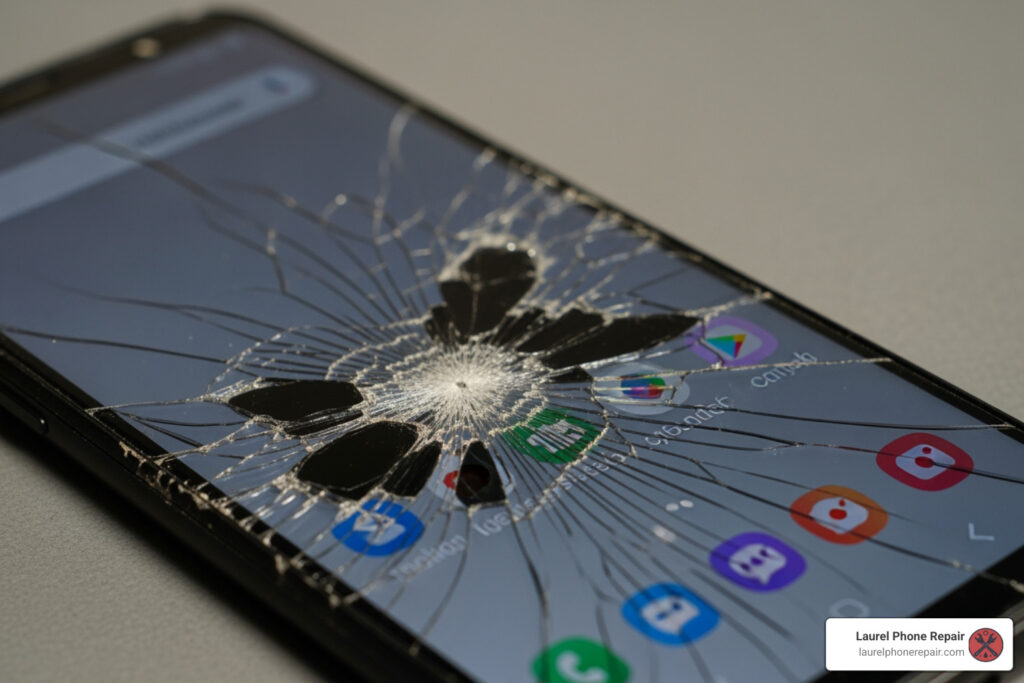
A03s screen replacement is a common repair that becomes necessary when your device suffers from cracks, unresponsive touch, or display issues. Here’s what you need to know at a glance:
Quick Answer:
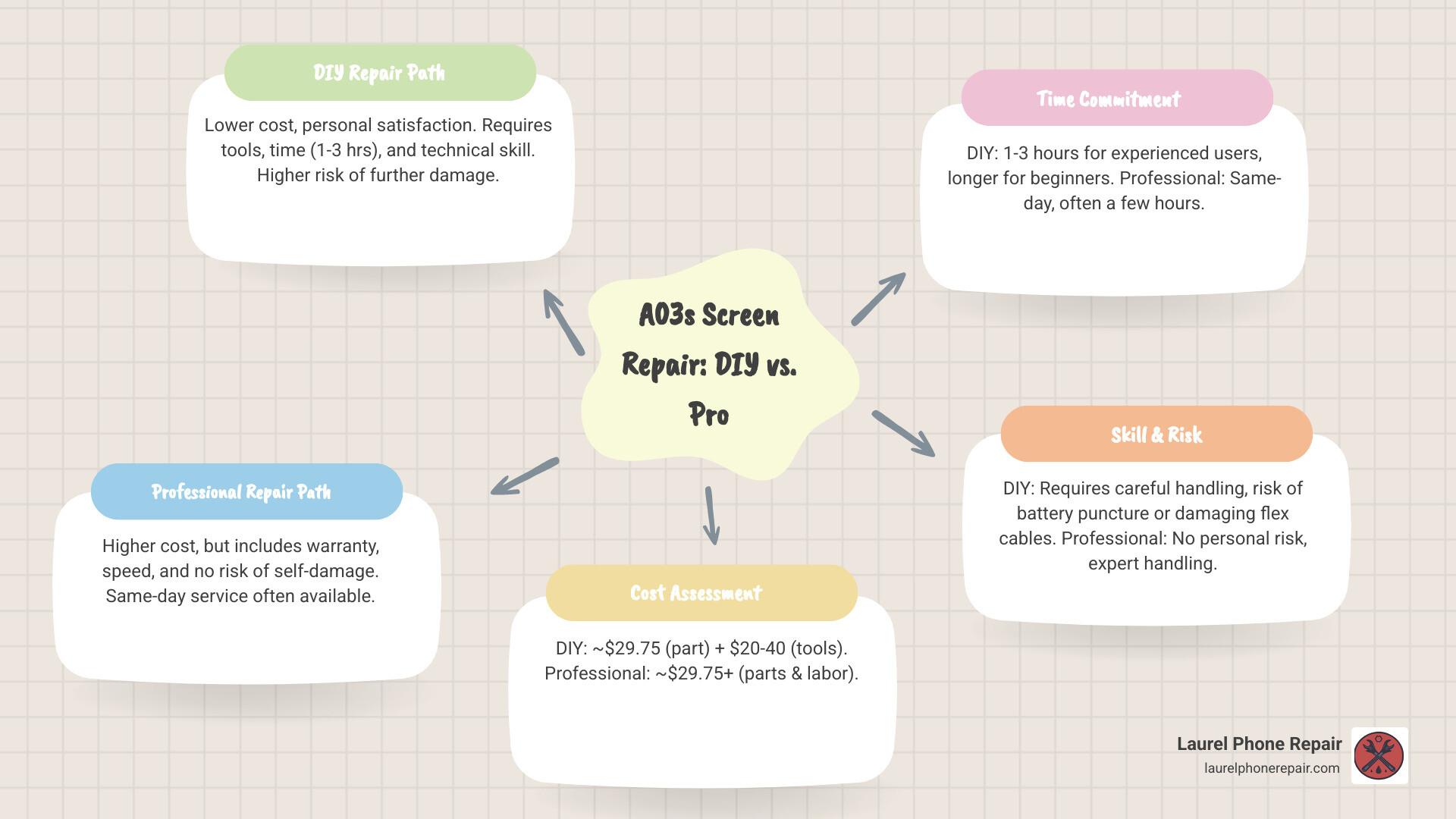
- Professional Repair Cost: Typically $29.75+ for parts, with same-day service available
- DIY Cost: Around $29.75 for the screen part, plus tools ($20-40 if you don’t own them)
- Repair Time: 1-3 hours for DIY (beginners may take longer), or same-day at a repair shop
- Best Option: Professional repair offers warranty protection and eliminates risk of further damage
A cracked or malfunctioning screen on your Samsung Galaxy A03s isn’t just frustrating—it disrupts your daily life. Whether you dropped your phone, sat on it, or woke up to mysterious lines across the display, you’re faced with an important decision: attempt a DIY repair or trust a professional.
The Samsung Galaxy A03s (model numbers SM-A037U, SM-A037F, and SM-A037M) is a popular budget-friendly smartphone, but its screen replacement requires careful handling of multiple internal components. You’ll need to remove the back cover, disconnect the battery, remove the mainboard, and transfer several small parts to the new screen assembly. One wrong move can damage fragile flex cables or even cause a battery fire.
This guide walks you through everything you need to know about replacing your A03s screen—from identifying damage symptoms to understanding your repair options. We’ll break down the costs, time commitment, and risks involved in both DIY and professional repairs, so you can make the best choice for your situation.
I’m Ralph Harris, and with over 20 years of experience in electronics repair and more than 500 Apple repair certifications, I’ve personally handled countless a03s screen replacement repairs and understand exactly what it takes to restore your device safely. Let’s explore your options.
Is Your Samsung A03s Screen Damaged? Key Symptoms and Model Variations
Before you consider an a03s screen replacement, it’s crucial to correctly diagnose the problem. Sometimes, what looks like a minor crack can hide more serious internal display damage. Here are the common symptoms of a damaged Samsung Galaxy A03s screen:
- Visible Cracks or Shatters: This is the most obvious sign. Even small hairline cracks can compromise the screen’s integrity and lead to further damage.
- Scratches: While minor scratches might not affect functionality, deep scratches can obscure the display and eventually lead to cracks.
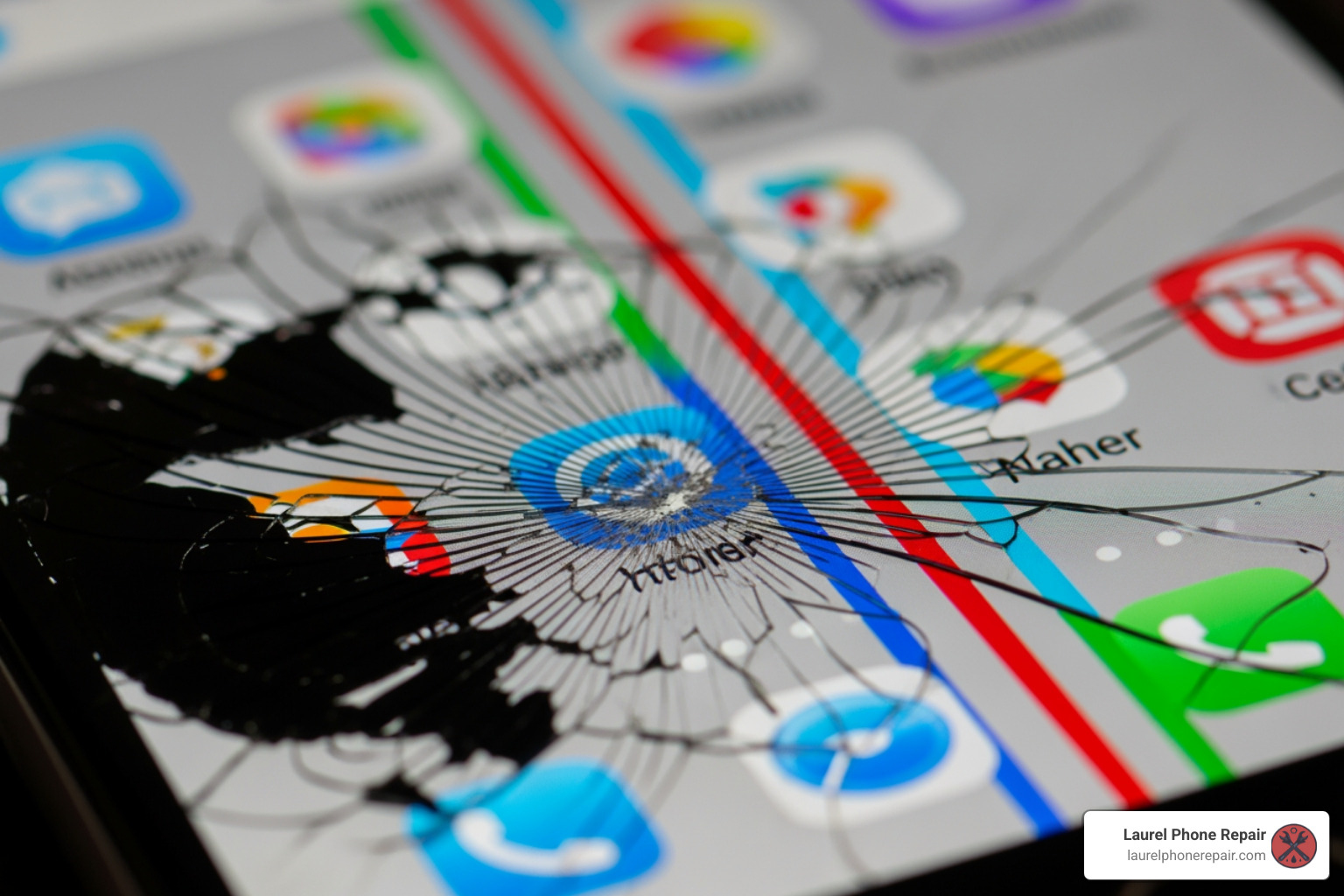
- Black Spots or “Ink Blots”: These are often a sign of internal liquid crystal damage. They can grow over time, eventually rendering parts of your screen unusable.
- Colored Lines on the Display: Vertical or horizontal lines in various colors (often green, pink, or white) indicate a damaged display panel or a faulty connection.
- Unresponsive Touch: If parts of your screen don’t respond to touch, or respond intermittently, the digitizer (the touch-sensitive layer) is likely damaged.
- “Ghost Touch”: This spooky symptom occurs when your phone registers touches that aren’t happening, leading to apps opening randomly or settings changing on their own. It’s usually a sign of a severely damaged digitizer.
- Flickering Screen: A rapidly flickering or dimming screen can point to a loose connection, a failing display panel, or even a damaged flex cable.
Understanding Model Variations for Part Compatibility
The Samsung Galaxy A03s has a few model variations, and while they are largely similar, it’s important to be aware of them, especially when sourcing replacement parts. The primary model numbers you’ll encounter are:
- SM-A037U (US Version): This is the version commonly sold in the United States.
- SM-A037F (International Version): Found in many global markets.
- SM-A037M: Another international variant.
According to our research, the US version of the Samsung A03s can be slightly different from the international version. This means that components, particularly the screen assembly, might have minor variations that affect compatibility. When you’re looking for an a03s screen replacement part, always ensure it specifies compatibility with your exact model number (e.g., SM-A037U). While many parts are interchangeable, confirming compatibility saves you time and frustration.
For instance, if your new screen comes with a pre-installed frame, the repair procedure might differ slightly from one where you need to transfer components to a new screen. Our experts are well-versed in these nuances and ensure the correct part is used for your specific device.
A03s Screen Replacement Options: Professional Repair vs. DIY
When faced with a broken Samsung Galaxy A03s screen, you essentially have two main paths: attempt to replace it yourself or entrust it to professionals. Both options have their merits and drawbacks, which we’ve summarized in the table below.
| Feature | DIY Repair | Professional Repair |
|---|---|---|
| Cost | Low (part cost + tools) | Moderate (includes part, labor, and warranty) |
| Time Commitment | High (research, execution, troubleshooting) | Low (often same-day, few hours) |
| Risk Level | High (potential for further damage, data loss) | Low (expert handling, insured service) |
| Warranty | Part-only (from seller), no labor guarantee | 1-year limited warranty on parts and labor |
Professional Repair Benefits
Choosing a professional a03s screen replacement service offers significant advantages, especially if you value peace of mind and a hassle-free experience.
- Expert Technicians: Our team consists of rigorously trained and experienced technicians who specialize in phone repairs. We understand the intricate details of Samsung devices and have handled countless screen replacements. This expertise minimizes the risk of further damage to your device.
- Speed and Convenience: We know you rely on your phone, so speed is a top priority for us. Many of our screen repairs, including for the Samsung Galaxy A03s, are completed as soon as the same day, often within a few short hours. You can walk into one of our locations in Laurel, Hattiesburg, Jackson, or Jones County, Mississippi, or schedule a repair online for ultimate convenience.
- Warranty on Parts and Labor: This is a major benefit. When you choose us for your a03s screen replacement, your repair comes with a 1-year limited warranty on both the parts used and the labor performed. This means if anything goes wrong related to the repair within that period, we’ve got you covered. This is a level of assurance you simply won’t get with a DIY repair.
- No Risk of Further Damage: Attempting a DIY repair carries inherent risks. Our professionals have the right tools, knowledge, and experience to perform the repair safely, ensuring your device is returned to you in optimal condition without new issues.
- Transparent Pricing: We offer free diagnostics and a clear cost assessment before any work begins. We aim to provide the best rates and even offer a low price guarantee: if you find a local competitor’s regularly published price for the same repair, we’ll match it and beat it by $5.
- More Info About Our Repair Services: Want to learn more about how we can bring your phone back to life? You can find more info about our repair services on our website.
DIY Repair Considerations
The idea of a DIY a03s screen replacement can be tempting, primarily due to perceived cost savings and the satisfaction of fixing something yourself.
- Cost Savings: On the surface, buying just the replacement screen part (which can be found for around $29.75) seems cheaper than a professional service. However, this doesn’t account for the specialized tools you’ll need, which can add $20-40 to the cost if you don’t already own them.
- Personal Satisfaction: There’s a certain pride in successfully repairing your own device.
- Risks Involved: This is where DIY gets tricky. The Samsung Galaxy A03s screen replacement is not a simple task. It involves a multi-step process that requires precision and patience. Our research shows that even experienced repairers find the process complex. One iFixit guide, for example, outlines 15 distinct steps just for the screen replacement.
- Potential for Further Damage: Without proper tools, technique, and experience, you risk damaging other delicate components like flex cables, the battery, or even the motherboard. A small mistake can turn a screen replacement into a much more expensive repair, or worse, render your phone irreparable.
- No Warranty on Labor: If you mess up, you’re on your own. While the replacement screen itself might come with a limited warranty from the seller, there’s no guarantee covering your labor or any accidental damage you might inflict during the process.
- Time-Consuming: For a beginner, a repair that takes an expert a few hours could easily stretch into a full day or more, especially if you encounter unexpected issues or need to reorder parts.
While DIY offers potential savings and satisfaction, it comes with significant risks and a steep learning curve.
DIY Guide: How to Replace the Samsung Galaxy A03s Screen Yourself
If you’re feeling adventurous and confident in your technical skills, a DIY a03s screen replacement is technically possible. However, we must stress that this is a complex repair and we strongly advise caution. Our goal here is to inform you of the process, not necessarily to endorse DIY over professional service, especially given the risks.
Tools and Parts Needed for an a03s screen replacement
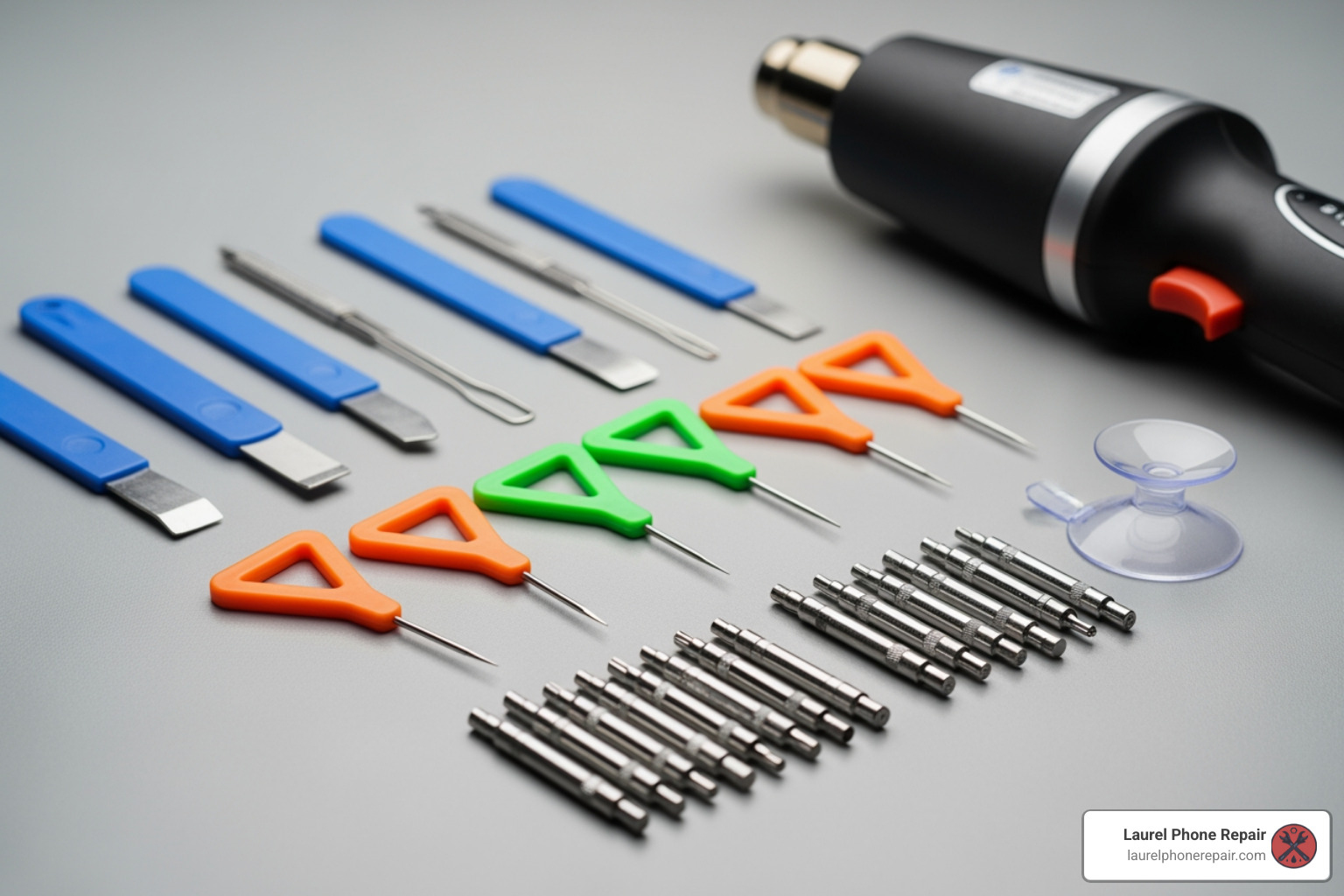
To start on this journey, you’ll need a specific set of tools and, of course, the replacement screen itself.
- Phillips #00 Screwdriver: Essential for removing tiny internal screws.
- Spudger: A non-conductive tool used for prying and disconnecting delicate components without causing electrical shorts.
- Tweezers: For handling small screws, flex cables, and other tiny parts.
- Opening Picks (Plastic): Used to separate adhesive and pry open seams without scratching the device.
- iOpener or Heat Gun/Hair Dryer: Heat is crucial for softening the adhesive that secures the back cover and the screen. An iOpener provides controlled, even heat.
- Isopropyl Alcohol (90%+): For cleaning adhesive residue and helping to loosen stubborn adhesive.
- Replacement Adhesive: New adhesive strips are necessary to re-seal the back cover and the new screen, helping to restore some dust and splash resistance (though full water resistance is hard to restore).
- Suction Cup/Handle: To help lift the back cover and screen after heating.
- Thin Plastic Card (e.g., playing card): Can be useful for slicing adhesive.
- Replacement Screen Part: This is the most crucial component. A compatible Samsung Galaxy A03s screen assembly (LCD with digitizer) for your specific model (e.g., SM-A037U). The average cost for this part is around $29.75. Ensure it comes with a frame if you want to avoid transferring some components.
Step-by-Step Replacement Process
The following is a generalized overview of the steps involved in an a03s screen replacement. This is a summary and does not replace a detailed repair guide. We advise you to consult comprehensive, visual guides (such as those found on iFixit, for informational purposes only) if you choose the DIY route.
-
Safety Precautions:
- Discharge the Battery: Before you start, discharge your phone’s battery to 25% or lower. A fully charged lithium-ion battery can catch fire or explode if accidentally punctured during the repair.
- Power Off: Always power off your device completely before beginning any disassembly.
- Protect Your Eyes: Consider wearing safety glasses, especially if the screen is severely cracked, to protect against glass shards.
-
Eject SIM Card Tray: Use a SIM eject tool or a straightened paperclip to remove the SIM card tray.
-
Remove Back Cover:
- Apply heat to the edges of the back cover using an iOpener or heat gun to soften the adhesive.
- Use a suction cup to create a small gap, then insert an opening pick and carefully slide it around the perimeter to cut through the adhesive. Be extremely careful, as the fingerprint sensor cable is often attached to the back cover and can be easily damaged.
- Once the adhesive is cut, gently open the back cover, being mindful of any attached flex cables.
-
Disconnect the Battery: Locate the battery connector on the motherboard and use a spudger to carefully pry it straight up and disconnect it. This is a critical safety step.
-
Remove Internal Components (Partial Disassembly):
- Unscrew and remove any brackets or covers protecting the motherboard and other components.
- Disconnect various flex cables, such as the power button ribbon cable, mainboard flex cable, and antenna cable, using a spudger and tweezers.
- Carefully remove the mainboard and charging board if necessary to access the screen connections.
-
Component Transfer (if applicable): If your new screen assembly does not come with a pre-installed frame or certain small components, you’ll need to carefully transfer them from your old screen. This might include the earpiece speaker, vibrate motor, and volume button flex cable. This often involves applying heat and isopropyl alcohol to loosen adhesive.
-
Remove the Old Screen:
- Apply heat to the front of the screen to soften the adhesive holding it to the frame.
- Use a suction cup to gently pull up the screen, creating a small gap.
- Insert opening picks and carefully slide them around the edges to cut through the screen adhesive. This process can be delicate, especially if the screen is heavily cracked.
- Once the adhesive is cut, carefully thread the display cable through the frame and remove the old screen.
-
Reassembly:
- Clean any old adhesive residue from the frame with isopropyl alcohol.
- Connect the new screen’s flex cable to the motherboard.
- Apply new adhesive strips to the frame where the screen will sit.
- Carefully place the new screen into the frame, ensuring it’s properly aligned.
- Reconnect all internal components and flex cables that were disconnected.
- Reinstall any brackets and covers.
- Reconnect the battery.
- Apply new adhesive to the back cover and carefully re-seal it.
- Reinsert the SIM card tray.
Key Risks and Precautions for a DIY a03s screen replacement
As you can see, the DIY process is intricate and fraught with potential pitfalls. Here are the major risks you face:
- Battery Puncture and Fire Hazard: The battery is adhered firmly, and prying it incorrectly can lead to puncture. This can cause the battery to vent, swell, or even catch fire or explode. We’ve seen this happen, and it’s not a pretty sight.
- Damaging Fragile Flex Cables: Tiny ribbon cables connect various components. They are extremely delicate and can tear or crease easily, leading to non-functional buttons, cameras, or sensors. The fingerprint sensor cable, in particular, is often attached to the back cover and can be severed if not handled with extreme care during removal.
- Losing Water Resistance: Samsung Galaxy A03s, like many modern phones, has some level of dust and splash resistance, achieved through adhesive seals. Opening the phone inevitably breaks these seals. Without applying new, high-quality adhesive correctly, your phone will lose its water protection.
- Incomplete or Faulty Repair: You might successfully replace the screen, only to find the touch isn’t working, the display has dead pixels, or another component stopped functioning. This could be due to a faulty part, an improperly connected cable, or accidental damage during the repair.
- Troubleshooting Issues: If something goes wrong, diagnosing the problem can be incredibly difficult without specialized tools and knowledge. You could spend hours or days trying to figure out why your phone isn’t working, potentially causing more damage in the process.
Given these challenges, many of our customers in Laurel, Hattiesburg, Jackson, and Jones County, Mississippi, find that the peace of mind and guaranteed results of a professional repair are well worth the investment.
Cost, Time, and Warranty for Your A03s Screen Replacement
Understanding the financial and time commitments, as well as the warranty implications, is crucial when deciding on an a03s screen replacement.
Average Cost Breakdown
The cost of an a03s screen replacement varies significantly between DIY and professional services.
-
DIY Cost:
- Part Cost: The Samsung Galaxy A03s screen replacement part itself can be found for as low as $29.75. This price typically includes the LCD and digitizer assembly.
- Tool Investment: If you don’t already own the necessary specialized tools (screwdrivers, spudgers, heat gun, etc.), you could be looking at an additional $20-$40 for a basic repair kit.
- Hidden Costs: Factor in potential costs for replacement adhesive, isopropyl alcohol, and, crucially, the cost of replacing accidentally damaged components if the repair goes wrong.
-
Professional Repair Cost:
- Professional repair costs typically include the price of the part, the technician’s labor, and a warranty. While we don’t list a fixed price here (as specific costs can vary based on diagnostics), we can tell you that we aim for affordability.
- Our pricing is always transparent, and we provide a free diagnostic and cost assessment before any work begins. We even offer a low price guarantee, promising to beat any local competitor’s regularly published price for the same repair by $5. This ensures you get a fair deal without compromising on quality or peace of mind.
- For an accurate quote custom to your specific Samsung Galaxy A03s and its condition, we encourage you to check our repair pricing or visit one of our stores.
How Long Does the Repair Take?
Time is often a critical factor, especially when your primary communication device is out of commission.
-
DIY Time:
- For someone experienced in phone repair, an a03s screen replacement might take 1-3 hours.
- However, for a beginner, the process can be significantly longer. Researching steps, carefully executing each delicate movement, and inevitably troubleshooting unexpected issues can stretch the repair time to several hours, or even a full day.
- One iFixit guide for the A03s involves 15 detailed steps, each requiring careful attention.
-
Professional Repair Time:
- This is where professional services truly shine. Our trained technicians can perform most screen repairs, including for the Samsung Galaxy A03s, as soon as the same day.
- Many simpler repairs can even be completed in just a few short hours. We understand the urgency and strive to get your device back in your hands as quickly as possible. Our trusted experts can provide reliable screen repairs—fast. Most repairs done as soon as the same day.
Understanding the Warranty
Warranty protection is a significant differentiator between DIY and professional repairs.
-
DIY Warranty:
- When you purchase a replacement screen part, it might come with a limited warranty from the seller, covering defects in the part itself.
- However, this warranty typically does not cover any damage you might cause during the installation process, nor does it guarantee the functionality of the repair as a whole. You are solely responsible for your labor. If the screen stops working due to your installation, you’re out of luck.
-
Professional Repair Warranty:
- At Laurel Phone Repair, we stand behind our work. All our repairs, including a03s screen replacement, come with a comprehensive 1-year limited warranty.
- This warranty covers both the replacement parts used and the labor performed by our technicians. This means you get peace of mind knowing that if any issues arise related to the repair within a year, you can bring your device back to us, and we’ll make it right.
- This level of assurance is invaluable and provides a safety net that DIY repairs simply cannot offer. Learn more about our support and warranty policy on our website.
Conclusion
A damaged screen on your Samsung Galaxy A03s can be a real headache, but thankfully, an a03s screen replacement is a common and solvable problem. We’ve explored the symptoms of screen damage, the critical differences in model variations, and the two main avenues for repair: doing it yourself or trusting the experts.
While the DIY route might offer a lower initial cost for the part and the satisfaction of a personal achievement, it comes with significant challenges. The process is intricate, requiring specialized tools and a steady hand. The risks of damaging other delicate components, losing water resistance, or facing unexpected troubleshooting issues are high. Moreover, a DIY repair typically offers no warranty on your labor, leaving you vulnerable if things go awry.
On the other hand, professional repair services, like those we offer in Laurel, Hattiesburg, Jackson, and Jones County, Mississippi, provide a stress-free and reliable solution. Our experienced technicians use quality parts, perform repairs quickly (often same-day), and back their work with a 1-year limited warranty. This means you get your device back in working order, without the headaches or risks associated with a complex DIY project, and with the assurance that your investment is protected.
For a fast, reliable, and guaranteed Samsung Galaxy A03s screen replacement, trust the experts at Laurel Phone Repair. We’re here to get your device back to perfect condition, so you can get back to what matters most.